Words Crush: Word Puzzle Game

Words Crush: Word Puzzle Game

Word

| Zytoona

Play on PC with BlueStacks or from our cloud

  • Overview
  • Game Features
  • How to Play

Page Modified On: October 23, 2026

Play Words Crush: Word Puzzle Game on PC or Mac

Words Crush: Word Puzzle Game by Zytoona has plenty to keep you busy. BlueStacks lets you play it on PC or Mac with more screen space, better control, and fewer mobile limits.

About the Game

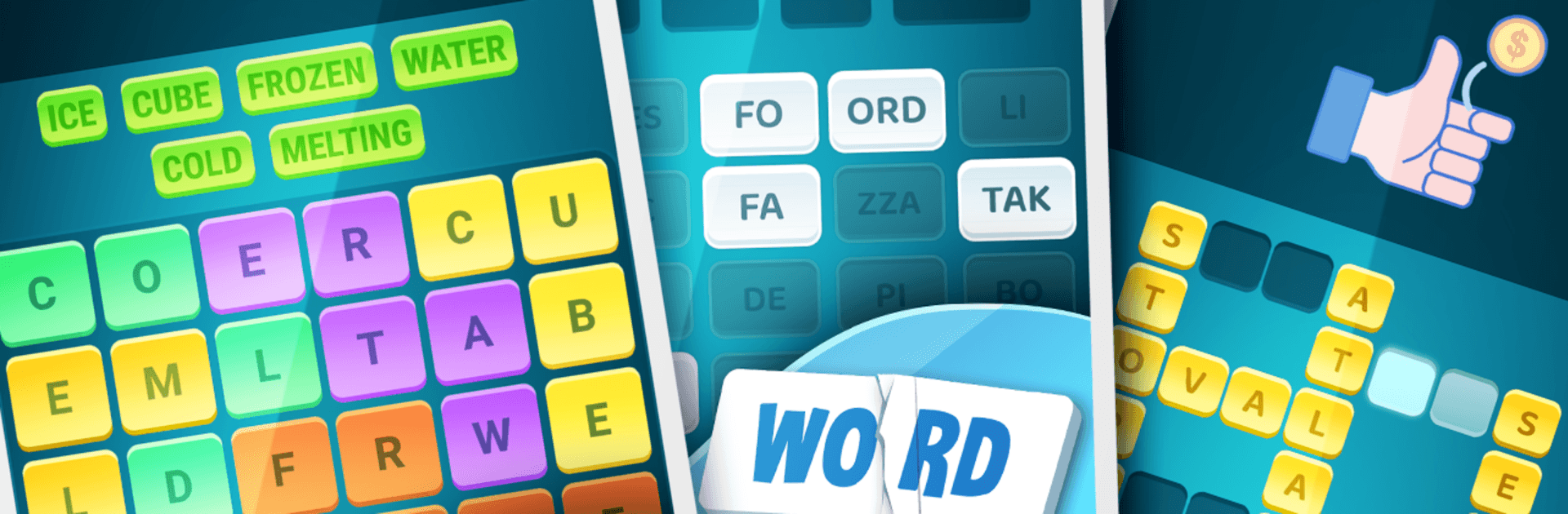
Words Crush: Word Puzzle Game is a relaxed, brain-tickling mix of picture prompts, emoji riddles, and classic word challenges. It’s a Word experience that keeps things fresh with multiple styles of play, so you’re never stuck doing the same thing twice. Play in quick bursts or settle in for a longer session—works great on a bigger screen with BlueStacks if that’s your style.

Game Features

  • Tangled Words (Picture Prompts): Study a single image and build every related word you can think of—literal, clever, or somewhere in between.
  • EmoCharades: Decode lines of emojis and tiny animations into well-known phrases, movie titles, idioms, and more.
  • Image Crossword: Classic crossword grids get a visual twist, using pictures as clues instead of long text hints.
  • Word Search Remix: Hunt down hidden terms in a letter grid, guided by small images that nudge you toward the right categories.
  • Broken Words: Reassemble full words from scattered fragments to capture what’s happening in the scene.
  • Letter Mix: No pictures here—just a clean set of letters inviting you to craft satisfying solutions.
  • World Tour & Treasures: Travel through themed stages and uncover little surprises as you move from one chapter to the next.
  • Loads of Levels: With over 550 handcrafted stages, you’ll always have another brain teaser waiting.
  • Play With Friends: Connect and compare progress, then see who’s solving puzzles fastest this week.
  • Friendly Hints: Use affordable hints when you’re stuck, or earn more by simply playing and progressing.
  • Low-Noise Ads: Short breaks only between rounds keep the flow going without interrupting your train of thought.
  • Polished and Fair: Carefully proofread word lists and clean visuals make each puzzle feel thoughtful, consistent, and satisfying.

Ready to top the leaderboard? We bet you do. Let precise controls and sharp visuals optimized on BlueStacks lead you to victory.


Game Features

Enhancements

  • Macros
  • Multi Instance
  • Multi Instance Sync
  • Script
  • Enhancements
Macros

Macros

Automate the predictable in Words Crush: Word Puzzle Game and transform your gameplay with Macros. Get access to inventive Macros in the BlueStacks Macro Community
Multi Instance

Multi Instance

Play Words Crush: Word Puzzle Game on one window. And chat with your friend on the other. Press CTRL + Shift + 8 to open the Multi-Instance Manager. And start creating fresh instances or clone an existing one.
Multi Instance Sync

Multi Instance Sync

Play Words Crush: Word Puzzle Game with the power of Multi-Instance Sync. Replicate what you are doing on the main instance on all other instances. Level up faster, play more.
Script

Script

Script your way to gaming glory in Words Crush: Word Puzzle Game with BlueStacks Script. Write and run a set of commands to automate repeated tasks. Trigger the command by assigning it to any key.
Read More

How to Download and Play Words Crush: Word Puzzle Game on PC or Mac

  • Download and install BlueStacks on your PC or Mac

  • Complete Google sign-in to access the Play Store, or do it later

  • Look for Words Crush: Word Puzzle Game in the search bar at the top right corner

  • Click to install Words Crush: Word Puzzle Game from the search results

  • Complete Google sign-in (if you skipped step 2) to install Words Crush: Word Puzzle Game

  • Click the Words Crush: Word Puzzle Game icon on the home screen to start playing

video
Watch Video

Minimum System Requirements

With BlueStacks 5, you can get started on a PC that fulfills the following requirements.

  • Operating System

    Microsoft Windows 7 or above, macOS 11 (Big Sur) or above

  • Processor

    Intel, AMD or Apple Silicon Processor

  • RAM

    at least 4GB

  • HDD

    10GB Free Disk Space

Note:

* You must be an Administrator on your PC. Up to date graphics drivers from Microsoft or the chipset vendor.

Words Crush: Word Puzzle Game - FAQs

  • How to play Words Crush: Word Puzzle Game on Windows PC & Mac?

    Play Words Crush: Word Puzzle Game on your PC or Mac by following these simple steps.

    • Click on 'Play Words Crush: Word Puzzle Game on PC’ to download BlueStacks
    • Install it and log-in to Google Play Store
    • Launch and play the game.
  • Why is BlueStacks the fastest and safest platform to play games on PC?

    BlueStacks respects your privacy and is always safe and secure to use. It does not carry any malware, spyware, or any sort of additional software that could harm your PC.

    It is engineered to optimize speed and performance for a seamless gaming experience.

  • What are Words Crush: Word Puzzle Game PC requirements?

    Minimum requirement to run Words Crush: Word Puzzle Game on your PC

    • OS: Microsoft Windows 7 or above MacOS 11 (Big Sur) or above
    • Processor: Intel, AMD or Apple Silicon Processor
    • RAM: Your PC must have at least 4GB of RAM. (Note that having 4GB or more disk space is not a substitute for RAM)
    • HDD: 10GB Free Disk Space.
    • You must be an Administrator on your PC.