How to Play Nexus: Nebula Echoes on PC with BlueStacks
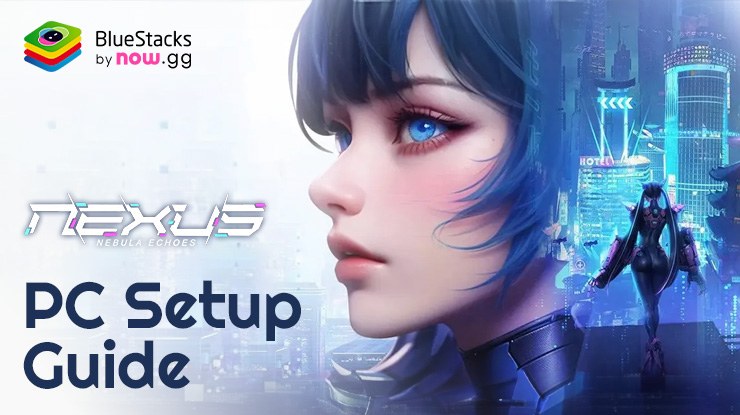

Nexus: Nebula Echoes is a space RPG game where players build and manage their space station. They explore the galaxy, gather resources, and battle with other players. The game features a variety of ships, modules, and upgrades that players can use to customize their space station and improve their chances of survival in the vast expanse of space. It’s a game that combines elements of strategy, resource management, and space exploration, offering players a unique and immersive experience in a futuristic sci-fi setting.
Enjoy Nexus: Nebula Echoes on a larger screen with enhanced graphics and performance with BlueStacks emulator. Take full advantage of all the features of Nexus: Nebula Echoes while enjoying the convenience of playing on a desktop or a laptop.
How to Install Nexus: Nebula Echoes on PC or Mac
- Go to the game’s page, and click on the “Play Nexus: Nebula Echoes on PC” button.
- Open the file from your browser’s downloads section.
- Sign in through the BlueStacks Store to enjoy rewards and special offers.
- Install and Start Playing.
For Mac: See How to install and play with BlueStacks Air on Mac.
How to Install Nexus: Nebula Echoes on Mobile (If Available)
- Go to the game’s page, and click and click ‘Get it on BlueStacks Mobile App‘.
- Open App, Go to Games, and Search for Nexus: Nebula Echoes
- Install and Start Playing
If you already have BlueStacks installed!
- Visit the game’s page and click the Play Nexus: Nebula Echoes on PC button.
- Open the file from your browser’s downloads section.
- The game will download and launch automatically.
- Start Playing
Get up to 20% cashback in nowBux gaming currency and big weekly rewards with every in-app purchase on games from the BlueStacks Store. Play on PC with BlueStacks to unlock more resources like summons, skins, cosmetics and more.
Struggling to get resources in your favourite games?
Do not fret, as nowbux allows players worldwide to claim up to 20% cashback and huge weekly rewards on all their in-game spendings in the following games on BlueStacks:
- Nexus: Nebula Echoes
- Magic Hero War
- Tales of Terrarum
- Zombieland: Doomsday Survivor
- Magic Chronicle: Isekai RPG
- Tales & Dragons: NewJourney
- Battle Bears Rainblow – Endless Runner
- Battle Bears Fortress – Tower Defense
- BLACKPINK THE GAME
- LaTale M: Side-Scrolling RPG
For more information, players can visit the Google Play Store page of Nexus: Nebula Echoes. For more in-depth insights, tips, and exciting gameplay strategies, explore our extensive BlueStacks Blogs on the game. Players can enjoy Nexus: Nebula Echoes even more on a bigger screen with their keyboard and mouse via BlueStacks!