Roblox Dress to Impress Theme Guide Outfit Ideas for Every Category
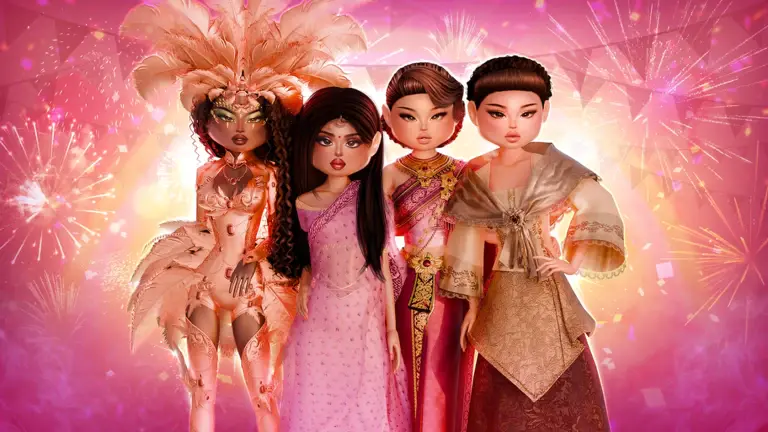

Dress to Impress is a Roblox fashion competition from the Dress To Impress Group in which every round hands the whole server a single theme and a few minutes to dress for it. Reading that theme correctly matters more than owning rare items. This guide walks through how a round works, how to use each styling station to serve a theme, how voters judge looks on the runway, and what kind of outfit suits each major category of themes.
How a Dress to Impress Round Works
Towards the end of the intermission in the lobby, the game announces the theme for the next round. It stays in a banner at the top of the screen for the whole round, with the timer beneath it. Once the round begins, every player is moved into the Dressing Room and gets 360 seconds to put a look together. You can wear up to 18 items at once, and the Increased Item Limit gamepass raises that cap to 24.
Most themes are chosen at random, but players can use a Theme Prop to pick the theme for a round themselves. There are several hundred official themes, so learning to read a theme quickly beats memorising a list. When the timer ends, everyone is sent to the Runway, where players walk one at a time, use Walks and Poses, and are rated by the rest of the server on a scale of one to five stars. The three highest scores take the podium, and every player receives Stars and Cash based on how they placed. If you would rather practise without pressure, Freeplay mode removes the theme, the timer, and the voting entirely.

Building a Look Station by Station
The Dressing Room is split into styling stations, and the game nudges newer players through them with on-screen prompts in a fixed order: edit your skin tone, pick a makeup look, pick a hairstyle, colour your nails, and then select a random item. Following that order even after the prompts stop ensures your face, hair, and hands are finished before you layer clothes. The sections below explain how each station can support a theme. On PC, you walk up to a station and press E on the heart prompt to use it, and press Space to leave.
Skin Tone
The skin tone station offers a grid of preset shades, a Color Wheel for any custom colour, and a Vitiligo setting with three patterns alongside an Off option. The presets are not limited to natural tones either, since blue, green, pink, yellow, and deep red are all available with a single click. For everyday, formal, and career themes, a natural shade keeps attention on the clothing. The unusual presets and the Color Wheel come into their own for fantasy and horror prompts such as From Another Planet, Zombie Apocalypse, or Mermaid/Siren, where a changed skin tone quickly reads as otherworldly.

Makeup
Lana’s Salon holds the makeup station, which has two ways of working. The left panel lets you set individual features, with numbered eye options and a row of tabs across the top for the other parts of the face. The right panel offers complete makeup looks sorted into Feminine, Masculine, and Toy Codes tabs, which is the faster route when time is short. Match the intensity of the makeup to the theme. Soft, natural looks suit themes like Cottagecore or Preppy, while dark lips, heavy lashes, and dramatic eyes work far better for Gothic, Villain, or Haunted, where the face alone can tell voters what you are dressing for. An unfinished face is a common gap on the runway, so time spent here is rarely wasted.

Hairstyle
The Hairstyles panel sorts its options with filters for Feminine, Masculine, Bangs, Curly, Straight, Wavy, Updo, Locs, Braids, and Afro. Filtering first saves scrolling when a theme calls for something specific, such as an updo for a formal event or loose waves for a beach day. Hair also carries a lot of weight in historical themes, since a short bob instantly suggests the 1920s and tall, elaborate styles suit Rococo. Keep hair and makeup in the same mood.

Nails
The nail station has a Select Design panel for the shape and length of the nails, and a colour panel with Wheel, Palette, and Patterns tabs. You can type an exact HEX code, and Recent Colors and Saved Colors let you reuse shades you picked earlier. Typing the same HEX code you used for other parts of the look is the most reliable way to match shades exactly, especially for colour themes. Nail shape is worth a thought too, since long, sharp nails suit Villain or Witches/Warlocks, while short, neat nails fit career themes.

How Voters Read a Theme on the Runway
Each player walks the runway alone, and voters only have a short window to rate every look from one to five stars. That means the theme has to be obvious at a glance. A simple outfit that clearly answers the prompt usually beats a beautiful one that could belong to any theme, and unrelated items, such as fantasy wings on an everyday prompt, can pull a look down.
Looks that score well tend to share a few traits:
- A small palette of two or three colours repeated across the outfit
- One hero piece or prop that tells the story of the theme
- Silhouettes that match the setting or era of the theme
- No unrelated items competing for attention
Poses matter as well. Choose a few poses that suit the mood of the theme and hold them long enough for voters to see the outfit, since switching constantly makes the look harder to read.

Outfit Ideas for Every Theme Category
Dress to Impress does not sort its themes into official categories, but grouping them by the kind of thinking they require makes them much easier to prepare for. The table below uses real theme names from the game, and the sections after it explain how to approach each group.
| Category | Example Themes | What Voters Look For |
| Style and Aesthetic | Dark Academia, Cottagecore, Old Money, Y2K, Grunge | Accurate details of a known fashion style |
| Pop Culture | Met Gala, Barbie, K-Pop, Red Carpet, Cover of Vogue | An instantly recognisable reference |
| Versus and Duo | Fire vs Ice, Sun & Moon, Superhero or Villain | A clear choice of one side |
| Location and Event | Wedding Day, Fancy Dinner, Pool Party, Prom Night | Clothing suited to the occasion |
| Historical | Victorian, Rococo, 1920s/Roaring Twenties, Medieval | Period silhouettes and textures |
| Fantasy and Supernatural | Mermaid/Siren, Angel, Steampunk, Greek Mythology | Creative, otherworldly details |
| Colour and Pattern | Monochrome, Pastel, Neon, Stripes Galore | Strict discipline on one colour or pattern |
| Career and Hobby | Doctor, Flight Attendant, Ballerina, Secret Agent | A recognisable uniform or tool |
Winning in Dress to Impress starts with reading the theme correctly and committing to one clear idea. A small palette and one fitting prop usually do more on the runway than a crowded outfit. Treat each category as a different kind of question, whether it asks for a real fashion style, a historical silhouette, or a creative fantasy look, and your outfits will read clearly every round. For the best gaming experience, play Roblox on PC with BlueStacks!