How to Install and Play Wizard Legend: Magic Awakened on PC with BlueStacks


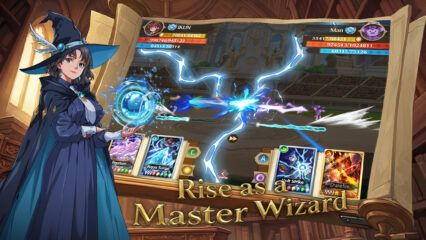
Wizard Legend: Magic Awakened is a fantasy idle role-playing game where you play as a young student in a magic academy. Your main goal is to collect spells, build smart decks, and set up strong combos using different elements and magic types.
Battles play out automatically, so the fun comes from planning your setup and improving it over time. The game also includes PvP arena fights, club content, and other activities that give you more ways to test your builds. It is a great pick for players who like magic themes, team planning, and steady progress.
How to Install Wizard Legend: Magic Awakened on PC
- Head to the game’s page and click the “Play Wizard Legend: Magic Awakened on PC” button.
- Open the installer file from your browser’s downloads area.
- Install BlueStacks on your PC or Mac, then open it once the setup is done.
- Sign in to the Google Play Store, download Wizard Legend: Magic Awakened, and jump into the action.
How to Install Wizard Legend: Magic Awakened on Mac with BlueStacks Air
- Get the Installer: Visit the game’s page and click the “Play Wizard Legend: Magic Awakened on Mac” button.
- Run the Setup: Open the BlueStacksInstaller.pkg file and go through the steps shown on your screen.
- Open and Sign In: Start BlueStacks Air from Launchpad or the Applications folder, then sign in with your Google account.
- Install Wizard Legend: Magic Awakened: Search for Wizard Legend: Magic Awakened in the Play Store and install it.
- Start Playing: Open the game and begin your magic school journey.
If You Already Have BlueStacks Installed
- Go to the game’s page and click the “Wizard Legend: Magic Awakened on PC” button.
- Open BlueStacks on your computer.
- Install the game through the BlueStacks Store or the Google Play Store.
- Launch Wizard Legend: Magic Awakened and start playing right away.
Minimum System Requirements
BlueStacks runs well on many PCs and Macs, so you do not need a high-end setup to get started. Here are the basic requirements:
- OS: Microsoft Windows 7 and above, macOS 11 (Big Sur) or above
- Processor: Intel, AMD Processor, or Apple Silicon Processor (M1-M4)
- RAM: At least 4GB of RAM
- Storage: 10GB Free Disk Space
- Permissions: Administrator access on your PC or Mac
- Graphics Drivers: Up-to-date graphics drivers from Microsoft or the chipset vendor
Wizard Legend: Magic Awakened is a good fit for players who like building their own playstyle instead of tapping through every fight. You can collect more than 140 spells, make different decks for different modes, and mix four elements with three magic types to create stronger combos.
Also, playing Wizard Legend: Magic Awakened on PC or Mac with BlueStacks makes the game easier to enjoy, especially if you want a bigger screen and better control over menus and setup. Using a keyboard and mouse can feel more comfortable than a phone during longer sessions, and it also helps when you are sorting spells, changing decks, or moving through different game modes. So if you want a smoother way to play at home, a PC or Mac is a great option.