Roblox - PLS DONATE All Working Redeem Codes in October 2026
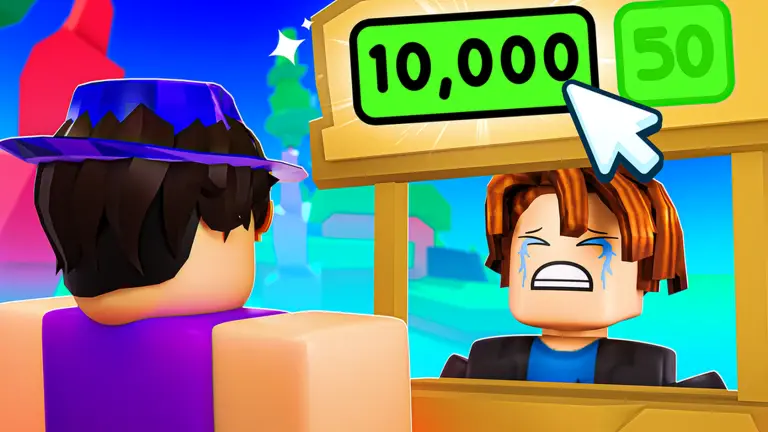

PLS DONATE is a social Roblox adventure where players can raise Robux or donate it to other users. You begin by claiming a booth and changing its text to tell other players why they should support you. From there, you can visit other booths, make donations, and interact with people across the server.
PLS DONATE codes provide Giftbux and booth designs that can help you customize your stand. These rewards do not give you free Robux, since Robux comes from donations made by other players.
Got questions about booths, Giftbux, or playing Roblox on PC? Join our Discord channel for gaming discussions and support!
Active Redeem Codes in Roblox – PLS DONATE
Here are the active PLS DONATE codes. Enter them exactly as written because capitalization, numbers, and punctuation can affect whether they work.
- HAUNTED: Get 30 Giftbux (NEW)
- pixel – Pixel Playground Booth
- HAUNTED – 30 Giftbux
- hazem – 50 Giftbux
- lazarbeam – LazarBeam Booth
- Eagle_15 – 15 Giftbux
- quataun – 50 Giftbux
- PLSDONATENEWS15 – 15 Giftbux
- plsdonate2 – 20 Giftbux
Each code can usually be redeemed once per account. Claim the rewards soon because codes may expire without warning, and return to this article for future additions.
How to Redeem Codes in Roblox – PLS DONATE
Redeeming codes only takes a few steps once you enter the PLS DONATE server:
- Launch Roblox and open PLS DONATE.
- Wait for the experience and your booth options to load.
- Find the yellow ticket-shaped Redeem button on the left side of the screen.
- Select the button to open the code entry box.
- Type or paste one of the active codes into the field.
- Check the spelling and capitalization, and then press Redeem.
Your Giftbux or booth should be added after the code is accepted.
Why Redeem Codes Might Not Work in Roblox – PLS DONATE
A code may fail even when it appears on an active list. Here are some common reasons:
- The code has expired: Event and creator codes may only remain available for a limited period.
- The code was entered incorrectly: A wrong capital letter, missing underscore, or extra space can cause an error.
- It was already redeemed: Most codes only work once on each Roblox account.
- The server has a temporary issue: Rejoining PLS DONATE or trying another server may solve the problem.
Copying and pasting codes can help you avoid typing mistakes. If a code still fails after you rejoin, it may have recently expired.
PLS DONATE codes can give your booth a fresh appearance or provide Giftbux for in-game items. Try every active code, customize your booth text, and interact respectfully with other players while waiting for donations.
Also, playing Roblox on PC or Mac with BlueStacks gives you a larger view of nearby booths and the server. Keyboard and mouse controls can also make moving around and editing your booth text more comfortable.