5 Nights At Plush's
5 Nights At Plush's

5 Nights At Plush's

Action

| HIGHBIT ENTERTAINMENT™

Play on PC with BlueStacks or from our cloud

  • Overview
  • Game Features
  • How to Play

Page Modified On: August 31, 2026

Play 5 Nights At Plush's on PC or Mac

5 Nights At Plush’s brings the Action genre to life, and throws up exciting challenges for gamers. Developed by HIGHBIT ENTERTAINMENT™, this Android game is best experienced on BlueStacks, the World’s #1 app player for PC and Mac users.

About the Game

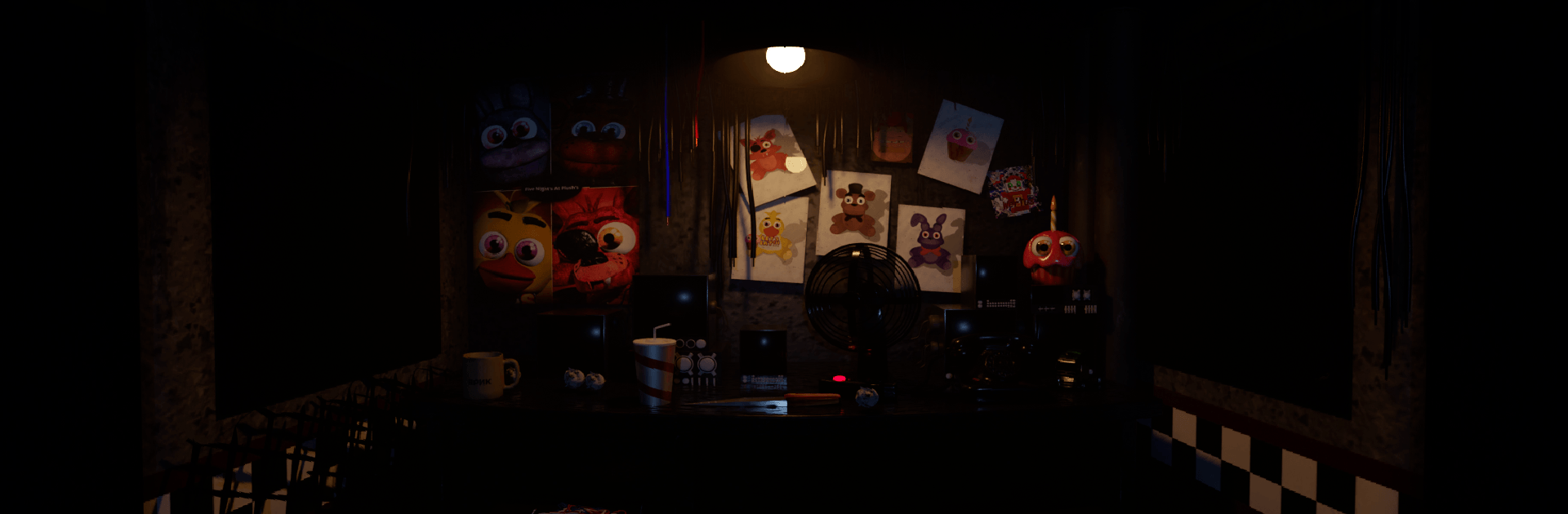
5 Nights At Plush’s drops you into the graveyard shift at a shuttered pizzeria where once-cute animatronics now wander after hours. This tense Action experience blends surveillance, resource juggling, and snap decisions as you try to outlast five increasingly stressful nights with a tablet, a pair of doors, and a temperamental generator. Prefer a bigger screen and smoother controls? It plays great on PC with BlueStacks.

Game Features

  • Night-Shift Survival: Face five escalating nights where routes change, pressure rises, and every slip can be your last.
  • Security Tablet & Cameras: Pop open the bottom button to pull up feeds around the building and track each plush’s movements in real time.
  • Power Management: Keep a close eye on the main power meter and budget every camera check and door slam like it could save your life.
  • Generator Recharge (Cam 3): Refill main power from the generator on Camera 3, watching the percentage so you’re never left in total darkness.
  • Breakdowns & On-the-Spot Repairs: When the generator sputters out, hold the repair control in its window and pray nothing creeps closer.
  • Lockable Office Doors: Use the red buttons to shut doors and block intruders, but remember—they won’t close once power hits zero.
  • Independent Flashlight: Click the doorway to light the halls with a separate battery shown in the lower right; run it dry and you’re guessing blind.
  • Sound and Tension Cues: Listen for distant steps, clanks, and rustles to time your camera checks and door decisions.
  • Simple, Snappy Controls: Quick clicks and timely holds keep the pace tight, feeling especially clean with a mouse on BlueStacks.
  • Standalone Fan Take: A fresh, fan-made twist on late-night animatronic horror that plays by its own rules and scares.

BlueStacks gives you more room to focus on the game and less time adjusting around mobile limitations.


Game Features

Enhancements

  • Macros
  • Multi Instance
  • Multi Instance Sync
  • Eco Mode
  • Enhancements
Macros

Macros

Skip the boring parts of a game. Play 5 Nights At Plush's with Macros and get the edge. Simply record a sequence of commands and execute them at any moment.
Multi Instance

Multi Instance

Why limit to one game on your phone when you can play many on your PC? Open multiple instances of 5 Nights At Plush's at once with Multi-Instance. Leverage the power of different accounts by doing more.
Multi Instance Sync

Multi Instance Sync

Get the best out of 5 Nights At Plush's with Multi-Instance Sync. Play the game from different accounts and build your own empire. Use Multi-instance sync to repeat the action in the main BlueStacks instance on all other instances.
Eco Mode

Eco Mode

Find the rarest heroes by making multiple summons in 5 Nights At Plush's. And while you are at it, reduce your PC’s resource consumption with the Eco Mode. Farm efficiently. Get the best results.
Read More

How to Download and Play 5 Nights At Plush's on PC or Mac

  • Download and install BlueStacks on your PC or Mac

  • Complete Google sign-in to access the Play Store, or do it later

  • Look for 5 Nights At Plush's in the search bar at the top right corner

  • Click to install 5 Nights At Plush's from the search results

  • Complete Google sign-in (if you skipped step 2) to install 5 Nights At Plush's

  • Click the 5 Nights At Plush's icon on the home screen to start playing

video
Watch Video

Minimum System Requirements

With BlueStacks 5, you can get started on a PC that fulfills the following requirements.

  • Operating System

    Microsoft Windows 7 or above, macOS 11 (Big Sur) or above

  • Processor

    Intel, AMD or Apple Silicon Processor

  • RAM

    at least 4GB

  • HDD

    10GB Free Disk Space

Note:

* You must be an Administrator on your PC. Up to date graphics drivers from Microsoft or the chipset vendor.

5 Nights At Plush's - FAQs

  • How to play 5 Nights At Plush's on Windows PC & Mac?

    Play 5 Nights At Plush's on your PC or Mac by following these simple steps.

    • Click on 'Play 5 Nights At Plush's on PC’ to download BlueStacks
    • Install it and log-in to Google Play Store
    • Launch and play the game.
  • Why is BlueStacks the fastest and safest platform to play games on PC?

    BlueStacks respects your privacy and is always safe and secure to use. It does not carry any malware, spyware, or any sort of additional software that could harm your PC.

    It is engineered to optimize speed and performance for a seamless gaming experience.

  • What are 5 Nights At Plush's PC requirements?

    Minimum requirement to run 5 Nights At Plush's on your PC

    • OS: Microsoft Windows 7 or above MacOS 11 (Big Sur) or above
    • Processor: Intel, AMD or Apple Silicon Processor
    • RAM: Your PC must have at least 4GB of RAM. (Note that having 4GB or more disk space is not a substitute for RAM)
    • HDD: 10GB Free Disk Space.
    • You must be an Administrator on your PC.