
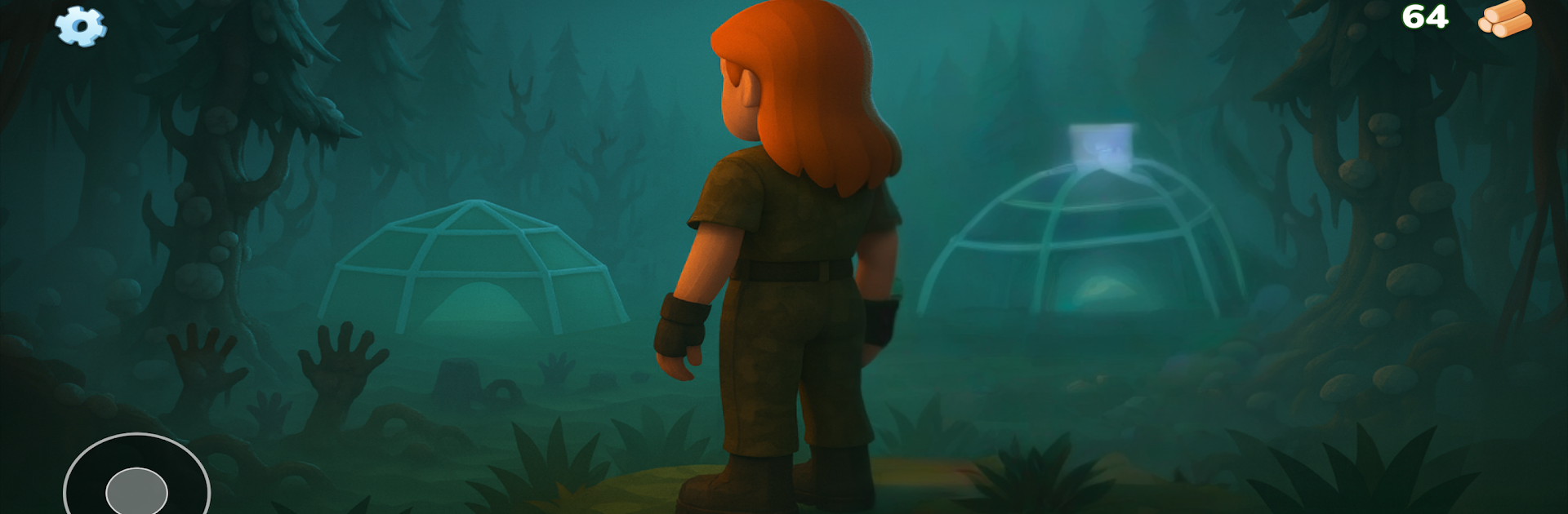
99 Nights Room in Forest

99 Nights Room in Forest

Action

| Ai show.sa

Play on PC with BlueStacks or from our cloud

  • Overview
  • Game Features
  • How to Play

Page Modified On: January 05, 2026

Play 99 Nights Room in Forest on PC or Mac

Step into the World of 99 Nights Room in Forest, a thrilling Action game from the house of Ai show.sa. Play this Android game on BlueStacks App Player and experience immersive gaming on PC or Mac.

99 Nights Room in Forest is straight survival horror with a clear rule that actually matters in play: keep the campfire alive or the deer-thing shows up. Days are a scramble to poke through old cabins, grab wood and scraps, fix up gear, and maybe snag a rabbit with traps before the sun drops. Nights flip the mood from scrounging to holding out, because it is not just the antlered nightmare out there. Wolves circle, cultists rush in, and the flashlight becomes this shaky comfort that can push the deer back if the fire stutters. Managing hunger, health, and stamina sits on top of that, so sprinting everywhere feels great until it does not, and then the cold eats away while the fire timer ticks.

What stands out is how the camp becomes a lifeline, not a fortress. Fire placement, a couple traps, a better weapon, even a warmer jacket, all of it buys a few more minutes of safety. Upgrades feel usefull because they shave off just enough risk to make the next night possible. The loop is tight, a real day and night cycle, gather then defend, repeated until those 99 nights are done, if they ever get there. Playing on PC through BlueStacks helps with quick switching between flashlight and weapons, and the bigger screen makes spotting movement in the trees less of a guess. It runs offline too, so it is easy to hop in for a few nights, lose track of time, then realize the deer is already breathing down the neck.

Get ready for a buttery smooth, high-performance gaming action only on BlueStacks.

Game Features

Enhancements

  • Macros
  • Multi Instance
  • Multi Instance Sync
  • Eco Mode
  • Enhancements
Macros

Macros

Skip the boring parts of a game. Play 99 Nights Room in Forest with Macros and get the edge. Simply record a sequence of commands and execute them at any moment.
Multi Instance

Multi Instance

Why limit to one game on your phone when you can play many on your PC? Open multiple instances of 99 Nights Room in Forest at once with Multi-Instance. Leverage the power of different accounts by doing more.
Multi Instance Sync

Multi Instance Sync

Get the best out of 99 Nights Room in Forest with Multi-Instance Sync. Play the game from different accounts and build your own empire. Use Multi-instance sync to repeat the action in the main BlueStacks instance on all other instances.
Eco Mode

Eco Mode

Find the rarest heroes by making multiple summons in 99 Nights Room in Forest. And while you are at it, reduce your PC’s resource consumption with the Eco Mode. Farm efficiently. Get the best results.
Read More

How to Download and Play 99 Nights Room in Forest on PC or Mac

  • Download and install BlueStacks on your PC or Mac

  • Complete Google sign-in to access the Play Store, or do it later

  • Look for 99 Nights Room in Forest in the search bar at the top right corner

  • Click to install 99 Nights Room in Forest from the search results

  • Complete Google sign-in (if you skipped step 2) to install 99 Nights Room in Forest

  • Click the 99 Nights Room in Forest icon on the home screen to start playing

video
Watch Video

Minimum System Requirements

With BlueStacks 5, you can get started on a PC that fulfills the following requirements.

  • Operating System

    Microsoft Windows 7 or above, macOS 11 (Big Sur) or above

  • Processor

    Intel, AMD or Apple Silicon Processor

  • RAM

    at least 4GB

  • HDD

    10GB Free Disk Space

Note:

* You must be an Administrator on your PC. Up to date graphics drivers from Microsoft or the chipset vendor.

99 Nights Room in Forest - FAQs

  • How to play 99 Nights Room in Forest on Windows PC & Mac?

    Play 99 Nights Room in Forest on your PC or Mac by following these simple steps.

    • Click on 'Play 99 Nights Room in Forest on PC’ to download BlueStacks
    • Install it and log-in to Google Play Store
    • Launch and play the game.
  • Why is BlueStacks the fastest and safest platform to play games on PC?

    BlueStacks respects your privacy and is always safe and secure to use. It does not carry any malware, spyware, or any sort of additional software that could harm your PC.

    It is engineered to optimize speed and performance for a seamless gaming experience.

  • What are 99 Nights Room in Forest PC requirements?

    Minimum requirement to run 99 Nights Room in Forest on your PC

    • OS: Microsoft Windows 7 or above MacOS 11 (Big Sur) or above
    • Processor: Intel, AMD or Apple Silicon Processor
    • RAM: Your PC must have at least 4GB of RAM. (Note that having 4GB or more disk space is not a substitute for RAM)
    • HDD: 10GB Free Disk Space.
    • You must be an Administrator on your PC.








