Animatronics Action Camera 2

Animatronics Action Camera 2

Action

| Pizza Nightmares Club

Play on PC with BlueStacks or from our cloud

  • Overview
  • Game Features
  • How to Play

Page Modified On: April 21, 2026

Play Animatronics Action Camera 2 on PC or Mac

From the innovators and creators at Pizza Nightmares Club, Animatronics Action Camera 2 is another fun addition to the World of Action games. Go beyond your mobile screen and play it bigger and better on your PC or Mac. An immersive experience awaits you.

About the Game

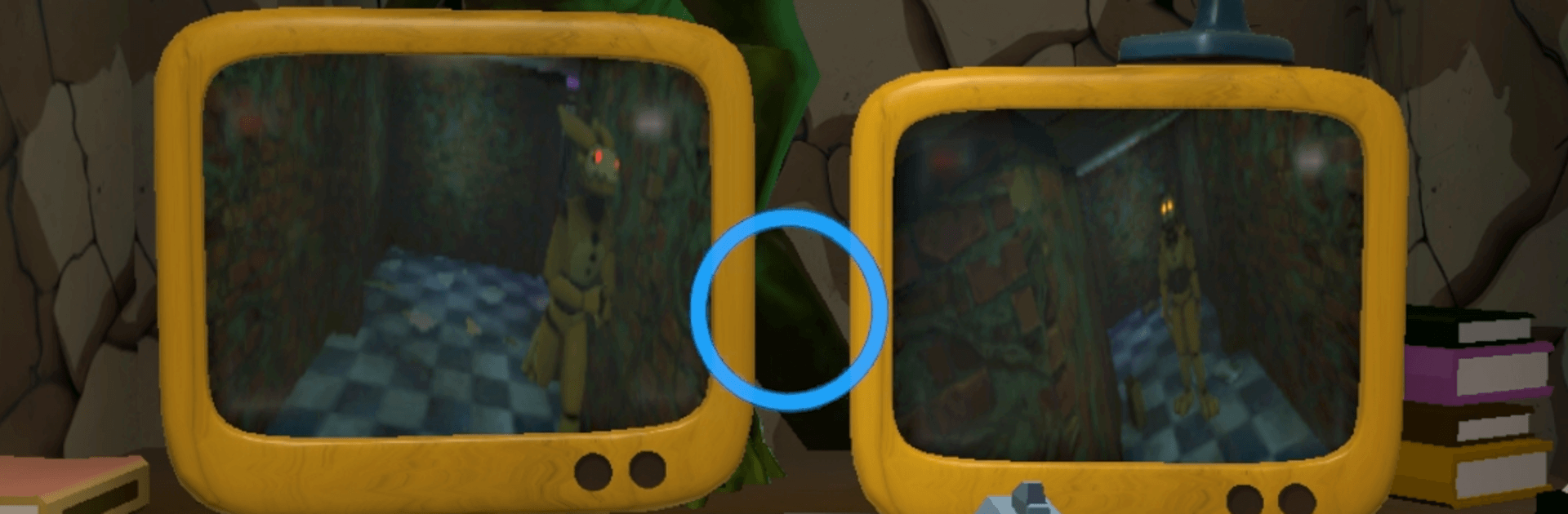
Animatronics Action Camera 2 throws you onto the night shift with a wall of security feeds, a weapon in your hands, and way too much movement in the dark. It’s part surveillance puzzle, part frantic shooter, all about staying one step ahead of the machines stalking the halls. Made by Pizza Nightmares Club, this Action game keeps the tension high as you juggle cameras, doors, and firepower to make it through each night.

Game Features

  • Smart Surveillance: Hop between cameras to track where each animatronic is drifting, then set up your next move instead of wandering in blind.
  • Armed and Ready: Pack heat and keep the nightmares at bay. Earn coins to unlock more weapons and tune your loadout to your playstyle.
  • Door Smackdowns: Time a door slam just right to stop a metal creep in its tracks—and snag extra coins for the risky play.
  • Earn, Spend, Repeat: Bank coins from takedowns, then invest them in better gear. Want a boost? Optional rewarded ads can top up your stash.
  • Fresh Threats Every Night: Multiple nights with rising difficulty keep you guessing. New patterns, faster reactions, tighter timing—bring it on.
  • Different Personalities: Each animatronic behaves in its own weird way, pushing you to learn tells, bait paths, and adapt on the fly.
  • Arcade Vibe: Moody lighting, chunky effects, and that old-school “one more try” feel give each run a satisfying punch.
  • Smooth on PC: Prefer playing with a mouse and keyboard? BlueStacks makes camera-swapping and aiming feel extra snappy without getting in the way.

Get ready for a buttery smooth, high-performance gaming action only on BlueStacks.

Game Features

Enhancements

  • Macros
  • Multi Instance
  • Multi Instance Sync
  • Eco Mode
  • Enhancements
Macros

Macros

Skip the boring parts of a game. Play Animatronics Action Camera 2 with Macros and get the edge. Simply record a sequence of commands and execute them at any moment.
Multi Instance

Multi Instance

Why limit to one game on your phone when you can play many on your PC? Open multiple instances of Animatronics Action Camera 2 at once with Multi-Instance. Leverage the power of different accounts by doing more.
Multi Instance Sync

Multi Instance Sync

Get the best out of Animatronics Action Camera 2 with Multi-Instance Sync. Play the game from different accounts and build your own empire. Use Multi-instance sync to repeat the action in the main BlueStacks instance on all other instances.
Eco Mode

Eco Mode

Find the rarest heroes by making multiple summons in Animatronics Action Camera 2. And while you are at it, reduce your PC’s resource consumption with the Eco Mode. Farm efficiently. Get the best results.
Read More

How to Download and Play Animatronics Action Camera 2 on PC or Mac

  • Download and install BlueStacks on your PC or Mac

  • Complete Google sign-in to access the Play Store, or do it later

  • Look for Animatronics Action Camera 2 in the search bar at the top right corner

  • Click to install Animatronics Action Camera 2 from the search results

  • Complete Google sign-in (if you skipped step 2) to install Animatronics Action Camera 2

  • Click the Animatronics Action Camera 2 icon on the home screen to start playing

video
Watch Video

Minimum System Requirements

With BlueStacks 5, you can get started on a PC that fulfills the following requirements.

  • Operating System

    Microsoft Windows 7 or above, macOS 11 (Big Sur) or above

  • Processor

    Intel, AMD or Apple Silicon Processor

  • RAM

    at least 4GB

  • HDD

    10GB Free Disk Space

Note:

* You must be an Administrator on your PC. Up to date graphics drivers from Microsoft or the chipset vendor.

Animatronics Action Camera 2 - FAQs

  • How to play Animatronics Action Camera 2 on Windows PC & Mac?

    Play Animatronics Action Camera 2 on your PC or Mac by following these simple steps.

    • Click on 'Play Animatronics Action Camera 2 on PC’ to download BlueStacks
    • Install it and log-in to Google Play Store
    • Launch and play the game.
  • Why is BlueStacks the fastest and safest platform to play games on PC?

    BlueStacks respects your privacy and is always safe and secure to use. It does not carry any malware, spyware, or any sort of additional software that could harm your PC.

    It is engineered to optimize speed and performance for a seamless gaming experience.

  • What are Animatronics Action Camera 2 PC requirements?

    Minimum requirement to run Animatronics Action Camera 2 on your PC

    • OS: Microsoft Windows 7 or above MacOS 11 (Big Sur) or above
    • Processor: Intel, AMD or Apple Silicon Processor
    • RAM: Your PC must have at least 4GB of RAM. (Note that having 4GB or more disk space is not a substitute for RAM)
    • HDD: 10GB Free Disk Space.
    • You must be an Administrator on your PC.