Animatronics Vampire Horror

Animatronics Vampire Horror

Action

| Pizza Nightmares Club

Play on PC with BlueStacks or from our cloud

  • Overview
  • Game Features
  • How to Play

Page Modified On: August 31, 2026

Play Animatronics Vampire Horror on PC or Mac

Play Animatronics Vampire Horror by Pizza Nightmares Club on PC or Mac with BlueStacks. Use a bigger screen, mouse and keyboard controls, and smoother performance while you play.

About the Game

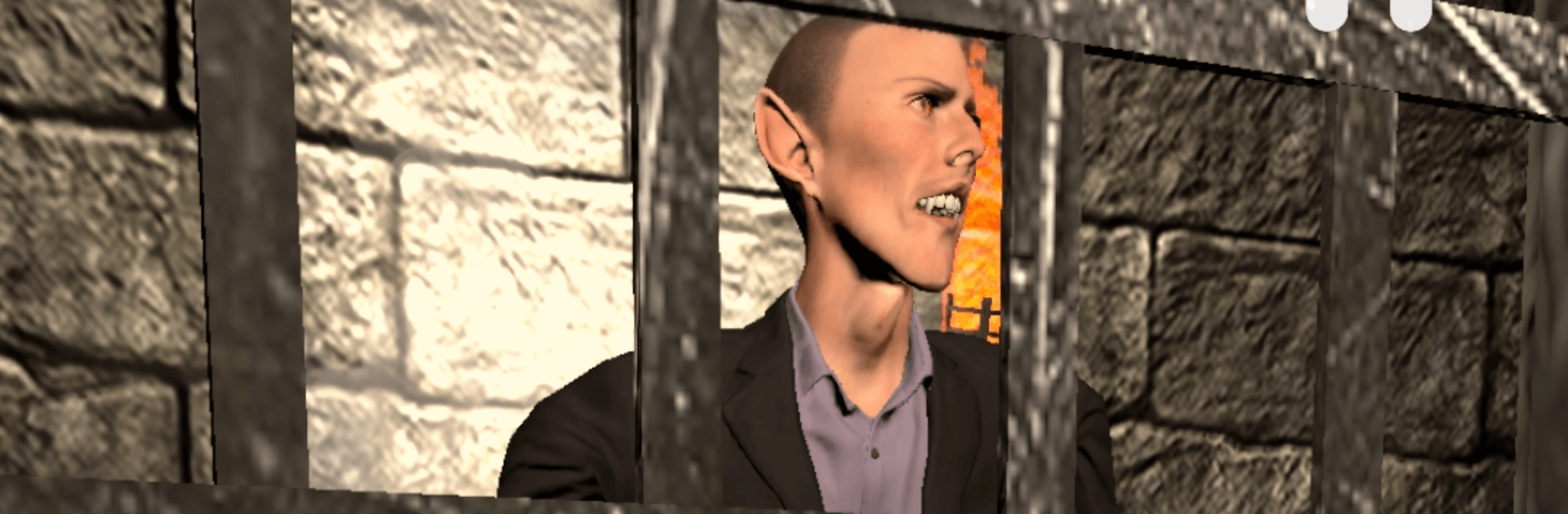
Animatronics Vampire Horror drops you into the night shift at a creaky medieval castle, where the halls are cold, the cams flicker, and the “staff” have fangs. You’re the guard on duty, juggling camera feeds, timing door locks, and trying to outthink a pack of mischievous, bloodthirsty machines. It’s an Action experience built around quick decisions, steady nerves, and that eerie silence right before something moves—great with a bigger view on BlueStacks if you like seeing every shadow.

Game Features

  • Castle Night Shift: Patrol a sprawling medieval stronghold from your security booth, tracking trouble across torchlit corridors and echoing halls.
  • Smart Camera Surveillance: Swap between security feeds, study patrol patterns, and spot odd behavior before it turns into a problem.
  • Rogues’ Gallery of Vampires: Face a lineup of animatronic vampires with distinct personalities and tactics—from playful stalkers to relentless sprinters.
  • Progressive Nights: Each night cranks up the tension with new threats, sharper enemy behavior, and tighter reaction windows.
  • Door Defense Tactics: Slam the side doors at the right moment to stall intruders, but don’t get comfy—some brutes can smash their way through.
  • Stop Them Cold: Use your limited options wisely to shut down pursuers before they reach your post and end your shift—permanently.
  • Speed Demons Ahead: Expect sudden bursts of speed from certain enemies, forcing snap decisions and fast camera checks.
  • Collect the Scares: Survive to uncover new vampires and behaviors, piecing together who’s toying with you and who’s out for a quick bite.

Start your journey now. Download the game on BlueStacks, invite your friends, and march on a new adventure.


Game Features

Enhancements

  • Macros
  • Multi Instance
  • Multi Instance Sync
  • Eco Mode
  • Enhancements
Macros

Macros

Skip the boring parts of a game. Play Animatronics Vampire Horror with Macros and get the edge. Simply record a sequence of commands and execute them at any moment.
Multi Instance

Multi Instance

Why limit to one game on your phone when you can play many on your PC? Open multiple instances of Animatronics Vampire Horror at once with Multi-Instance. Leverage the power of different accounts by doing more.
Multi Instance Sync

Multi Instance Sync

Get the best out of Animatronics Vampire Horror with Multi-Instance Sync. Play the game from different accounts and build your own empire. Use Multi-instance sync to repeat the action in the main BlueStacks instance on all other instances.
Eco Mode

Eco Mode

Find the rarest heroes by making multiple summons in Animatronics Vampire Horror. And while you are at it, reduce your PC’s resource consumption with the Eco Mode. Farm efficiently. Get the best results.
Read More

How to Download and Play Animatronics Vampire Horror on PC or Mac

  • Download and install BlueStacks on your PC or Mac

  • Complete Google sign-in to access the Play Store, or do it later

  • Look for Animatronics Vampire Horror in the search bar at the top right corner

  • Click to install Animatronics Vampire Horror from the search results

  • Complete Google sign-in (if you skipped step 2) to install Animatronics Vampire Horror

  • Click the Animatronics Vampire Horror icon on the home screen to start playing

video
Watch Video

Minimum System Requirements

With BlueStacks 5, you can get started on a PC that fulfills the following requirements.

  • Operating System

    Microsoft Windows 7 or above, macOS 11 (Big Sur) or above

  • Processor

    Intel, AMD or Apple Silicon Processor

  • RAM

    at least 4GB

  • HDD

    10GB Free Disk Space

Note:

* You must be an Administrator on your PC. Up to date graphics drivers from Microsoft or the chipset vendor.

Animatronics Vampire Horror - FAQs

  • How to play Animatronics Vampire Horror on Windows PC & Mac?

    Play Animatronics Vampire Horror on your PC or Mac by following these simple steps.

    • Click on 'Play Animatronics Vampire Horror on PC’ to download BlueStacks
    • Install it and log-in to Google Play Store
    • Launch and play the game.
  • Why is BlueStacks the fastest and safest platform to play games on PC?

    BlueStacks respects your privacy and is always safe and secure to use. It does not carry any malware, spyware, or any sort of additional software that could harm your PC.

    It is engineered to optimize speed and performance for a seamless gaming experience.

  • What are Animatronics Vampire Horror PC requirements?

    Minimum requirement to run Animatronics Vampire Horror on your PC

    • OS: Microsoft Windows 7 or above MacOS 11 (Big Sur) or above
    • Processor: Intel, AMD or Apple Silicon Processor
    • RAM: Your PC must have at least 4GB of RAM. (Note that having 4GB or more disk space is not a substitute for RAM)
    • HDD: 10GB Free Disk Space.
    • You must be an Administrator on your PC.