Backpack Carry
Backpack Carry

Backpack Carry

Action

| Studio Drill

Play on PC with BlueStacks or from our cloud

  • Overview
  • Game Features
  • How to Play

Page Modified On: October 30, 2026

Play Backpack Carry on PC or Mac

Step into the World of Backpack Carry, a thrilling Action game from the house of Studio Drill. Play this Android game on BlueStacks App Player and experience immersive gaming on PC or Mac.

About the Game

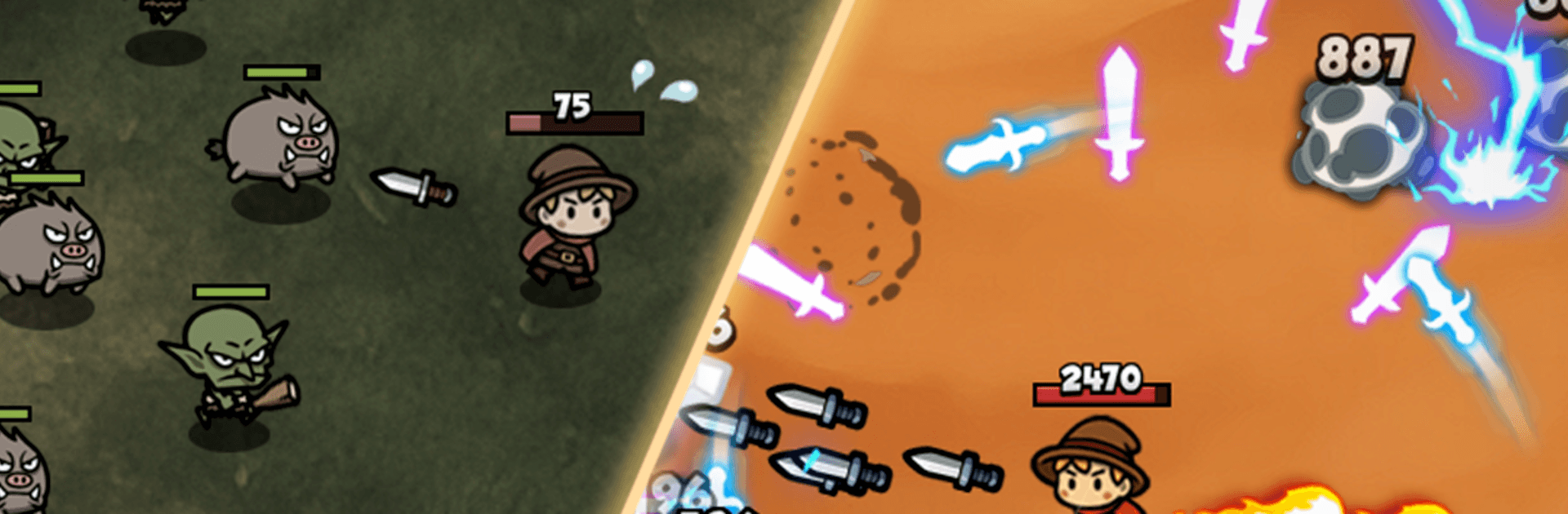
Backpack Carry is an Action game that turns inventory management into pure chaos—in a good way. You’re cramming a backpack full of weapons while enemies close in, then scrambling to rearrange and merge gear to stay alive. Every run plays out a little differently, and if you like playing on PC with BlueStacks, the quick drag-and-drop controls feel extra crisp.

Game Features

  • Smart Packing, Big Payoff: Fit weapons into a tight grid and make every square count—angles, sizes, and placement all matter when bullets start flying.
  • Drag, Drop, Merge: Combine matching weapons on the spot to boost their power, then watch your build snowball as fights heat up.
  • Rare Gear, Wild Perks: Hit those higher-grade finds to unlock unique skills that can flip a losing battle into a win.
  • Your Build, Your Rules: Mix and match weapon types to create loadouts that suit your style—burst damage, steady DPS, cheeky utility, or a bit of everything.
  • Real-Time Strategy Under Fire: Decide fast—place a new piece for instant damage or merge for a bigger upgrade? Space is precious, and hesitation hurts.
  • Fresh Runs, New Puzzles: Random drops and layouts keep each session feeling new, so you’re always solving a different packing-and-shooting puzzle.
  • Snappy, Intuitive Controls: Simple drag-and-place mechanics keep the focus on decisions, not menus—perfect for quick runs or marathon sessions.
  • Satisfying Power Curve: Start scrappy, end stacked—when the backpack clicks and your synergies kick in, it’s carnage in the best way.

Get ready for a buttery smooth, high-performance gaming action only on BlueStacks.

Game Features

Enhancements

  • Macros
  • Multi Instance
  • Multi Instance Sync
  • Eco Mode
  • Enhancements
Macros

Macros

Skip the boring parts of a game. Play Backpack Carry with Macros and get the edge. Simply record a sequence of commands and execute them at any moment.
Multi Instance

Multi Instance

Why limit to one game on your phone when you can play many on your PC? Open multiple instances of Backpack Carry at once with Multi-Instance. Leverage the power of different accounts by doing more.
Multi Instance Sync

Multi Instance Sync

Get the best out of Backpack Carry with Multi-Instance Sync. Play the game from different accounts and build your own empire. Use Multi-instance sync to repeat the action in the main BlueStacks instance on all other instances.
Eco Mode

Eco Mode

Find the rarest heroes by making multiple summons in Backpack Carry. And while you are at it, reduce your PC’s resource consumption with the Eco Mode. Farm efficiently. Get the best results.
Read More

How to Download and Play Backpack Carry on PC or Mac

  • Download and install BlueStacks on your PC or Mac

  • Complete Google sign-in to access the Play Store, or do it later

  • Look for Backpack Carry in the search bar at the top right corner

  • Click to install Backpack Carry from the search results

  • Complete Google sign-in (if you skipped step 2) to install Backpack Carry

  • Click the Backpack Carry icon on the home screen to start playing

video
Watch Video

Minimum System Requirements

With BlueStacks 5, you can get started on a PC that fulfills the following requirements.

  • Operating System

    Microsoft Windows 7 or above, macOS 11 (Big Sur) or above

  • Processor

    Intel, AMD or Apple Silicon Processor

  • RAM

    at least 4GB

  • HDD

    10GB Free Disk Space

Note:

* You must be an Administrator on your PC. Up to date graphics drivers from Microsoft or the chipset vendor.

Backpack Carry - FAQs

  • How to play Backpack Carry on Windows PC & Mac?

    Play Backpack Carry on your PC or Mac by following these simple steps.

    • Click on 'Play Backpack Carry on PC’ to download BlueStacks
    • Install it and log-in to Google Play Store
    • Launch and play the game.
  • Why is BlueStacks the fastest and safest platform to play games on PC?

    BlueStacks respects your privacy and is always safe and secure to use. It does not carry any malware, spyware, or any sort of additional software that could harm your PC.

    It is engineered to optimize speed and performance for a seamless gaming experience.

  • What are Backpack Carry PC requirements?

    Minimum requirement to run Backpack Carry on your PC

    • OS: Microsoft Windows 7 or above MacOS 11 (Big Sur) or above
    • Processor: Intel, AMD or Apple Silicon Processor
    • RAM: Your PC must have at least 4GB of RAM. (Note that having 4GB or more disk space is not a substitute for RAM)
    • HDD: 10GB Free Disk Space.
    • You must be an Administrator on your PC.