Bird Game 3
Bird Game 3

Bird Game 3

Action

| EasyWays Team

Play on PC with BlueStacks or from our cloud

  • Overview
  • Game Features
  • How to Play

Page Modified On: April 06, 2026

Play Bird Game 3 on PC or Mac

Step into the World of Bird Game 3, a thrilling Action game from the house of EasyWays Team. Play this Android game on BlueStacks App Player and experience immersive gaming on PC or Mac.

About the Game

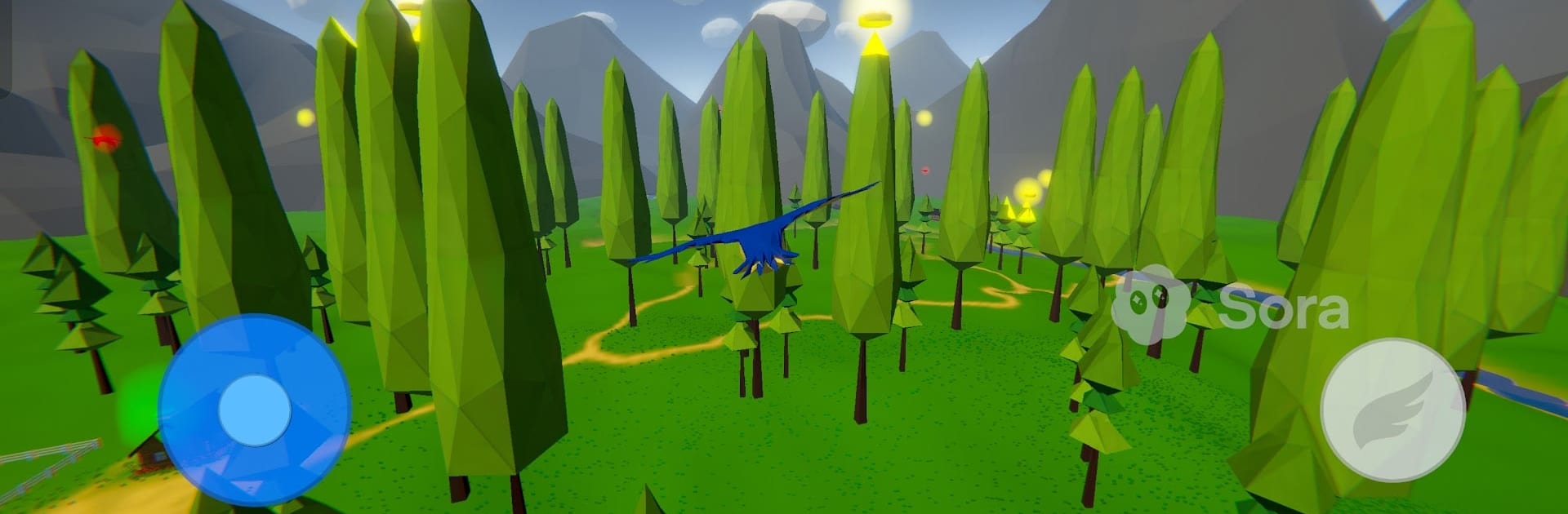
Bird Game 3 throws you into chaotic, sky-high matchups where clever flying matters as much as quick reflexes. It’s an online Action arena from EasyWays Team built around 4v4 team battles, sneaky egg snatches, and smooth aerial duels. Prefer a bigger view of the action? It runs nicely on BlueStacks if you want to play on your PC.

Game Features

  • Team-Based Skirmishes: Jump into real-time 4v4 matches where you’ll outfly enemies, protect your nest, and pull off clutch steals to swing the score.
  • Aerial Combat That Feels Right: Time your dodge, dash, and strike to win dogfights, escape tight corners, and set up ambushes with your squad.
  • Distinct Bird Playstyles: Pick a bird that fits your vibe—zip in as a hummingbird for lightning-fast hits, dive hard as an eagle, outsmart rivals as a crafty crow, or keep it nimble with a sparrow. There are more to unlock as you go.
  • Multiple Ways to Win: Swap between modes like Team Deathmatch, Nest Defense, and Egg Rush, each rewarding different strategies and team roles.
  • Evolving Battlegrounds: Fight across forests, mountain ridges, and canyon runs that keep you moving, repositioning, and watching those sightlines.
  • Make It Yours: Collect skins, wing trails, and emotes to personalize your bird and stand out mid-flight.
  • Ranked Climb & Competition: Push through tiered ranks—from early Bronze spots to that coveted Legendary status—track your progress, and prove you belong at the top.
  • Clans and Tournaments: Team up with friends, coordinate tactics, and take part in organized events to earn bragging rights.
  • Seasonal Events: Limited-time challenges and rewards keep the meta fresh and your collection growing.
  • Built-In Voice Chat: Call targets, plan steals, or shout “incoming!” without leaving the match screen.

Slay your opponents with your epic moves. Play it your way on BlueStacks and dominate the battlefield.


Game Features

Enhancements

  • Macros
  • Multi Instance
  • Multi Instance Sync
  • Eco Mode
  • Enhancements
Macros

Macros

Skip the boring parts of a game. Play Bird Game 3 with Macros and get the edge. Simply record a sequence of commands and execute them at any moment.
Multi Instance

Multi Instance

Why limit to one game on your phone when you can play many on your PC? Open multiple instances of Bird Game 3 at once with Multi-Instance. Leverage the power of different accounts by doing more.
Multi Instance Sync

Multi Instance Sync

Get the best out of Bird Game 3 with Multi-Instance Sync. Play the game from different accounts and build your own empire. Use Multi-instance sync to repeat the action in the main BlueStacks instance on all other instances.
Eco Mode

Eco Mode

Find the rarest heroes by making multiple summons in Bird Game 3. And while you are at it, reduce your PC’s resource consumption with the Eco Mode. Farm efficiently. Get the best results.
Read More

How to Download and Play Bird Game 3 on PC or Mac

  • Download and install BlueStacks on your PC or Mac

  • Complete Google sign-in to access the Play Store, or do it later

  • Look for Bird Game 3 in the search bar at the top right corner

  • Click to install Bird Game 3 from the search results

  • Complete Google sign-in (if you skipped step 2) to install Bird Game 3

  • Click the Bird Game 3 icon on the home screen to start playing

video
Watch Video

Minimum System Requirements

With BlueStacks 5, you can get started on a PC that fulfills the following requirements.

  • Operating System

    Microsoft Windows 7 or above, macOS 11 (Big Sur) or above

  • Processor

    Intel, AMD or Apple Silicon Processor

  • RAM

    at least 4GB

  • HDD

    10GB Free Disk Space

Note:

* You must be an Administrator on your PC. Up to date graphics drivers from Microsoft or the chipset vendor.

Bird Game 3 - FAQs

  • How to play Bird Game 3 on Windows PC & Mac?

    Play Bird Game 3 on your PC or Mac by following these simple steps.

    • Click on 'Play Bird Game 3 on PC’ to download BlueStacks
    • Install it and log-in to Google Play Store
    • Launch and play the game.
  • Why is BlueStacks the fastest and safest platform to play games on PC?

    BlueStacks respects your privacy and is always safe and secure to use. It does not carry any malware, spyware, or any sort of additional software that could harm your PC.

    It is engineered to optimize speed and performance for a seamless gaming experience.

  • What are Bird Game 3 PC requirements?

    Minimum requirement to run Bird Game 3 on your PC

    • OS: Microsoft Windows 7 or above MacOS 11 (Big Sur) or above
    • Processor: Intel, AMD or Apple Silicon Processor
    • RAM: Your PC must have at least 4GB of RAM. (Note that having 4GB or more disk space is not a substitute for RAM)
    • HDD: 10GB Free Disk Space.
    • You must be an Administrator on your PC.