Bird Game 3 Online
Bird Game 3 Online

Bird Game 3 Online

Action

| Ururur

Play on PC with BlueStacks or from our cloud

  • Overview
  • Game Features
  • How to Play

Page Modified On: December 22, 2025

Play Bird Game 3 Online on PC or Mac

Explore a whole new adventure with Bird Game 3 Online, a Action game created by Ururur. Experience great gameplay with BlueStacks, the most popular gaming platform to play Android games on your PC or Mac.

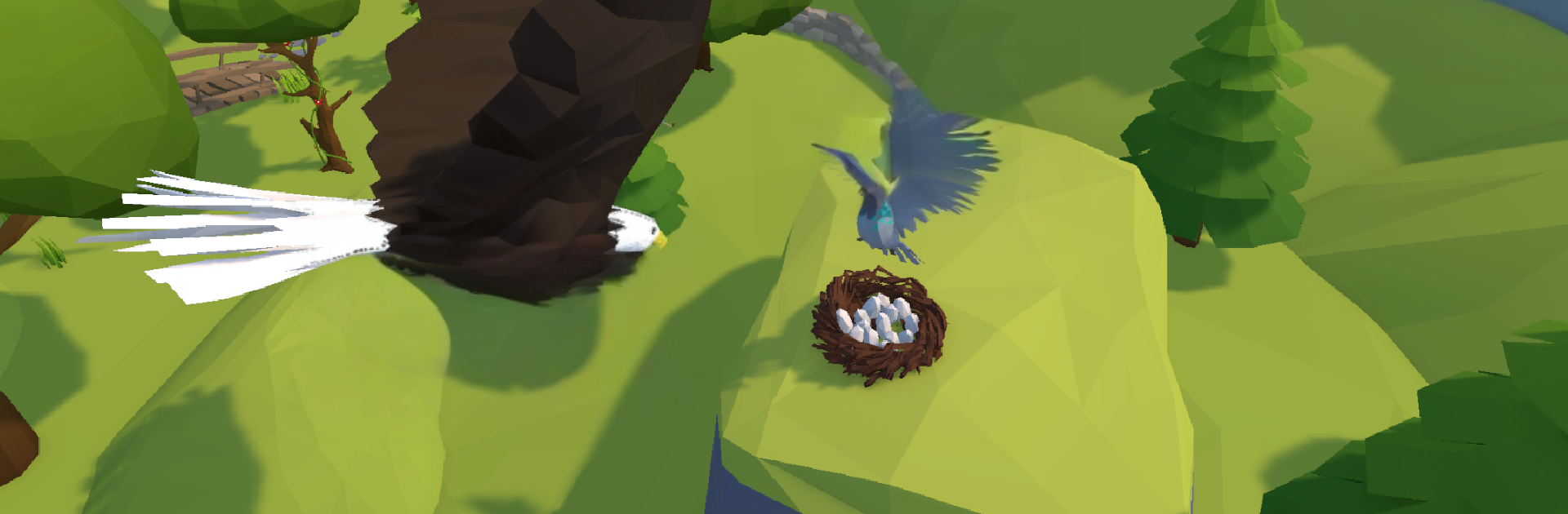
Bird Game 3 Online is a quick, scrappy sky brawler where birds zip around and collide in real-time matches. It feels fast and reactive, with a lot of boost timing, last second dodges, and slam attacks to knock enemies off course. The main hook is stealing eggs from the other team and hauling them home while everyone else tries to box you in mid air. There are other modes too, like straight team fights and nest defense, and each one shifts what matters more, chasing, peeling for a carrier, or holding ground over cliffs and canyon choke points.

The bird selection is the fun part. Hummingbird darts in and out with tiny bursts, eagle hits hard with brutal dives, crow has tricky movement and fakeouts, and sparrow handles cleanly for learning the ropes. More birds unlock over time, and there is a lot of visual flair with skins, flight trails, and emotes. Maps bounce between forest edges, rocky ridges, and wide canyon bowls, so routes actually matter. Voice chat is built in, helpful when someone needs an escort on an egg run. There is a full ranked ladder from Bronze to Legendary, plus clans and tournaments for players who want a regular schedule and bragging rights, and seasonal events bring limited rewards. On PC through BlueStacks, mouse and keyboard make turns and boost taps feel tighter, which really helps during those chaotic scrums over a nest. If fast PvP with clear roles, short matches, and a bit of mind game juking sounds good, this is an easy one to pick up and start flapping.

Start your journey now. Download the game on BlueStacks, invite your friends, and march on a new adventure.


Game Features

Enhancements

  • Macros
  • Multi Instance
  • Multi Instance Sync
  • Eco Mode
  • Enhancements
Macros

Macros

Skip the boring parts of a game. Play Bird Game 3 Online with Macros and get the edge. Simply record a sequence of commands and execute them at any moment.
Multi Instance

Multi Instance

Why limit to one game on your phone when you can play many on your PC? Open multiple instances of Bird Game 3 Online at once with Multi-Instance. Leverage the power of different accounts by doing more.
Multi Instance Sync

Multi Instance Sync

Get the best out of Bird Game 3 Online with Multi-Instance Sync. Play the game from different accounts and build your own empire. Use Multi-instance sync to repeat the action in the main BlueStacks instance on all other instances.
Eco Mode

Eco Mode

Find the rarest heroes by making multiple summons in Bird Game 3 Online. And while you are at it, reduce your PC’s resource consumption with the Eco Mode. Farm efficiently. Get the best results.
Read More

How to Download and Play Bird Game 3 Online on PC or Mac

  • Download and install BlueStacks on your PC or Mac

  • Complete Google sign-in to access the Play Store, or do it later

  • Look for Bird Game 3 Online in the search bar at the top right corner

  • Click to install Bird Game 3 Online from the search results

  • Complete Google sign-in (if you skipped step 2) to install Bird Game 3 Online

  • Click the Bird Game 3 Online icon on the home screen to start playing

video
Watch Video

Minimum System Requirements

With BlueStacks 5, you can get started on a PC that fulfills the following requirements.

  • Operating System

    Microsoft Windows 7 or above, macOS 11 (Big Sur) or above

  • Processor

    Intel, AMD or Apple Silicon Processor

  • RAM

    at least 4GB

  • HDD

    10GB Free Disk Space

Note:

* You must be an Administrator on your PC. Up to date graphics drivers from Microsoft or the chipset vendor.

Bird Game 3 Online - FAQs

  • How to play Bird Game 3 Online on Windows PC & Mac?

    Play Bird Game 3 Online on your PC or Mac by following these simple steps.

    • Click on 'Play Bird Game 3 Online on PC’ to download BlueStacks
    • Install it and log-in to Google Play Store
    • Launch and play the game.
  • Why is BlueStacks the fastest and safest platform to play games on PC?

    BlueStacks respects your privacy and is always safe and secure to use. It does not carry any malware, spyware, or any sort of additional software that could harm your PC.

    It is engineered to optimize speed and performance for a seamless gaming experience.

  • What are Bird Game 3 Online PC requirements?

    Minimum requirement to run Bird Game 3 Online on your PC

    • OS: Microsoft Windows 7 or above MacOS 11 (Big Sur) or above
    • Processor: Intel, AMD or Apple Silicon Processor
    • RAM: Your PC must have at least 4GB of RAM. (Note that having 4GB or more disk space is not a substitute for RAM)
    • HDD: 10GB Free Disk Space.
    • You must be an Administrator on your PC.