Miscrits
Miscrits

Miscrits

Adventure

| Kool2Play S.A.

Play on PC with BlueStacks or from our cloud

  • Overview
  • Game Features
  • How to Play

Page Modified On: December 05, 2025

Play Miscrits on PC or Mac

Explore a whole new adventure with Miscrits, a Adventure game created by Kool2Play S.A.. Experience great gameplay with BlueStacks, the most popular gaming platform to play Android games on your PC or Mac.

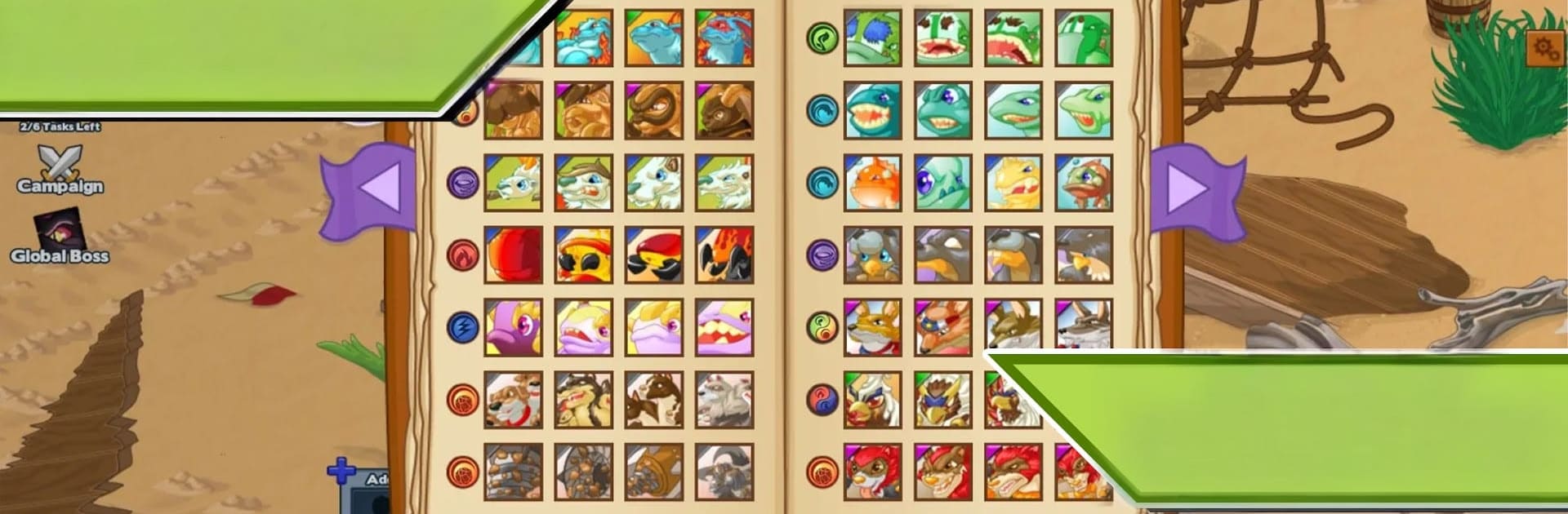
Miscrits feels like a classic creature-catching RPG set in a bright fantasy world. It drops the player in Sunfall Kingdom and sends them roaming through forests, beaches, and weird little corners to find new Miscrits. Each one has its own look, element, and rarity, and the fun loop is building a squad, training them up, evolving them into tougher forms, and seeing that little encyclopedia fill out as the collection grows. There is a real story hook too. A group called the Magicites wants magic under strict human control, their boss Apollo Nox is draining power using six Elementums, and the player has to knock those down one by one before stepping into his place for the showdown. It gives the roaming and catching a reason to keep pushing forward, not just collecting for the sake of it.

Combat is turn based, more thoughtful than it looks, since elements, abilities, and swapping team members at the right time matter a lot. The arena lets players test builds against others with different rule sets, so it is not just one best team forever. Updates roll in with balance tweaks, which keeps PvP from going stale. People who enjoy talking teams and strategies will probably like the active community. It runs nicely on PC with BlueStacks too, mouse clicks make fights snappy and the bigger screen helps when checking stats. The game is generous about money stuff as well. Spending is there, but all content stays reachable with time and play, so everyone is working with the same toolbox.

Slay your opponents with your epic moves. Play it your way on BlueStacks and dominate the battlefield.


Game Features

Enhancements

  • Macros
  • Multi Instance
  • Multi Instance Sync
  • Script
  • Enhancements
Macros

Macros

Automate the predictable in Miscrits and transform your gameplay with Macros. Get access to inventive Macros in the BlueStacks Macro Community
Multi Instance

Multi Instance

Play Miscrits on one window. And chat with your friend on the other. Press CTRL + Shift + 8 to open the Multi-Instance Manager. And start creating fresh instances or clone an existing one.
Multi Instance Sync

Multi Instance Sync

Play Miscrits with the power of Multi-Instance Sync. Replicate what you are doing on the main instance on all other instances. Level up faster, play more.
Script

Script

Script your way to gaming glory in Miscrits with BlueStacks Script. Write and run a set of commands to automate repeated tasks. Trigger the command by assigning it to any key.
Read More

How to Download and Play Miscrits on PC or Mac

  • Download and install BlueStacks on your PC or Mac

  • Complete Google sign-in to access the Play Store, or do it later

  • Look for Miscrits in the search bar at the top right corner

  • Click to install Miscrits from the search results

  • Complete Google sign-in (if you skipped step 2) to install Miscrits

  • Click the Miscrits icon on the home screen to start playing

video
Watch Video

Minimum System Requirements

With BlueStacks 5, you can get started on a PC that fulfills the following requirements.

  • Operating System

    Microsoft Windows 7 or above, macOS 11 (Big Sur) or above

  • Processor

    Intel, AMD or Apple Silicon Processor

  • RAM

    at least 4GB

  • HDD

    10GB Free Disk Space

Note:

* You must be an Administrator on your PC. Up to date graphics drivers from Microsoft or the chipset vendor.

Miscrits - FAQs

  • How to play Miscrits on Windows PC & Mac?

    Play Miscrits on your PC or Mac by following these simple steps.

    • Click on 'Play Miscrits on PC’ to download BlueStacks
    • Install it and log-in to Google Play Store
    • Launch and play the game.
  • Why is BlueStacks the fastest and safest platform to play games on PC?

    BlueStacks respects your privacy and is always safe and secure to use. It does not carry any malware, spyware, or any sort of additional software that could harm your PC.

    It is engineered to optimize speed and performance for a seamless gaming experience.

  • What are Miscrits PC requirements?

    Minimum requirement to run Miscrits on your PC

    • OS: Microsoft Windows 7 or above MacOS 11 (Big Sur) or above
    • Processor: Intel, AMD or Apple Silicon Processor
    • RAM: Your PC must have at least 4GB of RAM. (Note that having 4GB or more disk space is not a substitute for RAM)
    • HDD: 10GB Free Disk Space.
    • You must be an Administrator on your PC.