Cannon Storm: Ship Battle

Cannon Storm: Ship Battle

Action

| YAUHENI NOVIKAU

Play on PC with BlueStacks or from our cloud

  • Overview
  • Game Features
  • How to Play

Page Modified On: October 13, 2026

Play Cannon Storm: Ship Battle on PC or Mac

Bring your A-game to Cannon Storm: Ship Battle, the Action game sensation from YAUHENI NOVIKAU. Give your gameplay the much-needed boost with precise game controls, high FPS graphics, and top-tier features on your PC or Mac with BlueStacks.

About the Game

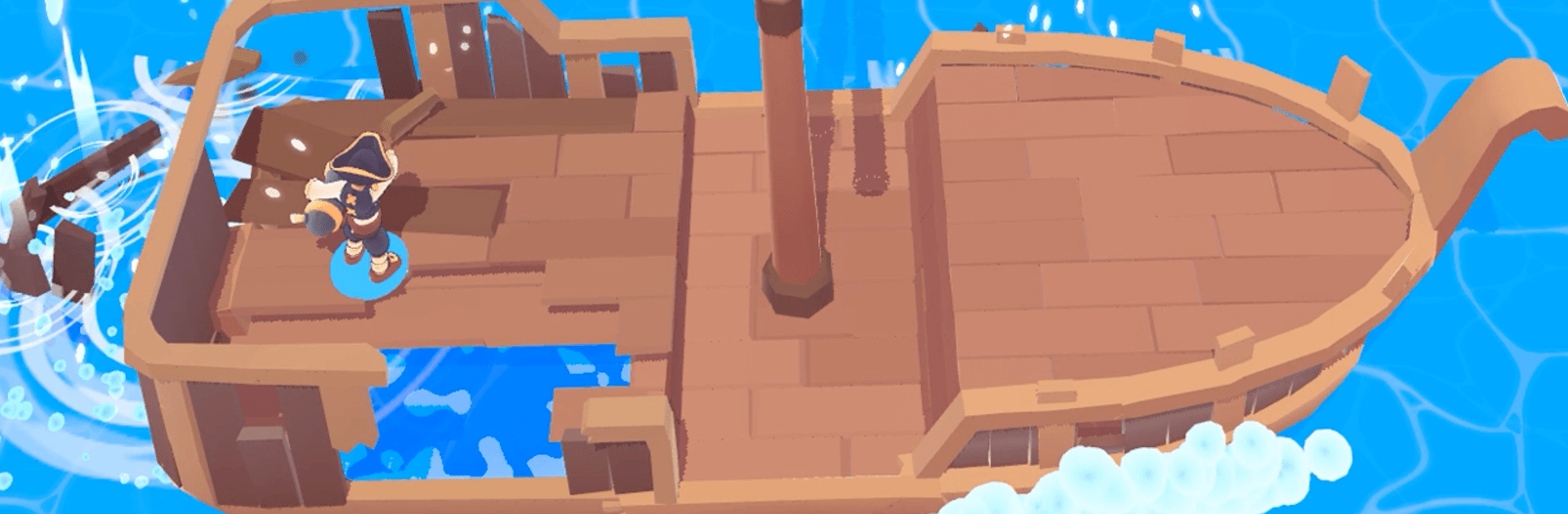
Cannon Storm: Ship Battle is a splashy, skill-first Action game where two captains square off at sea with a slingshot cannon and nerves of steel. You’ll judge distance, feel out the wind, and send iron across the waves in quick, punchy duels that reward a steady hand. It’s super easy to hop in for a round, yet there’s plenty of room to perfect those miracle shots. It also plays smoothly on BlueStacks if you prefer aiming on a bigger screen.

Game Features

  • Skill-based slingshot aiming: Line up the perfect arc by tweaking angle and power, then compensate for wind to thread shots between the hulls.
  • Destruction you can see: Watch ships break apart board by board—splintered hulls, snapped masts, and battered decks tell the story of every hit.
  • Targeted tactics: Choose your shot—puncture the hull to sink fast, clip the rigging to slow them down, or pop powder stores for a brutal chain reaction.
  • Fast head‑to‑head duels: Short, tense 3D battles where one clutch blast can flip the match and send treasure your way.
  • Deep ship upgrades: Invest your spoils in heavier cannons, sturdier armor, longer reach, and nastier ammo to punch above your weight.
  • Build a fierce crew: Recruit pirates, grow their skills, and stack perks that make your vessel hit harder and survive longer.
  • Earn and progress: Every victory pays out loot, pushing you toward tougher seas and smarter rivals waiting beyond the horizon.
  • Offline play: No connection? No problem—set sail and fire away wherever you are.
  • Colorful seas and weather: Sail bright cartoon waters from calm bays to rough storms, with hits that feel crunchy and satisfying.

Ready to top the leaderboard? We bet you do. Let precise controls and sharp visuals optimized on BlueStacks lead you to victory.


Game Features

Enhancements

  • Macros
  • Multi Instance
  • Multi Instance Sync
  • Eco Mode
  • Enhancements
Macros

Macros

Skip the boring parts of a game. Play Cannon Storm: Ship Battle with Macros and get the edge. Simply record a sequence of commands and execute them at any moment.
Multi Instance

Multi Instance

Why limit to one game on your phone when you can play many on your PC? Open multiple instances of Cannon Storm: Ship Battle at once with Multi-Instance. Leverage the power of different accounts by doing more.
Multi Instance Sync

Multi Instance Sync

Get the best out of Cannon Storm: Ship Battle with Multi-Instance Sync. Play the game from different accounts and build your own empire. Use Multi-instance sync to repeat the action in the main BlueStacks instance on all other instances.
Eco Mode

Eco Mode

Find the rarest heroes by making multiple summons in Cannon Storm: Ship Battle. And while you are at it, reduce your PC’s resource consumption with the Eco Mode. Farm efficiently. Get the best results.
Read More

How to Download and Play Cannon Storm: Ship Battle on PC or Mac

  • Download and install BlueStacks on your PC or Mac

  • Complete Google sign-in to access the Play Store, or do it later

  • Look for Cannon Storm: Ship Battle in the search bar at the top right corner

  • Click to install Cannon Storm: Ship Battle from the search results

  • Complete Google sign-in (if you skipped step 2) to install Cannon Storm: Ship Battle

  • Click the Cannon Storm: Ship Battle icon on the home screen to start playing

video
Watch Video

Minimum System Requirements

With BlueStacks 5, you can get started on a PC that fulfills the following requirements.

  • Operating System

    Microsoft Windows 7 or above, macOS 11 (Big Sur) or above

  • Processor

    Intel, AMD or Apple Silicon Processor

  • RAM

    at least 4GB

  • HDD

    10GB Free Disk Space

Note:

* You must be an Administrator on your PC. Up to date graphics drivers from Microsoft or the chipset vendor.

Cannon Storm: Ship Battle - FAQs

  • How to play Cannon Storm: Ship Battle on Windows PC & Mac?

    Play Cannon Storm: Ship Battle on your PC or Mac by following these simple steps.

    • Click on 'Play Cannon Storm: Ship Battle on PC’ to download BlueStacks
    • Install it and log-in to Google Play Store
    • Launch and play the game.
  • Why is BlueStacks the fastest and safest platform to play games on PC?

    BlueStacks respects your privacy and is always safe and secure to use. It does not carry any malware, spyware, or any sort of additional software that could harm your PC.

    It is engineered to optimize speed and performance for a seamless gaming experience.

  • What are Cannon Storm: Ship Battle PC requirements?

    Minimum requirement to run Cannon Storm: Ship Battle on your PC

    • OS: Microsoft Windows 7 or above MacOS 11 (Big Sur) or above
    • Processor: Intel, AMD or Apple Silicon Processor
    • RAM: Your PC must have at least 4GB of RAM. (Note that having 4GB or more disk space is not a substitute for RAM)
    • HDD: 10GB Free Disk Space.
    • You must be an Administrator on your PC.