Clone Run
Clone Run

Clone Run

Action

| Hyperlab Games

Play on PC with BlueStacks or from our cloud

  • Overview
  • Game Features
  • How to Play

Page Modified On: August 10, 2026

Play Clone Run on PC or Mac

Step into the World of Clone Run, a thrilling Action game from the house of Hyperlab Games. Play this Android game on BlueStacks App Player and experience immersive gaming on PC or Mac.

About the Game

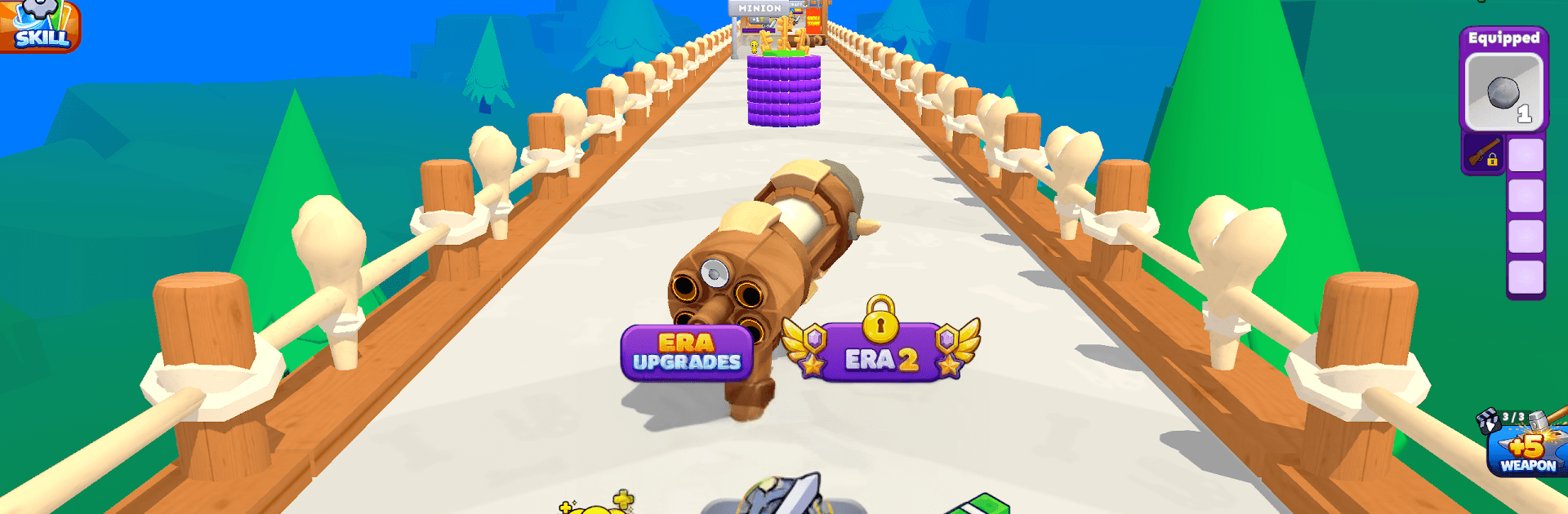
Clone Run is a fast, time-warping Action runner where your revolver doesn’t shoot lead—it spits out more of you. Stack up a swarm of stick-figure clones, crash through obstacles, and shred anything in your path as you sprint from the Stone Age to far future arenas. Want a bigger view and smooth controls? It plays nicely on BlueStacks, too.

Game Features

  • Clone-Shot Revolver: Every pull of the trigger spawns a fearless copy that dashes ahead and goes to work. Your crowd handles enemies, doors, and loot while you keep the shots coming.

  • Era-Hopping Courses: Sprint through shifting timelines—from primitive camps to neon skylines. Each era swaps in fresh enemies, trickier traps, and better spoils.

  • Expand the Chamber: Snag keys mid-run to open extra chambers in your revolver. More chambers equals more clones per blast, and a squad that snowballs fast.

  • One Weapon, Many You: Equip a favorite tool—sword, axe, hammer, spear, and more. Every new clone grabs the same gear, so your whole army swings in sync.

  • Minion Gates: Charge through special gates to bulk up your ranks. The bigger your crowd at the finish line, the sweeter the payout.

  • Post-Run Dig Zone: Send your recruits to push a colossal scraper and unearth skill upgrades. Dig deeper to roll from basic boosts to rare, epic, and even legendary perks.

  • Era Boss Showdowns: Each timeline ends with a heavyweight guardian. Build momentum, crack their defenses, and unlock the next stretch of history.

Ready to top the leaderboard? We bet you do. Let precise controls and sharp visuals optimized on BlueStacks lead you to victory.


Game Features

Enhancements

  • Macros
  • Multi Instance
  • Multi Instance Sync
  • Eco Mode
  • Enhancements
Macros

Macros

Skip the boring parts of a game. Play Clone Run with Macros and get the edge. Simply record a sequence of commands and execute them at any moment.
Multi Instance

Multi Instance

Why limit to one game on your phone when you can play many on your PC? Open multiple instances of Clone Run at once with Multi-Instance. Leverage the power of different accounts by doing more.
Multi Instance Sync

Multi Instance Sync

Get the best out of Clone Run with Multi-Instance Sync. Play the game from different accounts and build your own empire. Use Multi-instance sync to repeat the action in the main BlueStacks instance on all other instances.
Eco Mode

Eco Mode

Find the rarest heroes by making multiple summons in Clone Run. And while you are at it, reduce your PC’s resource consumption with the Eco Mode. Farm efficiently. Get the best results.
Read More

How to Download and Play Clone Run on PC or Mac

  • Download and install BlueStacks on your PC or Mac

  • Complete Google sign-in to access the Play Store, or do it later

  • Look for Clone Run in the search bar at the top right corner

  • Click to install Clone Run from the search results

  • Complete Google sign-in (if you skipped step 2) to install Clone Run

  • Click the Clone Run icon on the home screen to start playing

video
Watch Video

Minimum System Requirements

With BlueStacks 5, you can get started on a PC that fulfills the following requirements.

  • Operating System

    Microsoft Windows 7 or above, macOS 11 (Big Sur) or above

  • Processor

    Intel, AMD or Apple Silicon Processor

  • RAM

    at least 4GB

  • HDD

    10GB Free Disk Space

Note:

* You must be an Administrator on your PC. Up to date graphics drivers from Microsoft or the chipset vendor.

Clone Run - FAQs

  • How to play Clone Run on Windows PC & Mac?

    Play Clone Run on your PC or Mac by following these simple steps.

    • Click on 'Play Clone Run on PC’ to download BlueStacks
    • Install it and log-in to Google Play Store
    • Launch and play the game.
  • Why is BlueStacks the fastest and safest platform to play games on PC?

    BlueStacks respects your privacy and is always safe and secure to use. It does not carry any malware, spyware, or any sort of additional software that could harm your PC.

    It is engineered to optimize speed and performance for a seamless gaming experience.

  • What are Clone Run PC requirements?

    Minimum requirement to run Clone Run on your PC

    • OS: Microsoft Windows 7 or above MacOS 11 (Big Sur) or above
    • Processor: Intel, AMD or Apple Silicon Processor
    • RAM: Your PC must have at least 4GB of RAM. (Note that having 4GB or more disk space is not a substitute for RAM)
    • HDD: 10GB Free Disk Space.
    • You must be an Administrator on your PC.