Crazy Bear World Adventure

Crazy Bear World Adventure

Action

| Big Time Studios

Play on PC with BlueStacks or from our cloud

  • Overview
  • Game Features
  • How to Play

Page Modified On: October 23, 2026

Play Crazy Bear World Adventure on PC or Mac

Crazy Bear World Adventure by Big Time Studios has plenty to keep you busy. BlueStacks lets you play it on PC or Mac with more screen space, better control, and fewer mobile limits.

About the Game

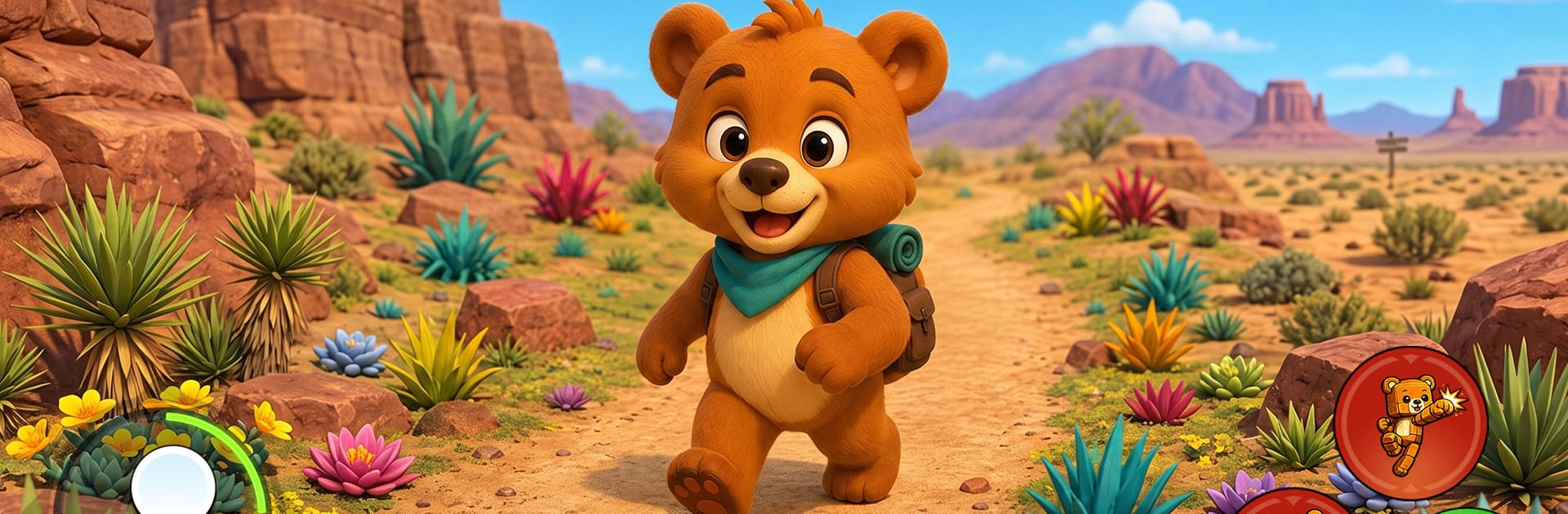
Crazy Bear World Adventure is a lighthearted Action platformer where a brave little bear sprints, hops, and explores his way across a string of lively worlds. It leans into classic jump-and-run fun with plenty of surprises, secrets, and a steady challenge that rewards good timing. Prefer a bigger screen? It plays comfortably on PC with BlueStacks, too.

Game Features

  • Colorful worlds: Trek through lush forests, echoing caves, snowy ridges, rushing rivers, and a few places that feel downright magical.
  • Playful platforming: Nail jumps, ride moving platforms, and thread through tight spots that test your timing without feeling punishing.
  • Hidden paths: Poke around for secret routes, tucked-away rooms, and clever shortcuts that make replays totally worth it.
  • Enemies and hazards: Watch for sneaky foes, tricky traps, and environmental surprises that keep each level feeling fresh.
  • Coins and goodies: Scoop up coins and special items along the way, then use your haul to unlock new treats and in‑game rewards.
  • Bite-size missions: Tackle clear objectives that nudge you to explore, experiment, and push a little further each run.
  • Smooth, responsive feel: Snappy controls make jumps precise and movement satisfying, whether you’re breezing through or hunting every secret.
  • Cheerful look and sound: Bright, cartoon-style art pairs with a laid‑back soundtrack for a cozy, upbeat vibe.
  • Easy to start, fun to master: Accessible early levels welcome newcomers, while later stages add sharper twists and tougher routes.
  • Play your way: Kick back and explore at your pace, or chase perfect runs—and if you like, enjoy it on PC with BlueStacks for a roomier view.

Start playing Crazy Bear World Adventure on BlueStacks and get a smoother, more comfortable PC or Mac setup.


Game Features

Enhancements

  • Macros
  • Multi Instance
  • Multi Instance Sync
  • Eco Mode
  • Enhancements
Macros

Macros

Skip the boring parts of a game. Play Crazy Bear World Adventure with Macros and get the edge. Simply record a sequence of commands and execute them at any moment.
Multi Instance

Multi Instance

Why limit to one game on your phone when you can play many on your PC? Open multiple instances of Crazy Bear World Adventure at once with Multi-Instance. Leverage the power of different accounts by doing more.
Multi Instance Sync

Multi Instance Sync

Get the best out of Crazy Bear World Adventure with Multi-Instance Sync. Play the game from different accounts and build your own empire. Use Multi-instance sync to repeat the action in the main BlueStacks instance on all other instances.
Eco Mode

Eco Mode

Find the rarest heroes by making multiple summons in Crazy Bear World Adventure. And while you are at it, reduce your PC’s resource consumption with the Eco Mode. Farm efficiently. Get the best results.
Read More

How to Download and Play Crazy Bear World Adventure on PC or Mac

  • Download and install BlueStacks on your PC or Mac

  • Complete Google sign-in to access the Play Store, or do it later

  • Look for Crazy Bear World Adventure in the search bar at the top right corner

  • Click to install Crazy Bear World Adventure from the search results

  • Complete Google sign-in (if you skipped step 2) to install Crazy Bear World Adventure

  • Click the Crazy Bear World Adventure icon on the home screen to start playing

video
Watch Video

Minimum System Requirements

With BlueStacks 5, you can get started on a PC that fulfills the following requirements.

  • Operating System

    Microsoft Windows 7 or above, macOS 11 (Big Sur) or above

  • Processor

    Intel, AMD or Apple Silicon Processor

  • RAM

    at least 4GB

  • HDD

    10GB Free Disk Space

Note:

* You must be an Administrator on your PC. Up to date graphics drivers from Microsoft or the chipset vendor.

Crazy Bear World Adventure - FAQs

  • How to play Crazy Bear World Adventure on Windows PC & Mac?

    Play Crazy Bear World Adventure on your PC or Mac by following these simple steps.

    • Click on 'Play Crazy Bear World Adventure on PC’ to download BlueStacks
    • Install it and log-in to Google Play Store
    • Launch and play the game.
  • Why is BlueStacks the fastest and safest platform to play games on PC?

    BlueStacks respects your privacy and is always safe and secure to use. It does not carry any malware, spyware, or any sort of additional software that could harm your PC.

    It is engineered to optimize speed and performance for a seamless gaming experience.

  • What are Crazy Bear World Adventure PC requirements?

    Minimum requirement to run Crazy Bear World Adventure on your PC

    • OS: Microsoft Windows 7 or above MacOS 11 (Big Sur) or above
    • Processor: Intel, AMD or Apple Silicon Processor
    • RAM: Your PC must have at least 4GB of RAM. (Note that having 4GB or more disk space is not a substitute for RAM)
    • HDD: 10GB Free Disk Space.
    • You must be an Administrator on your PC.