Desert War: Gunship Battle

Desert War: Gunship Battle

Action

| Skytec Games, Inc.

Play on PC with BlueStacks or from our cloud

  • Overview
  • Game Features
  • How to Play

Page Modified On: April 21, 2026

Play Desert War: Gunship Battle on PC or Mac

Join millions to experience Desert War: Gunship Battle, an exciting Action game from Skytec Games, Inc.. With BlueStacks App Player, you are always a step ahead of your opponent, ready to outplay them with faster gameplay and better control with the mouse and keyboard on your PC or Mac.

About the Game

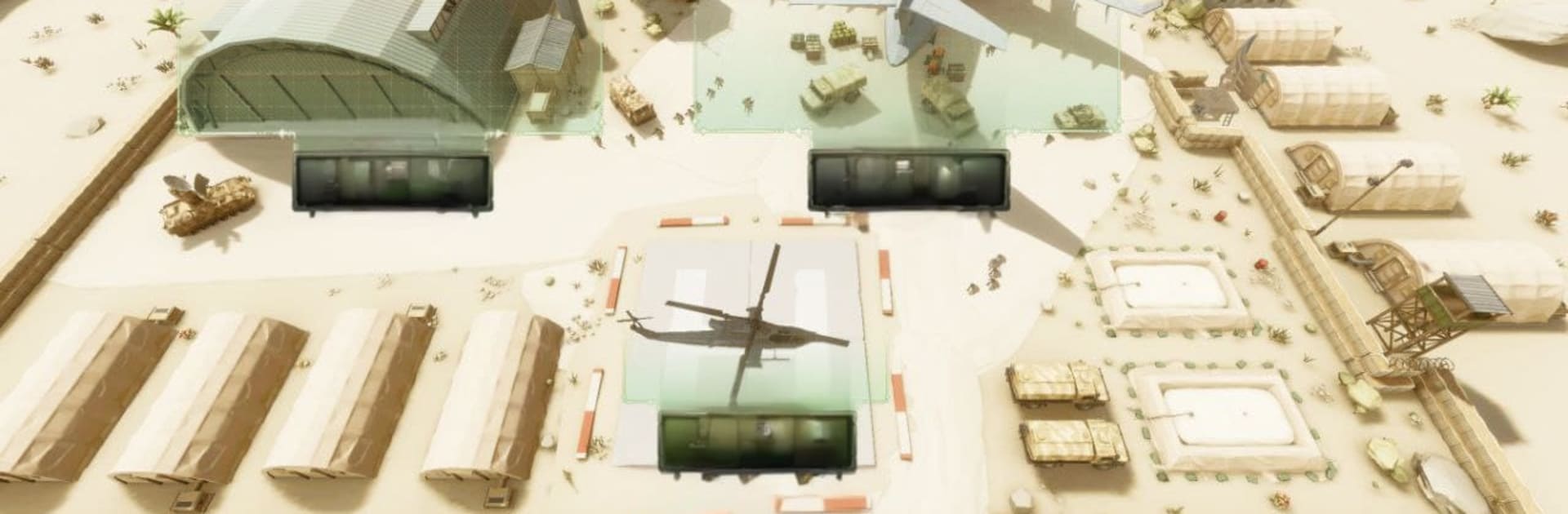
Desert War: Gunship Battle from Skytec Games, Inc. puts you in the cockpit of a combat helicopter and drops you into fast, tactical fights where every shot and turn matters. This Action game mixes tight flying with smart decision-making, so you’re not just spraying bullets—you’re planning strikes, threading through danger, and adapting on the fly. Expect dusty horizons, sudden ambushes, and that satisfying thump of rockets landing exactly where you wanted.

Game Features

  • Airborne command: Pilot a modern gunship with responsive controls that feel smooth right away and still reward precision as missions get tougher.
  • 16+ missions with bite: Tackle escalating scenarios—from airbase raids to tense escort runs and white‑knuckle extractions—each with its own rhythm and hazards.
  • Weapons that hit hard: Swap between guided rockets for pinpoint strikes and a hungry machine gun for close work; tune your loadout to fit the job.
  • Living desert warzones: Fight through heat haze and whipping sand, using dunes, canyons, and cover to break locks, flank targets, and survive.
  • Smarter opposition: Enemies reposition, reinforce, and punish mistakes; objectives shift mid‑sortie, pushing you to adapt under fire.
  • Dynamic objectives: Knock out key installations, protect VIP convoys through hot zones, and weather coordinated ambushes that don’t play fair.
  • Combined‑arms twist: Starting at Mission 16, jump from rotor blades to wheels and bring the fight to the ground in a gun‑mounted Humvee.
  • Tactical flexibility: Thread through AA nests, set up attack runs, or go low and mean—there’s room for careful planning and bold moves.
  • Plays great on PC: Prefer keyboard and mouse? You can also run it smoothly on BlueStacks without changing how the action feels.

Start your journey now. Download the game on BlueStacks, invite your friends, and march on a new adventure.


Game Features

Enhancements

  • Macros
  • Multi Instance
  • Multi Instance Sync
  • Eco Mode
  • Enhancements
Macros

Macros

Skip the boring parts of a game. Play Desert War: Gunship Battle with Macros and get the edge. Simply record a sequence of commands and execute them at any moment.
Multi Instance

Multi Instance

Why limit to one game on your phone when you can play many on your PC? Open multiple instances of Desert War: Gunship Battle at once with Multi-Instance. Leverage the power of different accounts by doing more.
Multi Instance Sync

Multi Instance Sync

Get the best out of Desert War: Gunship Battle with Multi-Instance Sync. Play the game from different accounts and build your own empire. Use Multi-instance sync to repeat the action in the main BlueStacks instance on all other instances.
Eco Mode

Eco Mode

Find the rarest heroes by making multiple summons in Desert War: Gunship Battle. And while you are at it, reduce your PC’s resource consumption with the Eco Mode. Farm efficiently. Get the best results.
Read More

How to Download and Play Desert War: Gunship Battle on PC or Mac

  • Download and install BlueStacks on your PC or Mac

  • Complete Google sign-in to access the Play Store, or do it later

  • Look for Desert War: Gunship Battle in the search bar at the top right corner

  • Click to install Desert War: Gunship Battle from the search results

  • Complete Google sign-in (if you skipped step 2) to install Desert War: Gunship Battle

  • Click the Desert War: Gunship Battle icon on the home screen to start playing

video
Watch Video

Minimum System Requirements

With BlueStacks 5, you can get started on a PC that fulfills the following requirements.

  • Operating System

    Microsoft Windows 7 or above, macOS 11 (Big Sur) or above

  • Processor

    Intel, AMD or Apple Silicon Processor

  • RAM

    at least 4GB

  • HDD

    10GB Free Disk Space

Note:

* You must be an Administrator on your PC. Up to date graphics drivers from Microsoft or the chipset vendor.

Desert War: Gunship Battle - FAQs

  • How to play Desert War: Gunship Battle on Windows PC & Mac?

    Play Desert War: Gunship Battle on your PC or Mac by following these simple steps.

    • Click on 'Play Desert War: Gunship Battle on PC’ to download BlueStacks
    • Install it and log-in to Google Play Store
    • Launch and play the game.
  • Why is BlueStacks the fastest and safest platform to play games on PC?

    BlueStacks respects your privacy and is always safe and secure to use. It does not carry any malware, spyware, or any sort of additional software that could harm your PC.

    It is engineered to optimize speed and performance for a seamless gaming experience.

  • What are Desert War: Gunship Battle PC requirements?

    Minimum requirement to run Desert War: Gunship Battle on your PC

    • OS: Microsoft Windows 7 or above MacOS 11 (Big Sur) or above
    • Processor: Intel, AMD or Apple Silicon Processor
    • RAM: Your PC must have at least 4GB of RAM. (Note that having 4GB or more disk space is not a substitute for RAM)
    • HDD: 10GB Free Disk Space.
    • You must be an Administrator on your PC.