Dragon Robot 2
Dragon Robot 2

Dragon Robot 2

Action

| Naxeex Robots

Play on PC with BlueStacks or from our cloud

  • Overview
  • Game Features
  • How to Play

Page Modified On: August 29, 2025

Play Dragon Robot 2 on PC or Mac

Step into the World of Dragon Robot 2, a thrilling Action game from the house of Naxeex Robots. Play this Android game on BlueStacks App Player and experience immersive gaming on PC or Mac.

About the Game

Dragon Robot 2 throws you into a city on the edge, where a sleeping titan wakes up angry. You’re not just a machine—you’re an ancient dragon-core wrapped in steel, built for brutal, fast-paced clashes. Expect an explosive Action ride from Naxeex Robots with sky-high duels, street-level brawls, and a constant push to get stronger between fights. You can even jump in on BlueStacks if you like the feel of keyboard and mouse.

Game Features

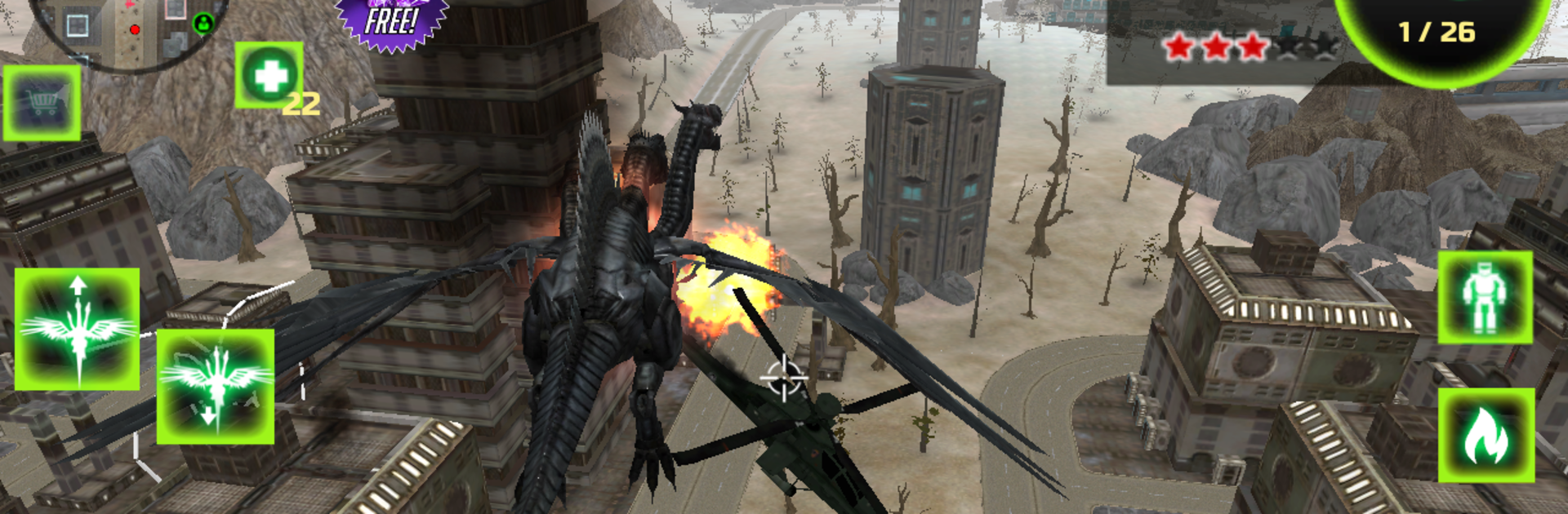
  • Shifting Battle Forms: Swap between heavy metal might and soaring dragon agility to handle different threats. Each form changes how you move, strike, and survive.
  • Iron Wings, Real Impact: Take off, smash down, and send enemies flying. Aerial slams and wing strikes aren’t just flashy—they clear space when the swarm closes in.
  • Fire That Answers Back: Scorch enemy squads with devastating breath attacks. When the ground gets crowded, turn the street into molten glass and keep moving.
  • Build Your Perfect Loadout: Tinker with weapon power, boost your health, and tune mobility to fit your style—bulky tank, nimble hunter, or something in between.
  • Skills That Change the Fight: Pick abilities that synergize with your form. Smart builds make boss encounters shorter, escapes cleaner, and big moments way louder.
  • Survive the Legion: Waves of armored troops, drones, and elite units won’t give you a breather. Every skirmish is a test of timing, positioning, and raw firepower.
  • Break the Empire: Hunt down strongholds and rip through their defenses. Each victory cuts deeper, pushing your “wake-up call” into full-blown retribution.

Make your gaming sessions memorable with precise controls that give you an edge in close combats and visuals that pop up, bringing every character to life.


Game Features

Enhancements

  • Macros
  • Multi Instance
  • Multi Instance Sync
  • Eco Mode
  • Enhancements
Macros

Macros

Skip the boring parts of a game. Play Dragon Robot 2 with Macros and get the edge. Simply record a sequence of commands and execute them at any moment.
Multi Instance

Multi Instance

Why limit to one game on your phone when you can play many on your PC? Open multiple instances of Dragon Robot 2 at once with Multi-Instance. Leverage the power of different accounts by doing more.
Multi Instance Sync

Multi Instance Sync

Get the best out of Dragon Robot 2 with Multi-Instance Sync. Play the game from different accounts and build your own empire. Use Multi-instance sync to repeat the action in the main BlueStacks instance on all other instances.
Eco Mode

Eco Mode

Find the rarest heroes by making multiple summons in Dragon Robot 2. And while you are at it, reduce your PC’s resource consumption with the Eco Mode. Farm efficiently. Get the best results.
Read More

How to Download and Play Dragon Robot 2 on PC or Mac

  • Download and install BlueStacks on your PC or Mac

  • Complete Google sign-in to access the Play Store, or do it later

  • Look for Dragon Robot 2 in the search bar at the top right corner

  • Click to install Dragon Robot 2 from the search results

  • Complete Google sign-in (if you skipped step 2) to install Dragon Robot 2

  • Click the Dragon Robot 2 icon on the home screen to start playing

video
Watch Video

Minimum System Requirements

With BlueStacks 5, you can get started on a PC that fulfills the following requirements.

  • Operating System

    Microsoft Windows 7 or above, macOS 11 (Big Sur) or above

  • Processor

    Intel, AMD or Apple Silicon Processor

  • RAM

    at least 4GB

  • HDD

    10GB Free Disk Space

Note:

* You must be an Administrator on your PC. Up to date graphics drivers from Microsoft or the chipset vendor.

Dragon Robot 2 - FAQs

  • How to play Dragon Robot 2 on Windows PC & Mac?

    Play Dragon Robot 2 on your PC or Mac by following these simple steps.

    • Click on 'Play Dragon Robot 2 on PC’ to download BlueStacks
    • Install it and log-in to Google Play Store
    • Launch and play the game.
  • Why is BlueStacks the fastest and safest platform to play games on PC?

    BlueStacks respects your privacy and is always safe and secure to use. It does not carry any malware, spyware, or any sort of additional software that could harm your PC.

    It is engineered to optimize speed and performance for a seamless gaming experience.

  • What are Dragon Robot 2 PC requirements?

    Minimum requirement to run Dragon Robot 2 on your PC

    • OS: Microsoft Windows 7 or above MacOS 11 (Big Sur) or above
    • Processor: Intel, AMD or Apple Silicon Processor
    • RAM: Your PC must have at least 4GB of RAM. (Note that having 4GB or more disk space is not a substitute for RAM)
    • HDD: 10GB Free Disk Space.
    • You must be an Administrator on your PC.