Top Car Robot
Top Car Robot

Top Car Robot

Simulation

| Naxeex Robots

Play on PC with BlueStacks or from our cloud

  • Overview
  • Game Features
  • How to Play

Page Modified On: September 02, 2025

Play Top Car Robot on PC or Mac

Explore a whole new adventure with Top Car Robot, a Simulation game created by Naxeex Robots. Experience great gameplay with BlueStacks, the most popular gaming platform to play Android games on your PC or Mac.

About the Game

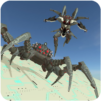
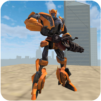
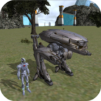
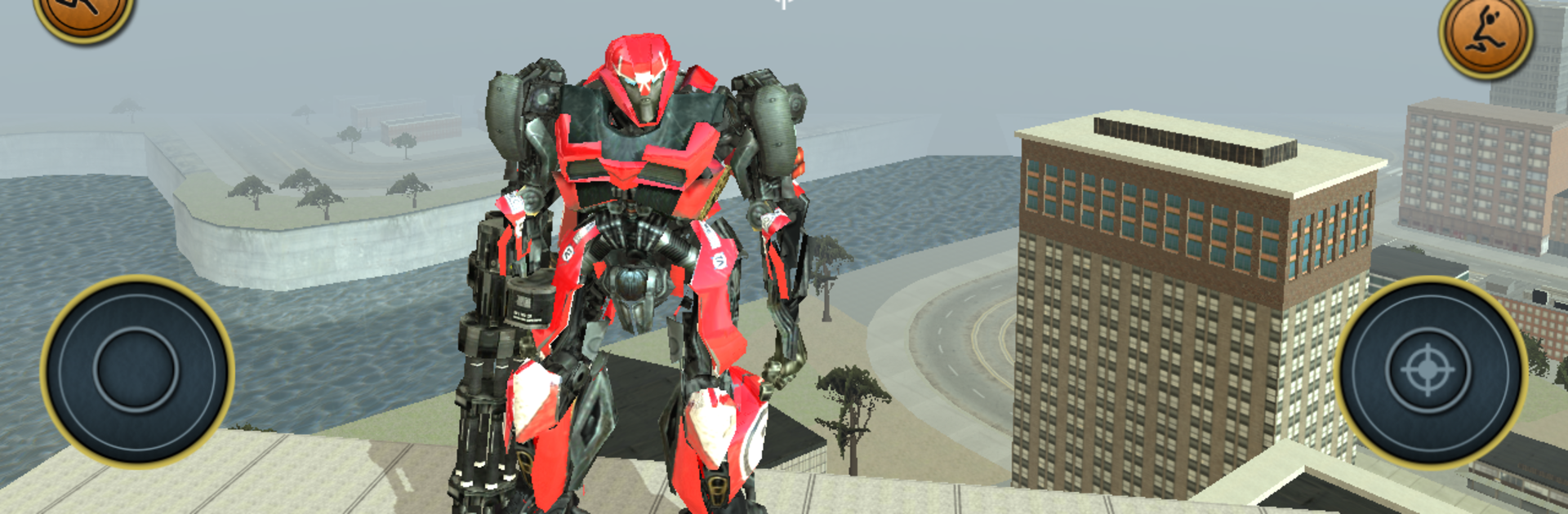
Top Car Robot drops you into a turbo-charged war machine and tells you to make your own rules. It blends high-speed driving with heavy combat, so one minute you’re blasting down a straightaway and the next you’re shredding enemies with serious firepower. It’s a Simulation title from Naxeex Robots, and it plays great on mobile—or on your PC with BlueStacks if you want a little more elbow room.

Game Features

  • Road-speed mayhem: Hit the streets in a powerful combat rig built for velocity. You’ll weave through traffic, cut corners, and keep momentum while enemies try to box you in.

  • Battle-ready at all times: Racing is only half the story. Expect firefights on the move, ambushes around corners, and showdowns where quick reflexes and smarter choices win the day.

  • Endless supplies: No fuel gauge, no ammo counter holding you back. Floor it, spray lead, and keep the pressure on without worrying about pit stops.

  • Missions and secrets: Take on racing tasks for quick thrills, then hunt down covert ops tucked away across the city. Each challenge nets experience and unlocks new possibilities.

  • Progress your build: Level up and pump points into speed, armor, damage, and handling. Tune your machine to match how you like to play—reckless, precise, or somewhere in between.

  • Modern arsenal: Bring out the big toys. Mix rapid-fire guns, heavy launchers, and other advanced hardware to shred vehicles, drones, and anything else in your way.

  • Extreme survival racing: Outrun and outgun waves of foes while chasing top times and clean escapes. Become the one everyone else is trying to catch.

Make your gaming sessions memorable with precise controls that give you an edge in close combats and visuals that pop up, bringing every character to life.


Game Features

Enhancements

  • Macros
  • Multi Instance
  • Multi Instance Sync
  • Script
  • Enhancements
Macros

Macros

Automate the predictable in Top Car Robot and transform your gameplay with Macros. Get access to inventive Macros in the BlueStacks Macro Community
Multi Instance

Multi Instance

Play Top Car Robot on one window. And chat with your friend on the other. Press CTRL + Shift + 8 to open the Multi-Instance Manager. And start creating fresh instances or clone an existing one.
Multi Instance Sync

Multi Instance Sync

Play Top Car Robot with the power of Multi-Instance Sync. Replicate what you are doing on the main instance on all other instances. Level up faster, play more.
Script

Script

Script your way to gaming glory in Top Car Robot with BlueStacks Script. Write and run a set of commands to automate repeated tasks. Trigger the command by assigning it to any key.
Read More

How to Download and Play Top Car Robot on PC or Mac

  • Download and install BlueStacks on your PC or Mac

  • Complete Google sign-in to access the Play Store, or do it later

  • Look for Top Car Robot in the search bar at the top right corner

  • Click to install Top Car Robot from the search results

  • Complete Google sign-in (if you skipped step 2) to install Top Car Robot

  • Click the Top Car Robot icon on the home screen to start playing

video
Watch Video

Minimum System Requirements

With BlueStacks 5, you can get started on a PC that fulfills the following requirements.

  • Operating System

    Microsoft Windows 7 or above, macOS 11 (Big Sur) or above

  • Processor

    Intel, AMD or Apple Silicon Processor

  • RAM

    at least 4GB

  • HDD

    10GB Free Disk Space

Note:

* You must be an Administrator on your PC. Up to date graphics drivers from Microsoft or the chipset vendor.

Top Car Robot - FAQs

  • How to play Top Car Robot on Windows PC & Mac?

    Play Top Car Robot on your PC or Mac by following these simple steps.

    • Click on 'Play Top Car Robot on PC’ to download BlueStacks
    • Install it and log-in to Google Play Store
    • Launch and play the game.
  • Why is BlueStacks the fastest and safest platform to play games on PC?

    BlueStacks respects your privacy and is always safe and secure to use. It does not carry any malware, spyware, or any sort of additional software that could harm your PC.

    It is engineered to optimize speed and performance for a seamless gaming experience.

  • What are Top Car Robot PC requirements?

    Minimum requirement to run Top Car Robot on your PC

    • OS: Microsoft Windows 7 or above MacOS 11 (Big Sur) or above
    • Processor: Intel, AMD or Apple Silicon Processor
    • RAM: Your PC must have at least 4GB of RAM. (Note that having 4GB or more disk space is not a substitute for RAM)
    • HDD: 10GB Free Disk Space.
    • You must be an Administrator on your PC.