Spider Robot
Spider Robot

Spider Robot

Simulation

| Naxeex Robots

Play on PC with BlueStacks or from our cloud

  • Overview
  • Game Features
  • How to Play

Page Modified On: August 20, 2026

Play Spider Robot on PC or Mac

Spider Robot brings the Simulation genre to life, and throws up exciting challenges for gamers. Developed by Naxeex Robots, this Android game is best experienced on BlueStacks, the World’s #1 app player for PC and Mac users.

About the Game

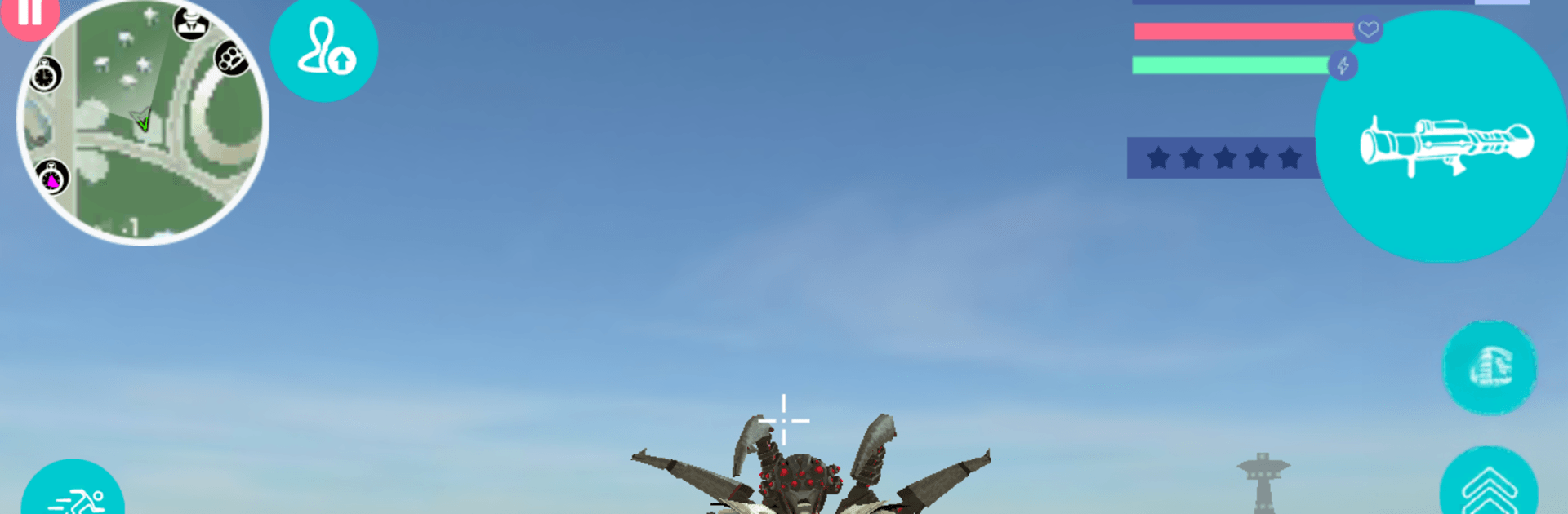
Spider Robot is a Simulation where you pilot a secret military mech built to hunt crime in a sprawling sci‑fi city. It’s part open-world playground, part tactical machine—you flip between forms, pick your targets, and decide how loud or precise you want to be. Expect plenty of missions, fast fights, and a satisfying sense of power as you tune your metal beast to perfection. Prefer playing on a bigger screen? It runs smoothly on BlueStacks, too.

Game Features

  • Dual Forms, Instant Switch: Swap between a swift humanoid frame for quick maneuvers and a hulking spider-tank when you need heavy armor and big guns.
  • Big Futuristic City: Roam a wide, neon-tinted metropolis filled with streets, rooftops, and hot zones where trouble doesn’t hide for long.
  • Pick Your Battles: Choose targets on your own terms—break up criminal activity, clear hostile areas, or chase down tougher marks for bigger rewards.
  • Weapons Built In: Cycle through an internal arsenal of cannons, rockets, and energy fire to match the threat without digging through clunky menus.
  • Upgrade Your Spec: Spend your earnings to reinforce armor, boost damage, sharpen mobility, and tailor the mech to your playstyle.
  • Destructive Power, Smart Control: Tear through enemy vehicles and fortifications while using cover and angles to keep your core systems intact.
  • Tactical Transformation: Open with agile scouting as the biped, roll in as the tank when things heat up, and switch mid-fight to keep the upper hand.

BlueStacks gives you more room to focus on the game and less time adjusting around mobile limitations.


Game Features

Enhancements

  • Macros
  • Multi Instance
  • Multi Instance Sync
  • Script
  • Enhancements
Macros

Macros

Automate the predictable in Spider Robot and transform your gameplay with Macros. Get access to inventive Macros in the BlueStacks Macro Community
Multi Instance

Multi Instance

Play Spider Robot on one window. And chat with your friend on the other. Press CTRL + Shift + 8 to open the Multi-Instance Manager. And start creating fresh instances or clone an existing one.
Multi Instance Sync

Multi Instance Sync

Play Spider Robot with the power of Multi-Instance Sync. Replicate what you are doing on the main instance on all other instances. Level up faster, play more.
Script

Script

Script your way to gaming glory in Spider Robot with BlueStacks Script. Write and run a set of commands to automate repeated tasks. Trigger the command by assigning it to any key.
Read More

How to Download and Play Spider Robot on PC or Mac

  • Download and install BlueStacks on your PC or Mac

  • Complete Google sign-in to access the Play Store, or do it later

  • Look for Spider Robot in the search bar at the top right corner

  • Click to install Spider Robot from the search results

  • Complete Google sign-in (if you skipped step 2) to install Spider Robot

  • Click the Spider Robot icon on the home screen to start playing

video
Watch Video

Minimum System Requirements

With BlueStacks 5, you can get started on a PC that fulfills the following requirements.

  • Operating System

    Microsoft Windows 7 or above, macOS 11 (Big Sur) or above

  • Processor

    Intel, AMD or Apple Silicon Processor

  • RAM

    at least 4GB

  • HDD

    10GB Free Disk Space

Note:

* You must be an Administrator on your PC. Up to date graphics drivers from Microsoft or the chipset vendor.

Spider Robot - FAQs

  • How to play Spider Robot on Windows PC & Mac?

    Play Spider Robot on your PC or Mac by following these simple steps.

    • Click on 'Play Spider Robot on PC’ to download BlueStacks
    • Install it and log-in to Google Play Store
    • Launch and play the game.
  • Why is BlueStacks the fastest and safest platform to play games on PC?

    BlueStacks respects your privacy and is always safe and secure to use. It does not carry any malware, spyware, or any sort of additional software that could harm your PC.

    It is engineered to optimize speed and performance for a seamless gaming experience.

  • What are Spider Robot PC requirements?

    Minimum requirement to run Spider Robot on your PC

    • OS: Microsoft Windows 7 or above MacOS 11 (Big Sur) or above
    • Processor: Intel, AMD or Apple Silicon Processor
    • RAM: Your PC must have at least 4GB of RAM. (Note that having 4GB or more disk space is not a substitute for RAM)
    • HDD: 10GB Free Disk Space.
    • You must be an Administrator on your PC.