Duel Master - Pistol Fight

Duel Master - Pistol Fight

Action

| FelicityGames

Play on PC with BlueStacks or from our cloud

  • Overview
  • Game Features
  • How to Play

Page Modified On: August 11, 2026

Play Duel Master - Pistol Fight on PC or Mac

Duel Master – Pistol Fight by FelicityGames has plenty to keep you busy. BlueStacks lets you play it on PC or Mac with more screen space, better control, and fewer mobile limits.

About the Game

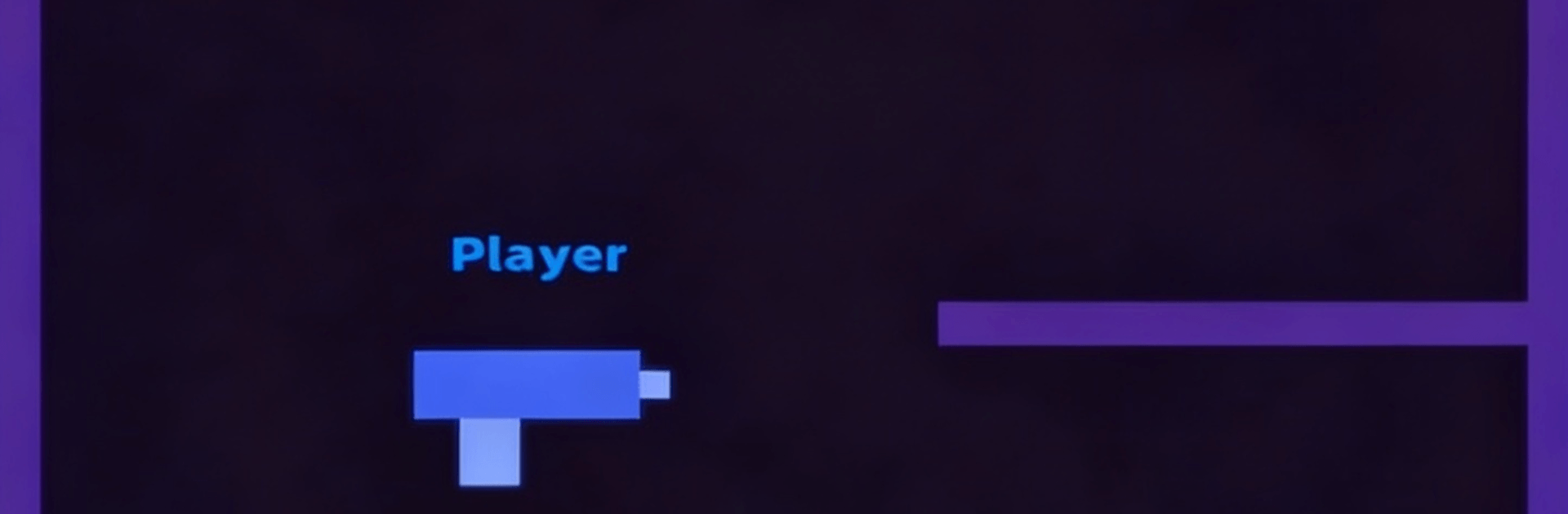
Duel Master – Pistol Fight is a slick Action shooter where your bullets do more than hit targets—they also blast you across the arena. Every tap fires your pistol and kicks you backward, so movement and aiming become the same thrilling decision. It’s quick to learn, surprisingly deep, and feels great on touch or with a mouse on BlueStacks.

Game Features

  • Recoil-Driven Movement: Your shots double as thrust. Angle them to drift, hop, and stay airborne while lining up takedowns.
  • One-Tap Controls: Tap to fire—simple to start, with tons of nuance once you chase cleaner arcs and tighter timing.
  • Skill Over Luck: Wins come from smart aim, reflexes, and planning your path mid-fight, not random power-ups.
  • Bite-Size Duels: Short, punchy stages are perfect for quick sessions, or string a bunch together for a longer run.
  • Physics-Puzzle Combat: Treat each arena like a problem to solve—bank off edges, chain kicks, and thread the perfect shot.
  • Unlockable Pistols: Earn new sidearms with distinct recoil, rhythm, and ammo that change how you move and fight.
  • Ammo That Matters: Every bullet is both movement and damage—waste a shot and you might strand yourself in the open.
  • Rising Challenge: Enemies get trickier and layouts tighter, pushing you to master recoil control and slick repositioning.
  • Play Offline: No connection required—jump into duels anytime, anywhere.
  • PC-Friendly Too: Smooth on mobile and comfy on BlueStacks if you prefer a mouse and a bigger screen.

Start playing Duel Master – Pistol Fight on BlueStacks and get a smoother, more comfortable PC or Mac setup.


Game Features

Enhancements

  • Macros
  • Multi Instance
  • Multi Instance Sync
  • Eco Mode
  • Enhancements
Macros

Macros

Skip the boring parts of a game. Play Duel Master - Pistol Fight with Macros and get the edge. Simply record a sequence of commands and execute them at any moment.
Multi Instance

Multi Instance

Why limit to one game on your phone when you can play many on your PC? Open multiple instances of Duel Master - Pistol Fight at once with Multi-Instance. Leverage the power of different accounts by doing more.
Multi Instance Sync

Multi Instance Sync

Get the best out of Duel Master - Pistol Fight with Multi-Instance Sync. Play the game from different accounts and build your own empire. Use Multi-instance sync to repeat the action in the main BlueStacks instance on all other instances.
Eco Mode

Eco Mode

Find the rarest heroes by making multiple summons in Duel Master - Pistol Fight. And while you are at it, reduce your PC’s resource consumption with the Eco Mode. Farm efficiently. Get the best results.
Read More

How to Download and Play Duel Master - Pistol Fight on PC or Mac

  • Download and install BlueStacks on your PC or Mac

  • Complete Google sign-in to access the Play Store, or do it later

  • Look for Duel Master - Pistol Fight in the search bar at the top right corner

  • Click to install Duel Master - Pistol Fight from the search results

  • Complete Google sign-in (if you skipped step 2) to install Duel Master - Pistol Fight

  • Click the Duel Master - Pistol Fight icon on the home screen to start playing

video
Watch Video

Minimum System Requirements

With BlueStacks 5, you can get started on a PC that fulfills the following requirements.

  • Operating System

    Microsoft Windows 7 or above, macOS 11 (Big Sur) or above

  • Processor

    Intel, AMD or Apple Silicon Processor

  • RAM

    at least 4GB

  • HDD

    10GB Free Disk Space

Note:

* You must be an Administrator on your PC. Up to date graphics drivers from Microsoft or the chipset vendor.

Duel Master - Pistol Fight - FAQs

  • How to play Duel Master - Pistol Fight on Windows PC & Mac?

    Play Duel Master - Pistol Fight on your PC or Mac by following these simple steps.

    • Click on 'Play Duel Master - Pistol Fight on PC’ to download BlueStacks
    • Install it and log-in to Google Play Store
    • Launch and play the game.
  • Why is BlueStacks the fastest and safest platform to play games on PC?

    BlueStacks respects your privacy and is always safe and secure to use. It does not carry any malware, spyware, or any sort of additional software that could harm your PC.

    It is engineered to optimize speed and performance for a seamless gaming experience.

  • What are Duel Master - Pistol Fight PC requirements?

    Minimum requirement to run Duel Master - Pistol Fight on your PC

    • OS: Microsoft Windows 7 or above MacOS 11 (Big Sur) or above
    • Processor: Intel, AMD or Apple Silicon Processor
    • RAM: Your PC must have at least 4GB of RAM. (Note that having 4GB or more disk space is not a substitute for RAM)
    • HDD: 10GB Free Disk Space.
    • You must be an Administrator on your PC.