Escape from Bunkov
Escape from Bunkov

Escape from Bunkov

Action

| PINPIN STUDIO

Play on PC with BlueStacks or from our cloud

  • Overview
  • Game Features
  • How to Play

Page Modified On: May 05, 2026

Play Escape from Bunkov on PC or Mac

From the innovators and creators at PINPIN STUDIO, Escape from Bunkov is another fun addition to the World of Action games. Go beyond your mobile screen and play it bigger and better on your PC or Mac. An immersive experience awaits you.

About the Game

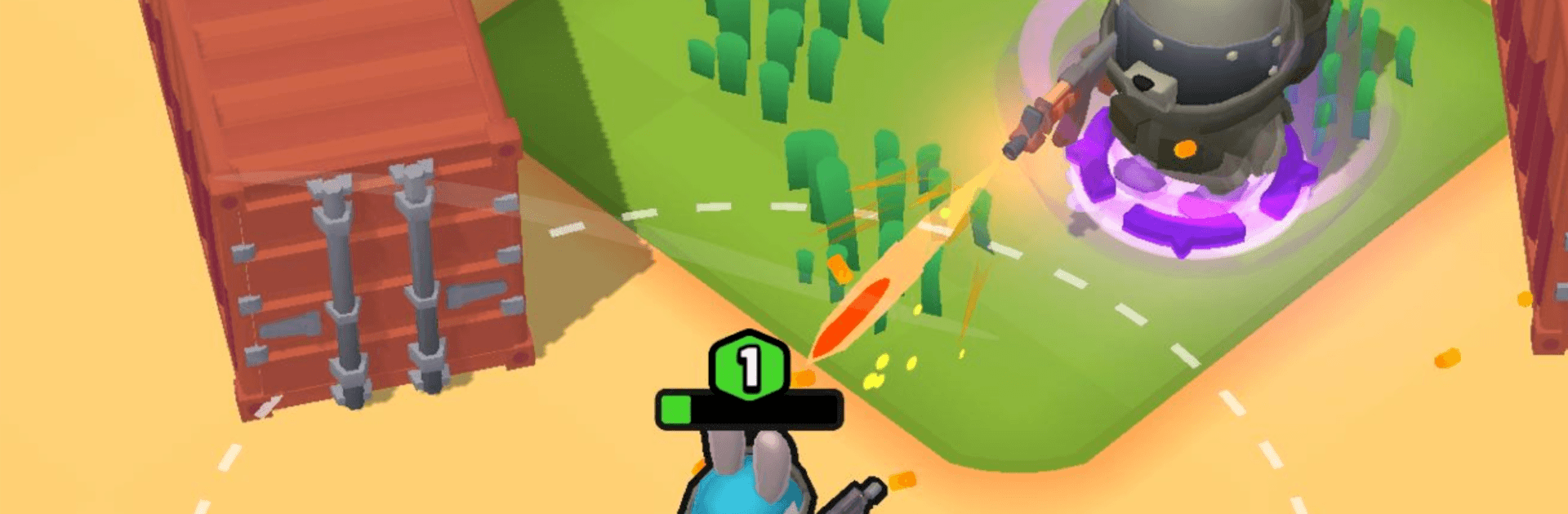
Escape from Bunkov throws you onto a hostile island and dares you to make it out with whatever you can carry. Each raid is a gamble: sneak in, grab the good stuff, and reach the extraction point without getting dropped. From PINPIN STUDIO, this Action experience mixes sharp top-down gunplay with tense decisions about where to move, what to bring, and when to bail. Prefer a bigger screen and tighter aiming? You can hop in on PC with BlueStacks, too.

Game Features

  • High-stakes extractions: Enter the zone, hunt for valuables, and evac before things go south. Go down, and that gear you love is gone.
  • Tactical top-down fights: Use cover, peek angles, and reposition smartly. Creep past patrols or go loud—both can work if you commit.
  • Flexible loadouts: Build your kit before every run. SMG for close quarters, rifle for precision, attachments for your style.
  • Gear that matters: Helmets, vests, and backpacks change your odds. Find legendary pieces to boost your overall power and survivability.
  • Scavenge and craft: Collect wood, metal, and rare components to upgrade weapons and improve equipment between raids.
  • Evolving locations: Dense forests, fortified outposts, and abandoned airfields each have their own routes, patrol patterns, and hidden stashes.
  • Fresh finds every run: Loot tables shift, so your path and priorities won’t be the same twice.
  • Progress your character: Level up, unlock new zones, and push into tougher territory as your skills and loadout improve.
  • Smooth mobile controls: Responsive movement and cover-friendly aiming keep firefights quick and readable.
  • Bold, stylized look: A vibrant world with a dangerous edge that makes every skirmish easy to read—and tough to forget.

Slay your opponents with your epic moves. Play it your way on BlueStacks and dominate the battlefield.


Game Features

Enhancements

  • Macros
  • Multi Instance
  • Multi Instance Sync
  • Eco Mode
  • Enhancements
Macros

Macros

Skip the boring parts of a game. Play Escape from Bunkov with Macros and get the edge. Simply record a sequence of commands and execute them at any moment.
Multi Instance

Multi Instance

Why limit to one game on your phone when you can play many on your PC? Open multiple instances of Escape from Bunkov at once with Multi-Instance. Leverage the power of different accounts by doing more.
Multi Instance Sync

Multi Instance Sync

Get the best out of Escape from Bunkov with Multi-Instance Sync. Play the game from different accounts and build your own empire. Use Multi-instance sync to repeat the action in the main BlueStacks instance on all other instances.
Eco Mode

Eco Mode

Find the rarest heroes by making multiple summons in Escape from Bunkov. And while you are at it, reduce your PC’s resource consumption with the Eco Mode. Farm efficiently. Get the best results.
Read More

How to Download and Play Escape from Bunkov on PC or Mac

  • Download and install BlueStacks on your PC or Mac

  • Complete Google sign-in to access the Play Store, or do it later

  • Look for Escape from Bunkov in the search bar at the top right corner

  • Click to install Escape from Bunkov from the search results

  • Complete Google sign-in (if you skipped step 2) to install Escape from Bunkov

  • Click the Escape from Bunkov icon on the home screen to start playing

video
Watch Video

Minimum System Requirements

With BlueStacks 5, you can get started on a PC that fulfills the following requirements.

  • Operating System

    Microsoft Windows 7 or above, macOS 11 (Big Sur) or above

  • Processor

    Intel, AMD or Apple Silicon Processor

  • RAM

    at least 4GB

  • HDD

    10GB Free Disk Space

Note:

* You must be an Administrator on your PC. Up to date graphics drivers from Microsoft or the chipset vendor.

Escape from Bunkov - FAQs

  • How to play Escape from Bunkov on Windows PC & Mac?

    Play Escape from Bunkov on your PC or Mac by following these simple steps.

    • Click on 'Play Escape from Bunkov on PC’ to download BlueStacks
    • Install it and log-in to Google Play Store
    • Launch and play the game.
  • Why is BlueStacks the fastest and safest platform to play games on PC?

    BlueStacks respects your privacy and is always safe and secure to use. It does not carry any malware, spyware, or any sort of additional software that could harm your PC.

    It is engineered to optimize speed and performance for a seamless gaming experience.

  • What are Escape from Bunkov PC requirements?

    Minimum requirement to run Escape from Bunkov on your PC

    • OS: Microsoft Windows 7 or above MacOS 11 (Big Sur) or above
    • Processor: Intel, AMD or Apple Silicon Processor
    • RAM: Your PC must have at least 4GB of RAM. (Note that having 4GB or more disk space is not a substitute for RAM)
    • HDD: 10GB Free Disk Space.
    • You must be an Administrator on your PC.