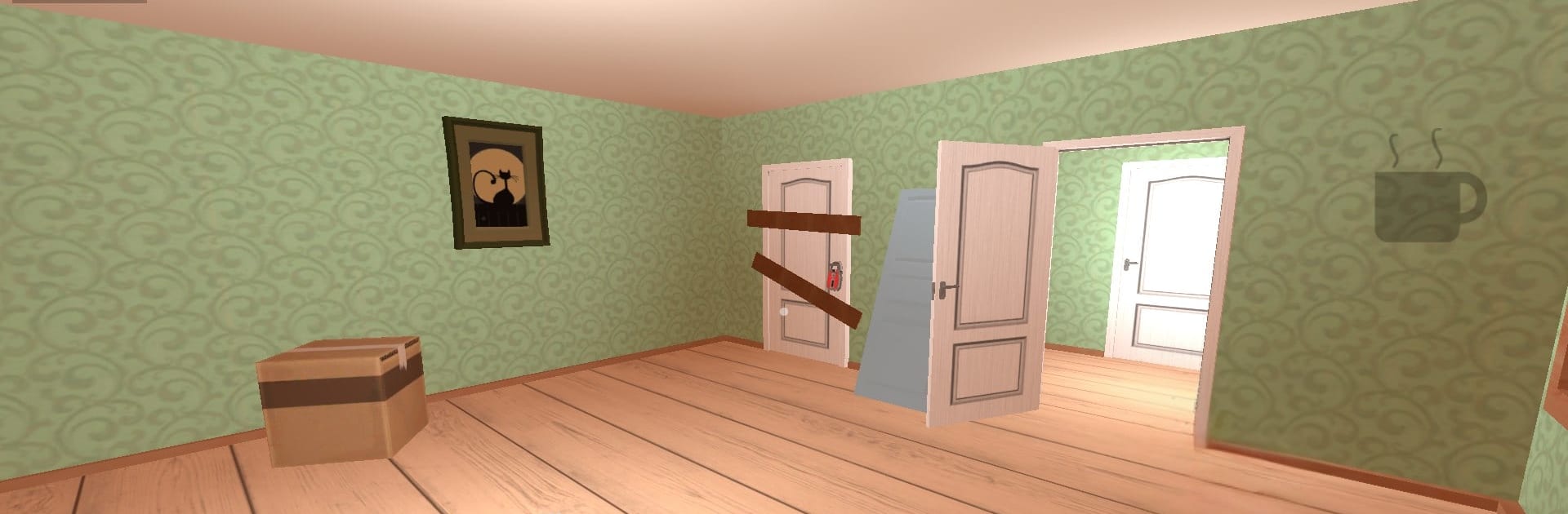
Evil Angry Neighbor Horror

Evil Angry Neighbor Horror

Action

| lazyastronaut

Play on PC with BlueStacks or from our cloud

  • Overview
  • Game Features
  • How to Play

Page Modified On: June 02, 2026

Play Evil Angry Neighbor Horror on PC or Mac

Evil Angry Neighbor Horror by lazyastronaut has plenty to keep you busy. BlueStacks lets you play it on PC or Mac with more screen space, better control, and fewer mobile limits.

About the Game

Evil Angry Neighbor Horror is an Action stealth-horror game about snooping where you really shouldn’t. Your next-door neighbor isn’t just moody—he’s dangerous—and his house is a maze of alarms, traps, and secrets you’re not meant to see. Creep through rooms, solve clever puzzles, and try not to make a sound as you inch closer to the basement truth. Want more room to look around? It runs smoothly on BlueStacks with a bigger view and comfy controls.

Game Features

  • High-Stakes Stealth: Every creak matters. Move slowly, peek around corners, and keep an eye on sightlines to stay off the neighbor’s radar.
  • Adaptive Enemy AI: He learns your habits. Use the same entry twice and you might find a new trap waiting the next time you try it.
  • A House Built Like a Trap: Hallways, vents, and blocked doors turn the place into a twisted puzzle box. Find alternate routes and safe spots—or make your own.
  • Environmental Puzzles: Collect keys, codes, and odd tools, then piece them together to unlock new areas and inch closer to the basement.
  • Tense Sound Design: Footsteps, rattling windows, muffled TV chatter—the soundscape keeps you on edge and helps you gauge how close danger really is.
  • Tools and Distractions: Grab items to disable cameras, jam doors, or throw the neighbor off your trail when things get too hot.
  • Constant Pressure: He’s always nearby. Plan your path, improvise when it falls apart, and don’t stick around after you find what you came for.

Ready to top the leaderboard? We bet you do. Let precise controls and sharp visuals optimized on BlueStacks lead you to victory.


Game Features

Enhancements

  • Macros
  • Multi Instance
  • Multi Instance Sync
  • Eco Mode
  • Enhancements
Macros

Macros

Skip the boring parts of a game. Play Evil Angry Neighbor Horror with Macros and get the edge. Simply record a sequence of commands and execute them at any moment.
Multi Instance

Multi Instance

Why limit to one game on your phone when you can play many on your PC? Open multiple instances of Evil Angry Neighbor Horror at once with Multi-Instance. Leverage the power of different accounts by doing more.
Multi Instance Sync

Multi Instance Sync

Get the best out of Evil Angry Neighbor Horror with Multi-Instance Sync. Play the game from different accounts and build your own empire. Use Multi-instance sync to repeat the action in the main BlueStacks instance on all other instances.
Eco Mode

Eco Mode

Find the rarest heroes by making multiple summons in Evil Angry Neighbor Horror. And while you are at it, reduce your PC’s resource consumption with the Eco Mode. Farm efficiently. Get the best results.
Read More

How to Download and Play Evil Angry Neighbor Horror on PC or Mac

  • Download and install BlueStacks on your PC or Mac

  • Complete Google sign-in to access the Play Store, or do it later

  • Look for Evil Angry Neighbor Horror in the search bar at the top right corner

  • Click to install Evil Angry Neighbor Horror from the search results

  • Complete Google sign-in (if you skipped step 2) to install Evil Angry Neighbor Horror

  • Click the Evil Angry Neighbor Horror icon on the home screen to start playing

video
Watch Video

Minimum System Requirements

With BlueStacks 5, you can get started on a PC that fulfills the following requirements.

  • Operating System

    Microsoft Windows 7 or above, macOS 11 (Big Sur) or above

  • Processor

    Intel, AMD or Apple Silicon Processor

  • RAM

    at least 4GB

  • HDD

    10GB Free Disk Space

Note:

* You must be an Administrator on your PC. Up to date graphics drivers from Microsoft or the chipset vendor.

Evil Angry Neighbor Horror - FAQs

  • How to play Evil Angry Neighbor Horror on Windows PC & Mac?

    Play Evil Angry Neighbor Horror on your PC or Mac by following these simple steps.

    • Click on 'Play Evil Angry Neighbor Horror on PC’ to download BlueStacks
    • Install it and log-in to Google Play Store
    • Launch and play the game.
  • Why is BlueStacks the fastest and safest platform to play games on PC?

    BlueStacks respects your privacy and is always safe and secure to use. It does not carry any malware, spyware, or any sort of additional software that could harm your PC.

    It is engineered to optimize speed and performance for a seamless gaming experience.

  • What are Evil Angry Neighbor Horror PC requirements?

    Minimum requirement to run Evil Angry Neighbor Horror on your PC

    • OS: Microsoft Windows 7 or above MacOS 11 (Big Sur) or above
    • Processor: Intel, AMD or Apple Silicon Processor
    • RAM: Your PC must have at least 4GB of RAM. (Note that having 4GB or more disk space is not a substitute for RAM)
    • HDD: 10GB Free Disk Space.
    • You must be an Administrator on your PC.