Extract.io
Extract.io

Extract.io

Action

| TeaGames!

Play on PC with BlueStacks or from our cloud

  • Overview
  • Game Features
  • How to Play

Page Modified On: August 17, 2026

Play Extract.io on PC or Mac

Extract.io by TeaGames! has plenty to keep you busy. BlueStacks lets you play it on PC or Mac with more screen space, better control, and fewer mobile limits.

About the Game

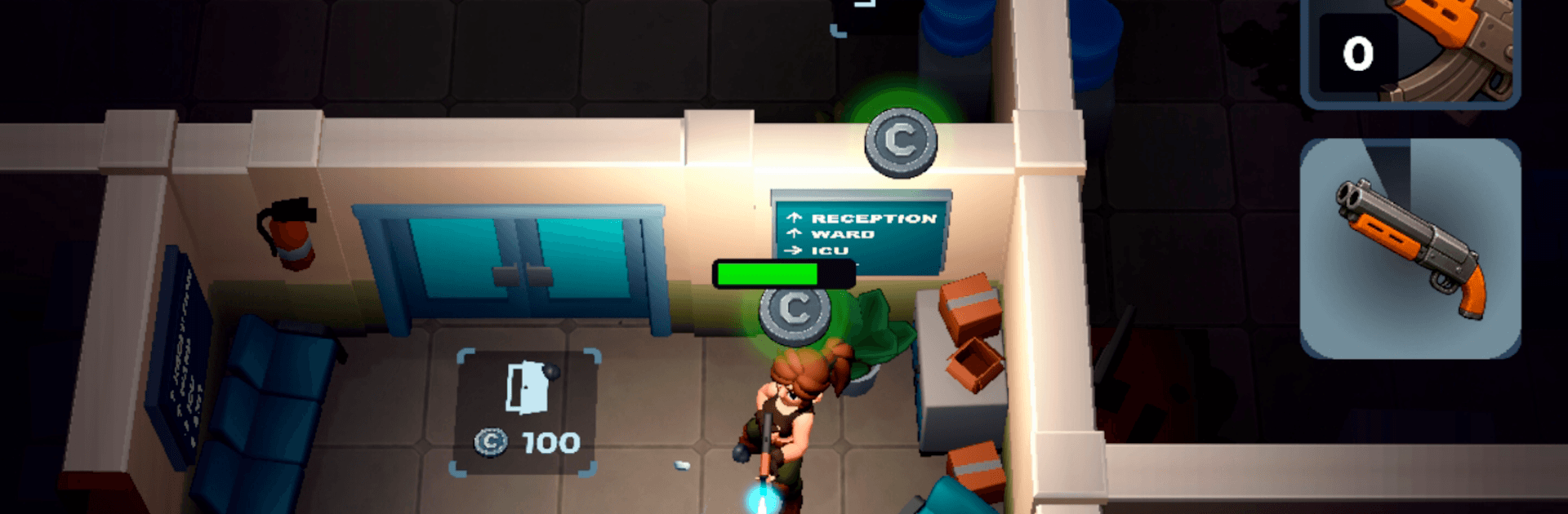
Extract.io drops you into a city swallowed by an outbreak, where the only way to win is to sneak in, grab the good stuff, and make it out alive. This Action extraction experience rides the line between greed and survival—push farther for better gear, or cut your losses and run. Prefer a bigger display and tighter aim? It also plays great on BlueStacks.

Game Features

  • High-stakes runs: Every drop is a gamble. Venture deeper for rarer loot, but risk drawing more heat. Go down, and your haul goes with you.
  • Sound matters: The dead react to noise, light, and movement. Fire a noisy rifle and you’ll light up the block; stay quiet and you might slip past the horde.
  • Build your loadout: Scavenge weapons, armor, ammo, and gadgets. Upgrade between raids so your next entry starts stronger and better prepared.
  • Unpredictable every drop: Loot pools, enemy spawns, and threats shift constantly. No memorizing routes—adapt on the fly and survive what the city throws at you.
  • Evac or lose everything: Reaching the extraction point is the only way to bank your finds. One bad call and the whole run turns into a body bag.
  • Offline play: No connection? No problem. Run raids and stash gear even when you’re playing solo without a signal.

Get ready for a buttery smooth, high-performance gaming action only on BlueStacks.

Game Features

Enhancements

  • Macros
  • Multi Instance
  • Multi Instance Sync
  • Eco Mode
  • Enhancements
Macros

Macros

Skip the boring parts of a game. Play Extract.io with Macros and get the edge. Simply record a sequence of commands and execute them at any moment.
Multi Instance

Multi Instance

Why limit to one game on your phone when you can play many on your PC? Open multiple instances of Extract.io at once with Multi-Instance. Leverage the power of different accounts by doing more.
Multi Instance Sync

Multi Instance Sync

Get the best out of Extract.io with Multi-Instance Sync. Play the game from different accounts and build your own empire. Use Multi-instance sync to repeat the action in the main BlueStacks instance on all other instances.
Eco Mode

Eco Mode

Find the rarest heroes by making multiple summons in Extract.io. And while you are at it, reduce your PC’s resource consumption with the Eco Mode. Farm efficiently. Get the best results.
Read More

How to Download and Play Extract.io on PC or Mac

  • Download and install BlueStacks on your PC or Mac

  • Complete Google sign-in to access the Play Store, or do it later

  • Look for Extract.io in the search bar at the top right corner

  • Click to install Extract.io from the search results

  • Complete Google sign-in (if you skipped step 2) to install Extract.io

  • Click the Extract.io icon on the home screen to start playing

video
Watch Video

Minimum System Requirements

With BlueStacks 5, you can get started on a PC that fulfills the following requirements.

  • Operating System

    Microsoft Windows 7 or above, macOS 11 (Big Sur) or above

  • Processor

    Intel, AMD or Apple Silicon Processor

  • RAM

    at least 4GB

  • HDD

    10GB Free Disk Space

Note:

* You must be an Administrator on your PC. Up to date graphics drivers from Microsoft or the chipset vendor.

Extract.io - FAQs

  • How to play Extract.io on Windows PC & Mac?

    Play Extract.io on your PC or Mac by following these simple steps.

    • Click on 'Play Extract.io on PC’ to download BlueStacks
    • Install it and log-in to Google Play Store
    • Launch and play the game.
  • Why is BlueStacks the fastest and safest platform to play games on PC?

    BlueStacks respects your privacy and is always safe and secure to use. It does not carry any malware, spyware, or any sort of additional software that could harm your PC.

    It is engineered to optimize speed and performance for a seamless gaming experience.

  • What are Extract.io PC requirements?

    Minimum requirement to run Extract.io on your PC

    • OS: Microsoft Windows 7 or above MacOS 11 (Big Sur) or above
    • Processor: Intel, AMD or Apple Silicon Processor
    • RAM: Your PC must have at least 4GB of RAM. (Note that having 4GB or more disk space is not a substitute for RAM)
    • HDD: 10GB Free Disk Space.
    • You must be an Administrator on your PC.