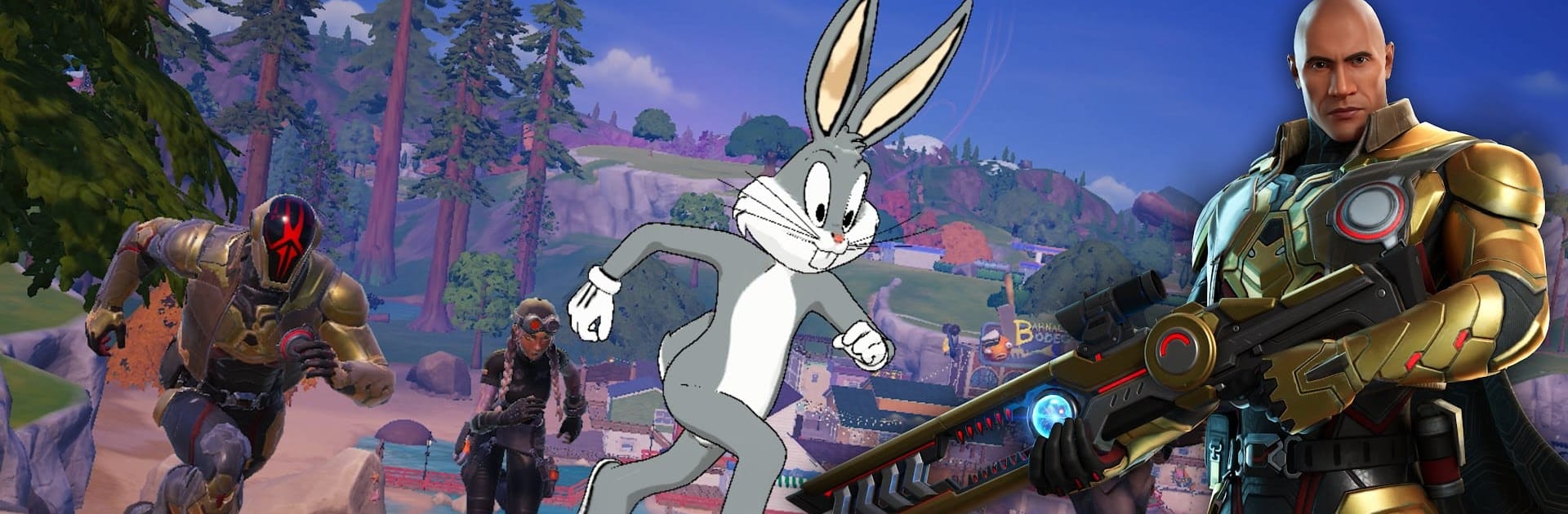
Fortnite
Fortnite

Fortnite

Action

| Epic Games, Inc

Play on PC with BlueStacks or from our cloud

  • Overview
  • Game Features
  • How to Play

Page Modified On: March 30, 2026

Play Fortnite on PC or Mac

Bring your A-game to Fortnite, the Action game sensation from Epic Games, Inc. Give your gameplay the much-needed boost with precise game controls, high FPS graphics, and top-tier features on your PC or Mac with BlueStacks.

About the Game

Fortnite is a living, ever-changing Action playground from Epic Games, Inc where fast firefights, wild events, and goofy moments with friends all blend together. Jump in for a quick Battle Royale, jam out on a virtual stage, or build something ridiculous—there’s always a new mode or twist waiting. Prefer playing on PC? You can run the mobile version on BlueStacks and use keyboard and mouse without making a big deal out of it.

Game Features

  • Big mix of modes: Hop into Battle Royale, go old-school in Fortnite OG, or try a no-building approach in Zero Build. Want shorter matches? Blitz Royale speeds things up with a tighter map and fewer players.

  • LEGO Fortnite adventures: Explore charming biomes, gather resources, craft tools, and create cozy bases. It’s a laid-back side of Fortnite that still surprises you with fun discoveries.

  • Music on the main stage: In Fortnite Festival, perform songs you know, remix tracks, and headline with new music Icons each season. Grab Jam Tracks and artist Outfits in the Shop or through the Music Pass and make your set your own.

  • Player-made everything: Browse thousands of community creations—tycoons, deathruns, zombie survival, party hubs, and plenty of oddball ideas that somehow just work.

  • Zero Build strategy: No materials? No problem. Use your Overshield, hug natural cover, and outmaneuver enemies with mantling, hurdling, sprinting, and smart loadouts.

  • Seasonal rewards: Each Season brings a fresh Battle Pass packed with Outfits, Pickaxes, Gliders, and more. Complete Quests, earn XP, and unlock gear you can use across modes.

  • Throwback style with the OG Pass: Past meets present with classic-inspired looks reimagined for today. Nostalgia, but with a fresh coat of paint.

  • Show your style: Swing by the Shop for Outfits, Back Bling, and Emotes, then flex your look in any mode—from sweaty PvP to chill social spaces.

  • Ranked and competitive play: Climb the ladder in Ranked, qualify for tournaments, and compete for rewards that can include cosmetics and even cash. Regular updates keep weapons, vehicles, and surprises rotating to shake up the meta.

Start your journey now. Download the game on BlueStacks, invite your friends, and march on a new adventure.


Game Features

Enhancements

  • Macros
  • Multi Instance
  • Multi Instance Sync
  • Eco Mode
  • Enhancements
Macros

Macros

Skip the boring parts of a game. Play Fortnite with Macros and get the edge. Simply record a sequence of commands and execute them at any moment.
Multi Instance

Multi Instance

Why limit to one game on your phone when you can play many on your PC? Open multiple instances of Fortnite at once with Multi-Instance. Leverage the power of different accounts by doing more.
Multi Instance Sync

Multi Instance Sync

Get the best out of Fortnite with Multi-Instance Sync. Play the game from different accounts and build your own empire. Use Multi-instance sync to repeat the action in the main BlueStacks instance on all other instances.
Eco Mode

Eco Mode

Find the rarest heroes by making multiple summons in Fortnite. And while you are at it, reduce your PC’s resource consumption with the Eco Mode. Farm efficiently. Get the best results.
Read More

How to Download and Play Fortnite on PC or Mac

  • Download and install BlueStacks on your PC or Mac

  • Complete Google sign-in to access the Play Store, or do it later

  • Look for Fortnite in the search bar at the top right corner

  • Click to install Fortnite from the search results

  • Complete Google sign-in (if you skipped step 2) to install Fortnite

  • Click the Fortnite icon on the home screen to start playing

video
Watch Video

Minimum System Requirements

With BlueStacks 5, you can get started on a PC that fulfills the following requirements.

  • Operating System

    Microsoft Windows 7 or above, macOS 11 (Big Sur) or above

  • Processor

    Intel, AMD or Apple Silicon Processor

  • RAM

    at least 4GB

  • HDD

    10GB Free Disk Space

Note:

* You must be an Administrator on your PC. Up to date graphics drivers from Microsoft or the chipset vendor.

Fortnite - FAQs

  • How to play Fortnite on Windows PC & Mac?

    Play Fortnite on your PC or Mac by following these simple steps.

    • Click on 'Play Fortnite on PC’ to download BlueStacks
    • Install it and log-in to Google Play Store
    • Launch and play the game.
  • Why is BlueStacks the fastest and safest platform to play games on PC?

    BlueStacks respects your privacy and is always safe and secure to use. It does not carry any malware, spyware, or any sort of additional software that could harm your PC.

    It is engineered to optimize speed and performance for a seamless gaming experience.

  • What are Fortnite PC requirements?

    Minimum requirement to run Fortnite on your PC

    • OS: Microsoft Windows 7 or above MacOS 11 (Big Sur) or above
    • Processor: Intel, AMD or Apple Silicon Processor
    • RAM: Your PC must have at least 4GB of RAM. (Note that having 4GB or more disk space is not a substitute for RAM)
    • HDD: 10GB Free Disk Space.
    • You must be an Administrator on your PC.