FPS Gun Battle Shooting Game

FPS Gun Battle Shooting Game

Action

| Play Trick

Play on PC with BlueStacks or from our cloud

  • Overview
  • Game Features
  • How to Play

Page Modified On: August 11, 2026

Play FPS Gun Battle Shooting Game on PC or Mac

Explore a whole new adventure with FPS Gun Battle Shooting Game, a Action game created by Play Trick. Experience great gameplay with BlueStacks, the most popular gaming platform to play Android games on your PC or Mac.

About the Game

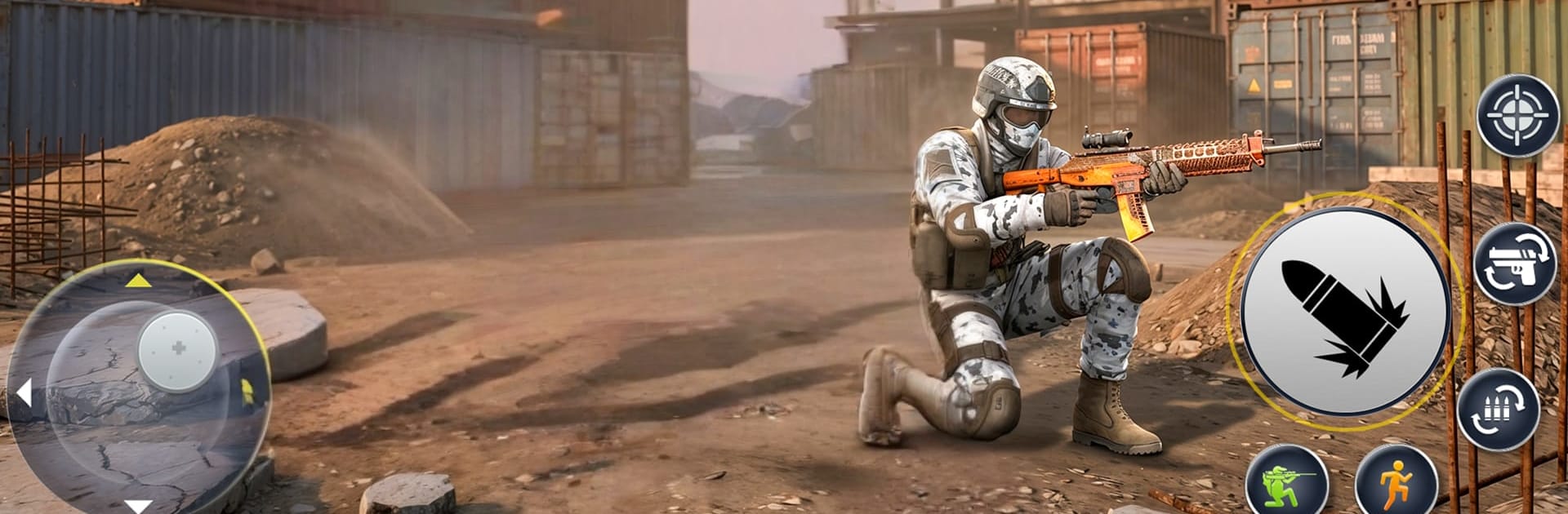
FPS Gun Battle Shooting Game is a fast, no-nonsense first-person shooter built for quick thrills and clear objectives. You hop between realistic battlegrounds, take down hostile squads, and tick through missions that keep raising the stakes. It’s straight-up Action with a focus on clean controls, punchy gunplay, and that “one more run” energy.

Game Features

  • Mission-focused combat: Tackle a set of objective-driven encounters across 5 escalating levels, each pushing you to adapt, aim sharper, and finish the job.
  • Realistic battlefields: Fight through lifelike arenas that make cover, sightlines, and timing matter—so your positioning counts as much as your trigger finger.
  • Pick-your-loadout weapons: Choose from a range of powerful guns and build a setup that fits your style, whether you like quick bursts or controlled long shots.
  • Smooth, responsive controls: Snappy movement and steady aiming make firefights feel tight and satisfying; it also feels great on BlueStacks if you prefer mouse-and-keyboard precision.
  • Intense firefights: Expect fast engagements, quick switches, and clutch reloads—perfect for fans of shooting games who like momentum and pressure.
  • Clear progression: Master missions to unlock fresh weapons and expand your arsenal, giving you new ways to handle tougher objectives.
  • Designed for FPS fans: If you’re into gun games and classic shooter fundamentals, this nails the core experience without the fluff—just clean Action and solid pacing.

Get ready for a buttery smooth, high-performance gaming action only on BlueStacks.

Game Features

Enhancements

  • Macros
  • Multi Instance
  • Multi Instance Sync
  • Eco Mode
  • Enhancements
Macros

Macros

Skip the boring parts of a game. Play FPS Gun Battle Shooting Game with Macros and get the edge. Simply record a sequence of commands and execute them at any moment.
Multi Instance

Multi Instance

Why limit to one game on your phone when you can play many on your PC? Open multiple instances of FPS Gun Battle Shooting Game at once with Multi-Instance. Leverage the power of different accounts by doing more.
Multi Instance Sync

Multi Instance Sync

Get the best out of FPS Gun Battle Shooting Game with Multi-Instance Sync. Play the game from different accounts and build your own empire. Use Multi-instance sync to repeat the action in the main BlueStacks instance on all other instances.
Eco Mode

Eco Mode

Find the rarest heroes by making multiple summons in FPS Gun Battle Shooting Game. And while you are at it, reduce your PC’s resource consumption with the Eco Mode. Farm efficiently. Get the best results.
Read More

How to Download and Play FPS Gun Battle Shooting Game on PC or Mac

  • Download and install BlueStacks on your PC or Mac

  • Complete Google sign-in to access the Play Store, or do it later

  • Look for FPS Gun Battle Shooting Game in the search bar at the top right corner

  • Click to install FPS Gun Battle Shooting Game from the search results

  • Complete Google sign-in (if you skipped step 2) to install FPS Gun Battle Shooting Game

  • Click the FPS Gun Battle Shooting Game icon on the home screen to start playing

video
Watch Video

Minimum System Requirements

With BlueStacks 5, you can get started on a PC that fulfills the following requirements.

  • Operating System

    Microsoft Windows 7 or above, macOS 11 (Big Sur) or above

  • Processor

    Intel, AMD or Apple Silicon Processor

  • RAM

    at least 4GB

  • HDD

    10GB Free Disk Space

Note:

* You must be an Administrator on your PC. Up to date graphics drivers from Microsoft or the chipset vendor.

FPS Gun Battle Shooting Game - FAQs

  • How to play FPS Gun Battle Shooting Game on Windows PC & Mac?

    Play FPS Gun Battle Shooting Game on your PC or Mac by following these simple steps.

    • Click on 'Play FPS Gun Battle Shooting Game on PC’ to download BlueStacks
    • Install it and log-in to Google Play Store
    • Launch and play the game.
  • Why is BlueStacks the fastest and safest platform to play games on PC?

    BlueStacks respects your privacy and is always safe and secure to use. It does not carry any malware, spyware, or any sort of additional software that could harm your PC.

    It is engineered to optimize speed and performance for a seamless gaming experience.

  • What are FPS Gun Battle Shooting Game PC requirements?

    Minimum requirement to run FPS Gun Battle Shooting Game on your PC

    • OS: Microsoft Windows 7 or above MacOS 11 (Big Sur) or above
    • Processor: Intel, AMD or Apple Silicon Processor
    • RAM: Your PC must have at least 4GB of RAM. (Note that having 4GB or more disk space is not a substitute for RAM)
    • HDD: 10GB Free Disk Space.
    • You must be an Administrator on your PC.