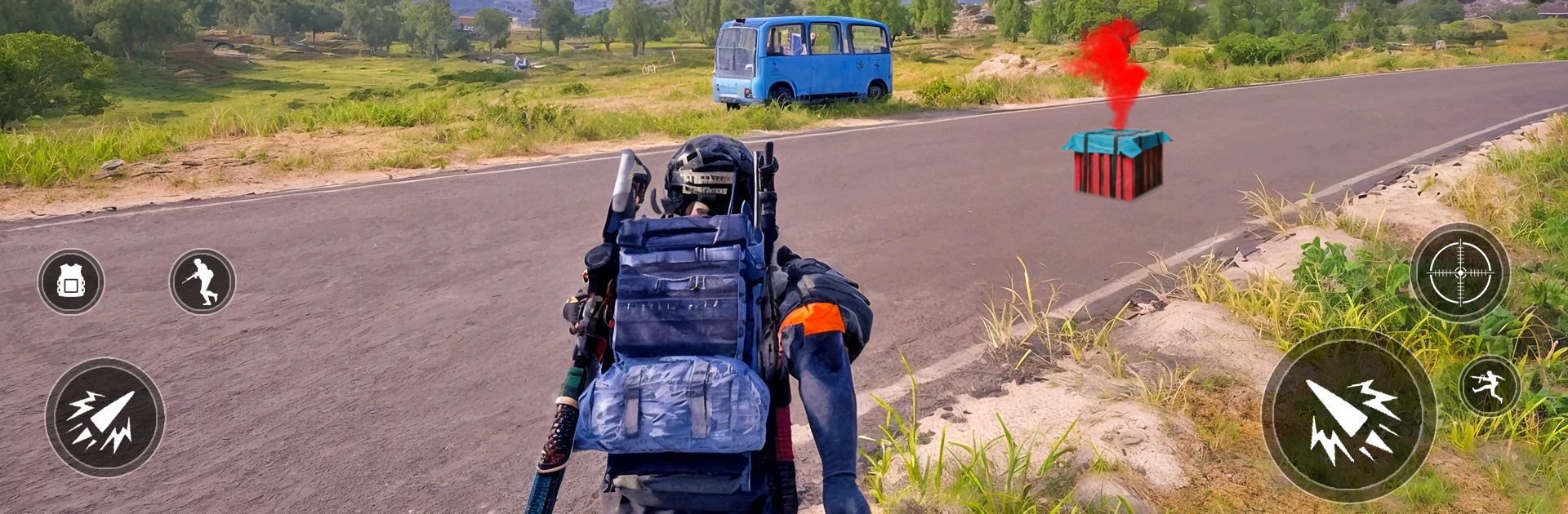
FPS Gun Games: killing Games

FPS Gun Games: killing Games

Action

| Bonfire Gaming

Play on PC with BlueStacks or from our cloud

  • Overview
  • Game Features
  • How to Play

Page Modified On: December 05, 2025

Play FPS Gun Games: killing Games on PC or Mac

Join millions to experience FPS Gun Games: killing Games, an exciting Action game from Bonfire Gaming. With BlueStacks App Player, you are always a step ahead of your opponent, ready to outplay them with faster gameplay and better control with the mouse and keyboard on your PC or Mac.

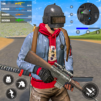
This is a straight-to-the-point first person shooter with that old school commando vibe. It drops the player into short missions with clear goals, clear enemies, and plenty of shooting. It is offline, small on storage, and loads fast, so it works well as a quick fix when someone just wants to clear a base or sweep a street without fiddling with menus for ten minutes. The story is there mostly to set the scene, but the pacing feels snappy. Enemies push, peek, and sometimes rush, so a mix of careful aim and quick sprays actually matters. Headshots are rewarded, grenades do real work, and there is a funny satisfaction in bonking someone with the frying pan when ammo runs low.

There is a decent spread of modes. Classic mission runs, some sniper focused stages, and a multiplayer team deathmatch for when a shootout with real people sounds better than bots. Maps shift between city blocks and more open jungle bits, nothing fancy, but sightlines make sense. The armory checks the boxes, pistols, shotguns, assault rifles, a proper sniper, plus knives and grenades, and upgrades are simple enough that anyone can figure it out. Controls are easy on mobile, and on PC with BlueStacks the mouse aim and keybinds make it feel closer to a lightweight PC shooter. It runs fine on modest hardware, no constant internet needed, so it suits anyone who wants quick FPS action without a huge download or a steep learning curve.

Make your gaming sessions memorable with precise controls that give you an edge in close combats and visuals that pop up, bringing every character to life.


Game Features

Enhancements

  • Macros
  • Multi Instance
  • Multi Instance Sync
  • Eco Mode
  • Enhancements
Macros

Macros

Skip the boring parts of a game. Play FPS Gun Games: killing Games with Macros and get the edge. Simply record a sequence of commands and execute them at any moment.
Multi Instance

Multi Instance

Why limit to one game on your phone when you can play many on your PC? Open multiple instances of FPS Gun Games: killing Games at once with Multi-Instance. Leverage the power of different accounts by doing more.
Multi Instance Sync

Multi Instance Sync

Get the best out of FPS Gun Games: killing Games with Multi-Instance Sync. Play the game from different accounts and build your own empire. Use Multi-instance sync to repeat the action in the main BlueStacks instance on all other instances.
Eco Mode

Eco Mode

Find the rarest heroes by making multiple summons in FPS Gun Games: killing Games. And while you are at it, reduce your PC’s resource consumption with the Eco Mode. Farm efficiently. Get the best results.
Read More

How to Download and Play FPS Gun Games: killing Games on PC or Mac

  • Download and install BlueStacks on your PC or Mac

  • Complete Google sign-in to access the Play Store, or do it later

  • Look for FPS Gun Games: killing Games in the search bar at the top right corner

  • Click to install FPS Gun Games: killing Games from the search results

  • Complete Google sign-in (if you skipped step 2) to install FPS Gun Games: killing Games

  • Click the FPS Gun Games: killing Games icon on the home screen to start playing

video
Watch Video

Minimum System Requirements

With BlueStacks 5, you can get started on a PC that fulfills the following requirements.

  • Operating System

    Microsoft Windows 7 or above, macOS 11 (Big Sur) or above

  • Processor

    Intel, AMD or Apple Silicon Processor

  • RAM

    at least 4GB

  • HDD

    10GB Free Disk Space

Note:

* You must be an Administrator on your PC. Up to date graphics drivers from Microsoft or the chipset vendor.

FPS Gun Games: killing Games - FAQs

  • How to play FPS Gun Games: killing Games on Windows PC & Mac?

    Play FPS Gun Games: killing Games on your PC or Mac by following these simple steps.

    • Click on 'Play FPS Gun Games: killing Games on PC’ to download BlueStacks
    • Install it and log-in to Google Play Store
    • Launch and play the game.
  • Why is BlueStacks the fastest and safest platform to play games on PC?

    BlueStacks respects your privacy and is always safe and secure to use. It does not carry any malware, spyware, or any sort of additional software that could harm your PC.

    It is engineered to optimize speed and performance for a seamless gaming experience.

  • What are FPS Gun Games: killing Games PC requirements?

    Minimum requirement to run FPS Gun Games: killing Games on your PC

    • OS: Microsoft Windows 7 or above MacOS 11 (Big Sur) or above
    • Processor: Intel, AMD or Apple Silicon Processor
    • RAM: Your PC must have at least 4GB of RAM. (Note that having 4GB or more disk space is not a substitute for RAM)
    • HDD: 10GB Free Disk Space.
    • You must be an Administrator on your PC.