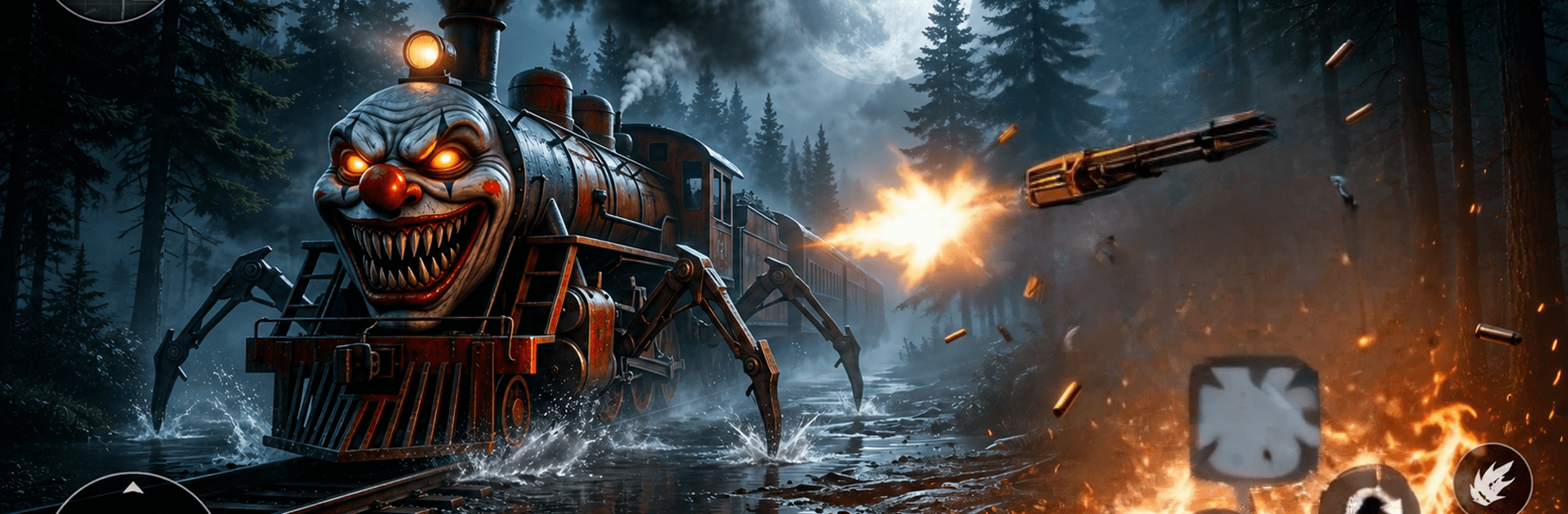
Monster Train Choo Choo Spider

Monster Train Choo Choo Spider

Action

| MomiRules

Play on PC with BlueStacks or from our cloud

  • Overview
  • Game Features
  • How to Play

Page Modified On: August 14, 2026

Play Monster Train Choo Choo Spider on PC or Mac

Monster Train Choo Choo Spider by MomiRules has plenty to keep you busy. BlueStacks lets you play it on PC or Mac with more screen space, better control, and fewer mobile limits.

About the Game

Monster Train Choo Choo Spider drops you onto forsaken tracks where every echo might be the last thing you hear. A spider-legged locomotive stalks the rail network while you scavenge for clues and a path to safety. It’s an Action experience with heavy survival-horror tension—quiet footsteps, frantic sprints, and split-second choices. If you like playing on a bigger display, it also feels great on BlueStacks.

Game Features

  • The Spider-Train Stalker: Face a relentless metal beast with spidery legs and burning headlights that slice through the dark.
  • Haunted Rail Network: Creep through abandoned stations, collapsed tunnels, signal rooms, and scrapyards packed with eerie detail.
  • Sneak, Sprint, Survive: Keep low, move smart, and bolt when the monster closes in. Noise matters, timing matters—even the route you pick matters.
  • Missions and Clues: Restore switches, crack locks, and piece together what went wrong on these tracks while uncovering secrets hidden in plain sight.
  • Heart-Pounding Chases: Expect close calls and tight escapes as the creature cuts across lines and tries to corner you.
  • Thick, Moody Atmosphere: Heavy shadows, rattling steel, and unsettling audio keep your nerves on edge from the first step to the last.
  • Play Offline: No connection needed—perfect for quick scares or long sessions when you’re ready to brave the darkness.
  • Bigger-Screen Friendly: Prefer sharper visuals and precise controls? It pairs naturally with BlueStacks without getting in the way.

Start your journey now. Download the game on BlueStacks, invite your friends, and march on a new adventure.


Game Features

Enhancements

  • Macros
  • Multi Instance
  • Multi Instance Sync
  • Eco Mode
  • Enhancements
Macros

Macros

Skip the boring parts of a game. Play Monster Train Choo Choo Spider with Macros and get the edge. Simply record a sequence of commands and execute them at any moment.
Multi Instance

Multi Instance

Why limit to one game on your phone when you can play many on your PC? Open multiple instances of Monster Train Choo Choo Spider at once with Multi-Instance. Leverage the power of different accounts by doing more.
Multi Instance Sync

Multi Instance Sync

Get the best out of Monster Train Choo Choo Spider with Multi-Instance Sync. Play the game from different accounts and build your own empire. Use Multi-instance sync to repeat the action in the main BlueStacks instance on all other instances.
Eco Mode

Eco Mode

Find the rarest heroes by making multiple summons in Monster Train Choo Choo Spider. And while you are at it, reduce your PC’s resource consumption with the Eco Mode. Farm efficiently. Get the best results.
Read More

How to Download and Play Monster Train Choo Choo Spider on PC or Mac

  • Download and install BlueStacks on your PC or Mac

  • Complete Google sign-in to access the Play Store, or do it later

  • Look for Monster Train Choo Choo Spider in the search bar at the top right corner

  • Click to install Monster Train Choo Choo Spider from the search results

  • Complete Google sign-in (if you skipped step 2) to install Monster Train Choo Choo Spider

  • Click the Monster Train Choo Choo Spider icon on the home screen to start playing

video
Watch Video

Minimum System Requirements

With BlueStacks 5, you can get started on a PC that fulfills the following requirements.

  • Operating System

    Microsoft Windows 7 or above, macOS 11 (Big Sur) or above

  • Processor

    Intel, AMD or Apple Silicon Processor

  • RAM

    at least 4GB

  • HDD

    10GB Free Disk Space

Note:

* You must be an Administrator on your PC. Up to date graphics drivers from Microsoft or the chipset vendor.

Monster Train Choo Choo Spider - FAQs

  • How to play Monster Train Choo Choo Spider on Windows PC & Mac?

    Play Monster Train Choo Choo Spider on your PC or Mac by following these simple steps.

    • Click on 'Play Monster Train Choo Choo Spider on PC’ to download BlueStacks
    • Install it and log-in to Google Play Store
    • Launch and play the game.
  • Why is BlueStacks the fastest and safest platform to play games on PC?

    BlueStacks respects your privacy and is always safe and secure to use. It does not carry any malware, spyware, or any sort of additional software that could harm your PC.

    It is engineered to optimize speed and performance for a seamless gaming experience.

  • What are Monster Train Choo Choo Spider PC requirements?

    Minimum requirement to run Monster Train Choo Choo Spider on your PC

    • OS: Microsoft Windows 7 or above MacOS 11 (Big Sur) or above
    • Processor: Intel, AMD or Apple Silicon Processor
    • RAM: Your PC must have at least 4GB of RAM. (Note that having 4GB or more disk space is not a substitute for RAM)
    • HDD: 10GB Free Disk Space.
    • You must be an Administrator on your PC.