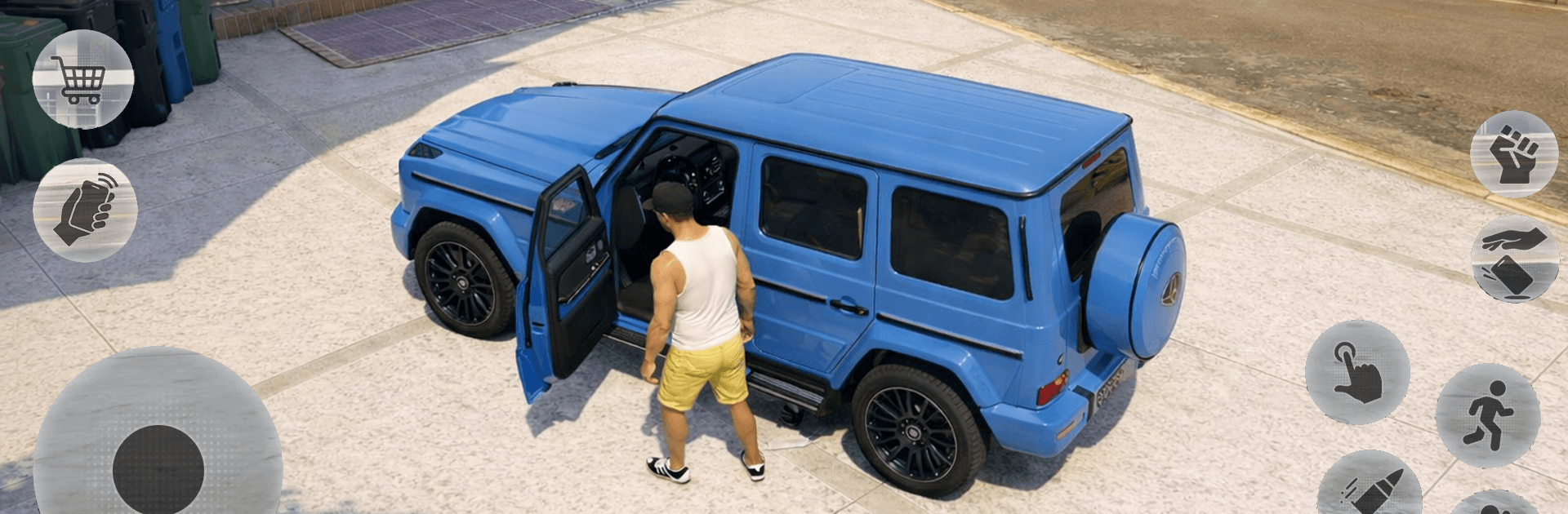
Gangster Crime Miami Mafia Sim

Gangster Crime Miami Mafia Sim

Simulation

| MomiRules

Play on PC with BlueStacks or from our cloud

  • Overview
  • Game Features
  • How to Play

Page Modified On: August 11, 2026

Play Gangster Crime Miami Mafia Sim on PC or Mac

Explore a whole new adventure with Gangster Crime Miami Mafia Sim, a Simulation game created by MomiRules. Experience great gameplay with BlueStacks, the most popular gaming platform to play Android games on your PC or Mac.

About the Game

Gangster Crime Miami Mafia Sim throws you into a sunny, high-stakes city where every block has a story—and most of them are illegal. You start small, hustle hard, and claw your way up the food chain by taking jobs, stealing rides, and muscling into new turf. It’s an open-world Simulation built for chaos, fast decisions, and that “just one more mission” feeling, whether you’re on your phone or cruising with keyboard controls on BlueStacks.

Game Features

  • Massive Miami Sandbox: Roam a sprawling city packed with beaches, high-rises, docks, airports, and sketchy back alleys begging for trouble.
  • Vehicles Everywhere: Jack supercars, bikes, SUVs, trucks, speedboats, jet skis—even hop into a helicopter when the streets get too hot.
  • Gunfights and Brawls: Switch between pistols, shotguns, rifles, and fists depending on how loud you want the job to be.
  • Heat Levels That Matter: Rack up wanted stars and brace for escalating police response, from sirens to full-on citywide chases.
  • Big-Time Jobs: Knock over banks, hijack shipments, shake down rivals, and race the clock across town for high-risk payouts.
  • Land, Sea, and Air: Drift corners, cut wakes across open water, then take to the sky when you need a quick exit.
  • Miami Vibes in HD: Neon nights, sunlit boardwalks, and detailed 3D streets make every getaway look slick.
  • Smooth, Snappy Controls: Easy to pick up on mobile; also feels great with customizable keyboard and mouse on BlueStacks.
  • Build Your Empire: Unlock new weapons, skills, outfits, and rides as your reputation grows.
  • Turf Wars: Crash enemy hideouts, dethrone bosses, and claim neighborhoods to expand your influence.
  • Chase and Stunt Mayhem: Burn rubber, pull off wild jumps, and thread the needle during high-speed pursuits.
  • Play Your Way: Plenty of missions and side activities, and it works offline when you want to roam solo.

Get ready for a buttery smooth, high-performance gaming action only on BlueStacks.

Game Features

Enhancements

  • Macros
  • Multi Instance
  • Multi Instance Sync
  • Script
  • Enhancements
Macros

Macros

Automate the predictable in Gangster Crime Miami Mafia Sim and transform your gameplay with Macros. Get access to inventive Macros in the BlueStacks Macro Community
Multi Instance

Multi Instance

Play Gangster Crime Miami Mafia Sim on one window. And chat with your friend on the other. Press CTRL + Shift + 8 to open the Multi-Instance Manager. And start creating fresh instances or clone an existing one.
Multi Instance Sync

Multi Instance Sync

Play Gangster Crime Miami Mafia Sim with the power of Multi-Instance Sync. Replicate what you are doing on the main instance on all other instances. Level up faster, play more.
Script

Script

Script your way to gaming glory in Gangster Crime Miami Mafia Sim with BlueStacks Script. Write and run a set of commands to automate repeated tasks. Trigger the command by assigning it to any key.
Read More

How to Download and Play Gangster Crime Miami Mafia Sim on PC or Mac

  • Download and install BlueStacks on your PC or Mac

  • Complete Google sign-in to access the Play Store, or do it later

  • Look for Gangster Crime Miami Mafia Sim in the search bar at the top right corner

  • Click to install Gangster Crime Miami Mafia Sim from the search results

  • Complete Google sign-in (if you skipped step 2) to install Gangster Crime Miami Mafia Sim

  • Click the Gangster Crime Miami Mafia Sim icon on the home screen to start playing

video
Watch Video

Minimum System Requirements

With BlueStacks 5, you can get started on a PC that fulfills the following requirements.

  • Operating System

    Microsoft Windows 7 or above, macOS 11 (Big Sur) or above

  • Processor

    Intel, AMD or Apple Silicon Processor

  • RAM

    at least 4GB

  • HDD

    10GB Free Disk Space

Note:

* You must be an Administrator on your PC. Up to date graphics drivers from Microsoft or the chipset vendor.

Gangster Crime Miami Mafia Sim - FAQs

  • How to play Gangster Crime Miami Mafia Sim on Windows PC & Mac?

    Play Gangster Crime Miami Mafia Sim on your PC or Mac by following these simple steps.

    • Click on 'Play Gangster Crime Miami Mafia Sim on PC’ to download BlueStacks
    • Install it and log-in to Google Play Store
    • Launch and play the game.
  • Why is BlueStacks the fastest and safest platform to play games on PC?

    BlueStacks respects your privacy and is always safe and secure to use. It does not carry any malware, spyware, or any sort of additional software that could harm your PC.

    It is engineered to optimize speed and performance for a seamless gaming experience.

  • What are Gangster Crime Miami Mafia Sim PC requirements?

    Minimum requirement to run Gangster Crime Miami Mafia Sim on your PC

    • OS: Microsoft Windows 7 or above MacOS 11 (Big Sur) or above
    • Processor: Intel, AMD or Apple Silicon Processor
    • RAM: Your PC must have at least 4GB of RAM. (Note that having 4GB or more disk space is not a substitute for RAM)
    • HDD: 10GB Free Disk Space.
    • You must be an Administrator on your PC.