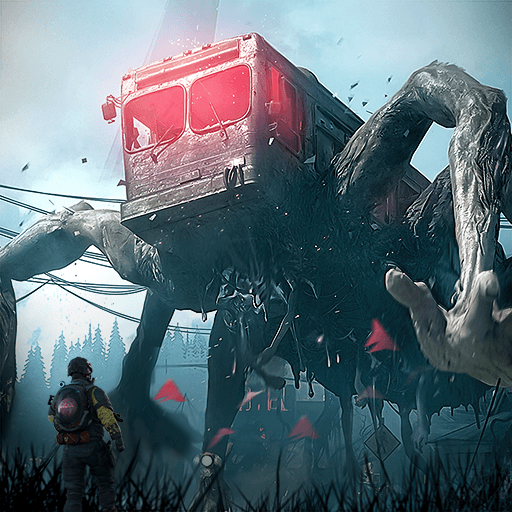
Nanima: Curse of Kalavati

Nanima: Curse of Kalavati

Action

| Nimit Walia

Play on PC with BlueStacks or from our cloud

  • Overview
  • Game Features
  • How to Play

Page Modified On: October 21, 2026

Play Nanima: Curse of Kalavati on PC or Mac

Nanima: Curse of Kalavati brings the Action genre to life, and throws up exciting challenges for gamers. Developed by Nimit Walia, this Android game is best experienced on BlueStacks, the World’s #1 app player for PC and Mac users.

About the Game

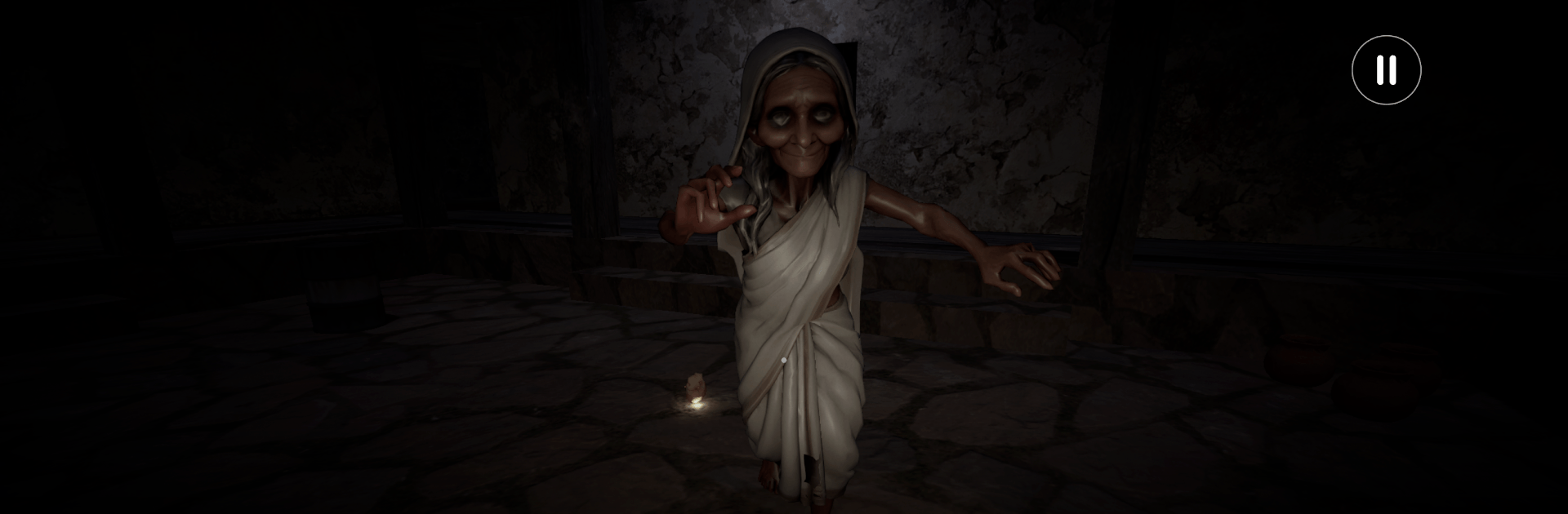
Nanima: Curse of Kalavati drops you into your grandmother’s house at night—except she’s not the gentle Nani you remember. You’re the grandson, stuck inside with doors that won’t budge, footsteps in the hallway, and a curse that refuses to die. It’s an Action horror escape that mixes tense stealth with quick choices and old-school folklore; it also plays comfortably on BlueStacks if you’d rather creep through the house on PC.

Game Features

  • Familiar house, unfamiliar night: Wander a lived-in Indian home—from the pooja corner and rasoi to the courtyard and bedrooms—while every shadow feels like it’s watching.
  • A hunter who listens: Nani patrols, opens doors, checks noises, and changes routes, so careless footsteps or dropped objects can bring her running.
  • Ritual toolkit: Track down sacred items—think sindoor, gangajal, a puja thali—and use them to perform a rite that can cut through the curse.
  • Puzzles with teeth: Collect torn letters, crack coded locks, and uncover hidden spaces that tell you where to go next (and what you missed).
  • Hide or play dirty: Slip under beds, squeeze into an almirah, or throw a quick hit of mirchi and haldi to buy a few precious seconds.
  • Three strikes, real panic: Each capture chips away at your aatma; run out of chances and the house decides you’re staying.
  • Watch the aarti: When Nani’s soul surfaces for a moment, the danger dips—use that brief calm to scout and plan.
  • Story that feels close to home: Original Hindi voice acting and grounded, diary-like fragments make the haunting feel personal.
  • Sound and shadows that linger: Dim bulbs, narrow halls, creaking floors, and that soft, unnerving hum around the corner set a slow-burn chill.
  • 1980s rural vibe: Old locks, heavy almirahs, smoky diyas, and vetala whispers wrap the whole experience in a time and place that feel real.

Ready to top the leaderboard? We bet you do. Let precise controls and sharp visuals optimized on BlueStacks lead you to victory.


Game Features

Enhancements

  • Macros
  • Multi Instance
  • Multi Instance Sync
  • Eco Mode
  • Enhancements
Macros

Macros

Skip the boring parts of a game. Play Nanima: Curse of Kalavati with Macros and get the edge. Simply record a sequence of commands and execute them at any moment.
Multi Instance

Multi Instance

Why limit to one game on your phone when you can play many on your PC? Open multiple instances of Nanima: Curse of Kalavati at once with Multi-Instance. Leverage the power of different accounts by doing more.
Multi Instance Sync

Multi Instance Sync

Get the best out of Nanima: Curse of Kalavati with Multi-Instance Sync. Play the game from different accounts and build your own empire. Use Multi-instance sync to repeat the action in the main BlueStacks instance on all other instances.
Eco Mode

Eco Mode

Find the rarest heroes by making multiple summons in Nanima: Curse of Kalavati. And while you are at it, reduce your PC’s resource consumption with the Eco Mode. Farm efficiently. Get the best results.
Read More

How to Download and Play Nanima: Curse of Kalavati on PC or Mac

  • Download and install BlueStacks on your PC or Mac

  • Complete Google sign-in to access the Play Store, or do it later

  • Look for Nanima: Curse of Kalavati in the search bar at the top right corner

  • Click to install Nanima: Curse of Kalavati from the search results

  • Complete Google sign-in (if you skipped step 2) to install Nanima: Curse of Kalavati

  • Click the Nanima: Curse of Kalavati icon on the home screen to start playing

video
Watch Video

Minimum System Requirements

With BlueStacks 5, you can get started on a PC that fulfills the following requirements.

  • Operating System

    Microsoft Windows 7 or above, macOS 11 (Big Sur) or above

  • Processor

    Intel, AMD or Apple Silicon Processor

  • RAM

    at least 4GB

  • HDD

    10GB Free Disk Space

Note:

* You must be an Administrator on your PC. Up to date graphics drivers from Microsoft or the chipset vendor.

Nanima: Curse of Kalavati - FAQs

  • How to play Nanima: Curse of Kalavati on Windows PC & Mac?

    Play Nanima: Curse of Kalavati on your PC or Mac by following these simple steps.

    • Click on 'Play Nanima: Curse of Kalavati on PC’ to download BlueStacks
    • Install it and log-in to Google Play Store
    • Launch and play the game.
  • Why is BlueStacks the fastest and safest platform to play games on PC?

    BlueStacks respects your privacy and is always safe and secure to use. It does not carry any malware, spyware, or any sort of additional software that could harm your PC.

    It is engineered to optimize speed and performance for a seamless gaming experience.

  • What are Nanima: Curse of Kalavati PC requirements?

    Minimum requirement to run Nanima: Curse of Kalavati on your PC

    • OS: Microsoft Windows 7 or above MacOS 11 (Big Sur) or above
    • Processor: Intel, AMD or Apple Silicon Processor
    • RAM: Your PC must have at least 4GB of RAM. (Note that having 4GB or more disk space is not a substitute for RAM)
    • HDD: 10GB Free Disk Space.
    • You must be an Administrator on your PC.