Photo Anomaly - Horror Game

Photo Anomaly - Horror Game

Action

| Last Thylacine

Play on PC with BlueStacks or from our cloud

  • Overview
  • Game Features
  • How to Play

Page Modified On: October 08, 2026

Play Photo Anomaly - Horror Game on PC or Mac

Photo Anomaly – Horror Game by Last Thylacine has plenty to keep you busy. BlueStacks lets you play it on PC or Mac with more screen space, better control, and fewer mobile limits.

About the Game

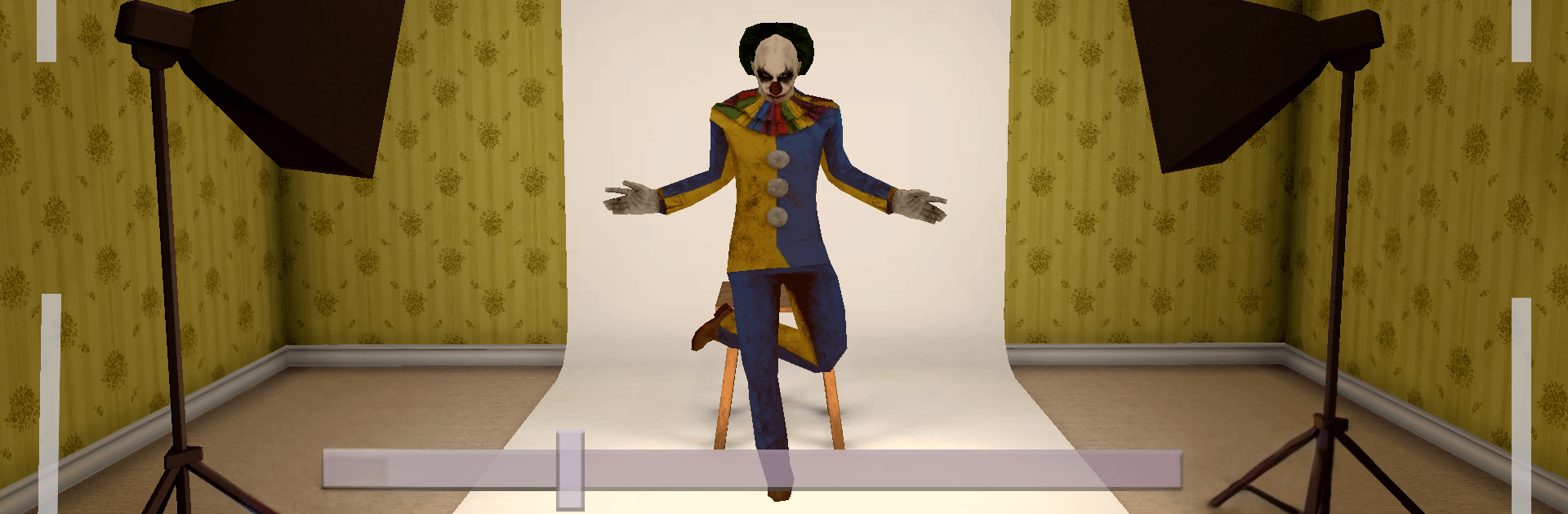
Photo Anomaly – Horror Game is an Action experience that sticks you behind the counter of a tiny photo studio and asks one simple thing: do your job. You’ll snap portraits, process prints, and hand over finished orders—while your customers start feeling less like people and more like… something else. If you’d rather play on a bigger screen, it runs smoothly on PC with BlueStacks.

Game Features

  • First-person camera work: Line up shots, capture portraits, and import your photos straight to the studio’s in-game computer to keep orders moving.
  • In-game computer suite: Bounce between multiple apps to review briefs, manage files, and queue prints—your entire workflow lives on that flickering screen.
  • Unsettling customer flow: A steady stream of NPC clients arrives with oddly specific requests; read their notes carefully and watch for red flags.
  • Shift and sleep cycle: Clock out at the end of each shift, catch some sleep, and return to a workplace that never feels quite the same.
  • Paid for precision: Finish orders to earn money, budget your time, and keep the studio running while the pressure (and the weirdness) ramps up.
  • Creeping horror elements: Expect jump scares, eerie sound cues, and the kind of visual glitches that make you re-check every photo twice.
  • Hands-on object handling: Pick up and drop physical items around the shop as you set up shots, manage tools, and keep your space organized—mostly.
  • Four-slot mini-inventory: Limited carry space forces quick, strategic choices when things get tense and you can’t hold everything at once.
  • Reliable photo printing: Process, preview, and print exactly what customers asked for—assuming what’s in the picture is what was actually there.

Start playing Photo Anomaly – Horror Game on BlueStacks and get a smoother, more comfortable PC or Mac setup.


Game Features

Enhancements

  • Macros
  • Multi Instance
  • Multi Instance Sync
  • Eco Mode
  • Enhancements
Macros

Macros

Skip the boring parts of a game. Play Photo Anomaly - Horror Game with Macros and get the edge. Simply record a sequence of commands and execute them at any moment.
Multi Instance

Multi Instance

Why limit to one game on your phone when you can play many on your PC? Open multiple instances of Photo Anomaly - Horror Game at once with Multi-Instance. Leverage the power of different accounts by doing more.
Multi Instance Sync

Multi Instance Sync

Get the best out of Photo Anomaly - Horror Game with Multi-Instance Sync. Play the game from different accounts and build your own empire. Use Multi-instance sync to repeat the action in the main BlueStacks instance on all other instances.
Eco Mode

Eco Mode

Find the rarest heroes by making multiple summons in Photo Anomaly - Horror Game. And while you are at it, reduce your PC’s resource consumption with the Eco Mode. Farm efficiently. Get the best results.
Read More

How to Download and Play Photo Anomaly - Horror Game on PC or Mac

  • Download and install BlueStacks on your PC or Mac

  • Complete Google sign-in to access the Play Store, or do it later

  • Look for Photo Anomaly - Horror Game in the search bar at the top right corner

  • Click to install Photo Anomaly - Horror Game from the search results

  • Complete Google sign-in (if you skipped step 2) to install Photo Anomaly - Horror Game

  • Click the Photo Anomaly - Horror Game icon on the home screen to start playing

video
Watch Video

Minimum System Requirements

With BlueStacks 5, you can get started on a PC that fulfills the following requirements.

  • Operating System

    Microsoft Windows 7 or above, macOS 11 (Big Sur) or above

  • Processor

    Intel, AMD or Apple Silicon Processor

  • RAM

    at least 4GB

  • HDD

    10GB Free Disk Space

Note:

* You must be an Administrator on your PC. Up to date graphics drivers from Microsoft or the chipset vendor.

Photo Anomaly - Horror Game - FAQs

  • How to play Photo Anomaly - Horror Game on Windows PC & Mac?

    Play Photo Anomaly - Horror Game on your PC or Mac by following these simple steps.

    • Click on 'Play Photo Anomaly - Horror Game on PC’ to download BlueStacks
    • Install it and log-in to Google Play Store
    • Launch and play the game.
  • Why is BlueStacks the fastest and safest platform to play games on PC?

    BlueStacks respects your privacy and is always safe and secure to use. It does not carry any malware, spyware, or any sort of additional software that could harm your PC.

    It is engineered to optimize speed and performance for a seamless gaming experience.

  • What are Photo Anomaly - Horror Game PC requirements?

    Minimum requirement to run Photo Anomaly - Horror Game on your PC

    • OS: Microsoft Windows 7 or above MacOS 11 (Big Sur) or above
    • Processor: Intel, AMD or Apple Silicon Processor
    • RAM: Your PC must have at least 4GB of RAM. (Note that having 4GB or more disk space is not a substitute for RAM)
    • HDD: 10GB Free Disk Space.
    • You must be an Administrator on your PC.