Playtown Genesis - Horror Game

Playtown Genesis - Horror Game

Action

| SNIker

Play on PC with BlueStacks or from our cloud

  • Overview
  • Game Features
  • How to Play

Page Modified On: October 08, 2026

Play Playtown Genesis - Horror Game on PC or Mac

Play Playtown Genesis – Horror Game by SNIker on PC or Mac with BlueStacks. Use a bigger screen, mouse and keyboard controls, and smoother performance while you play.

About the Game

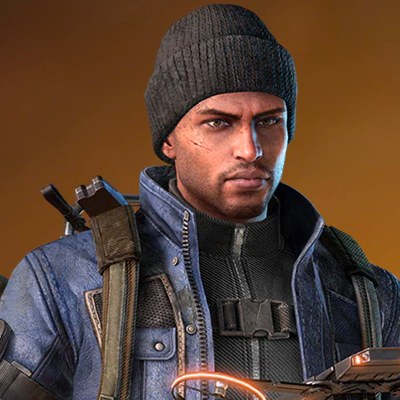
Playtown Genesis – Horror Game drops you into a 1960s underground complex where every step could be your last. You’re Doctor Clint, a scientist pulled into a covert struggle against the Eye Order and its iron-fisted leader, Hexcor. It’s an Action experience that rewards patience and nerve—quiet moves, close shaves, and clever escapes—and it feels great on a bigger screen with BlueStacks, too.

Game Features

  • Tense stealth, not swagger: Hug the shadows, crouch to keep noise down, and time your moves to slip past patrols before attention spikes.
  • 1960s underground atmosphere: Analog consoles, humming machines, and stark lighting set a cold-war mood that makes every hallway feel hostile.
  • Play as Doctor Clint: Use a scientist’s toolkit—badges, terminals, and measured thinking—to outwit systems built to catch you.
  • The Eye Order watches: Layered surveillance, patrolling sentries, and Hexcor’s enforcers keep pressure high, so you’re always planning two steps ahead.
  • Work with Garnet: Coordinate with a rebel insider to swap intel, stage break-ins, and sabotage the regime from the inside.
  • Routes and backdoors: Vent shafts, service corridors, and maintenance doors offer alternate paths through high-security zones—safer or faster, your call.
  • Gather proof, expose secrets: Collect documents, codes, and whispered leads to piece together what the facility’s hiding—and who you can actually trust.
  • High stakes when spotted: Make a split-second choice—hide, misdirect, or sprint—because one mistake can bring the hammer down fast.

Get ready for a buttery smooth, high-performance gaming action only on BlueStacks.

Game Features

Enhancements

  • Macros
  • Multi Instance
  • Multi Instance Sync
  • Eco Mode
  • Enhancements
Macros

Macros

Skip the boring parts of a game. Play Playtown Genesis - Horror Game with Macros and get the edge. Simply record a sequence of commands and execute them at any moment.
Multi Instance

Multi Instance

Why limit to one game on your phone when you can play many on your PC? Open multiple instances of Playtown Genesis - Horror Game at once with Multi-Instance. Leverage the power of different accounts by doing more.
Multi Instance Sync

Multi Instance Sync

Get the best out of Playtown Genesis - Horror Game with Multi-Instance Sync. Play the game from different accounts and build your own empire. Use Multi-instance sync to repeat the action in the main BlueStacks instance on all other instances.
Eco Mode

Eco Mode

Find the rarest heroes by making multiple summons in Playtown Genesis - Horror Game. And while you are at it, reduce your PC’s resource consumption with the Eco Mode. Farm efficiently. Get the best results.
Read More

How to Download and Play Playtown Genesis - Horror Game on PC or Mac

  • Download and install BlueStacks on your PC or Mac

  • Complete Google sign-in to access the Play Store, or do it later

  • Look for Playtown Genesis - Horror Game in the search bar at the top right corner

  • Click to install Playtown Genesis - Horror Game from the search results

  • Complete Google sign-in (if you skipped step 2) to install Playtown Genesis - Horror Game

  • Click the Playtown Genesis - Horror Game icon on the home screen to start playing

video
Watch Video

Minimum System Requirements

With BlueStacks 5, you can get started on a PC that fulfills the following requirements.

  • Operating System

    Microsoft Windows 7 or above, macOS 11 (Big Sur) or above

  • Processor

    Intel, AMD or Apple Silicon Processor

  • RAM

    at least 4GB

  • HDD

    10GB Free Disk Space

Note:

* You must be an Administrator on your PC. Up to date graphics drivers from Microsoft or the chipset vendor.

Playtown Genesis - Horror Game - FAQs

  • How to play Playtown Genesis - Horror Game on Windows PC & Mac?

    Play Playtown Genesis - Horror Game on your PC or Mac by following these simple steps.

    • Click on 'Play Playtown Genesis - Horror Game on PC’ to download BlueStacks
    • Install it and log-in to Google Play Store
    • Launch and play the game.
  • Why is BlueStacks the fastest and safest platform to play games on PC?

    BlueStacks respects your privacy and is always safe and secure to use. It does not carry any malware, spyware, or any sort of additional software that could harm your PC.

    It is engineered to optimize speed and performance for a seamless gaming experience.

  • What are Playtown Genesis - Horror Game PC requirements?

    Minimum requirement to run Playtown Genesis - Horror Game on your PC

    • OS: Microsoft Windows 7 or above MacOS 11 (Big Sur) or above
    • Processor: Intel, AMD or Apple Silicon Processor
    • RAM: Your PC must have at least 4GB of RAM. (Note that having 4GB or more disk space is not a substitute for RAM)
    • HDD: 10GB Free Disk Space.
    • You must be an Administrator on your PC.