Shelter of Sursur 3
Shelter of Sursur 3

Shelter of Sursur 3

Action

| SNIker

Play on PC with BlueStacks or from our cloud

  • Overview
  • Game Features
  • How to Play

Page Modified On: July 27, 2026

Play Shelter of Sursur 3 on PC or Mac

Play Shelter of Sursur 3 by SNIker on PC or Mac with BlueStacks. Use a bigger screen, mouse and keyboard controls, and smoother performance while you play.

About the Game

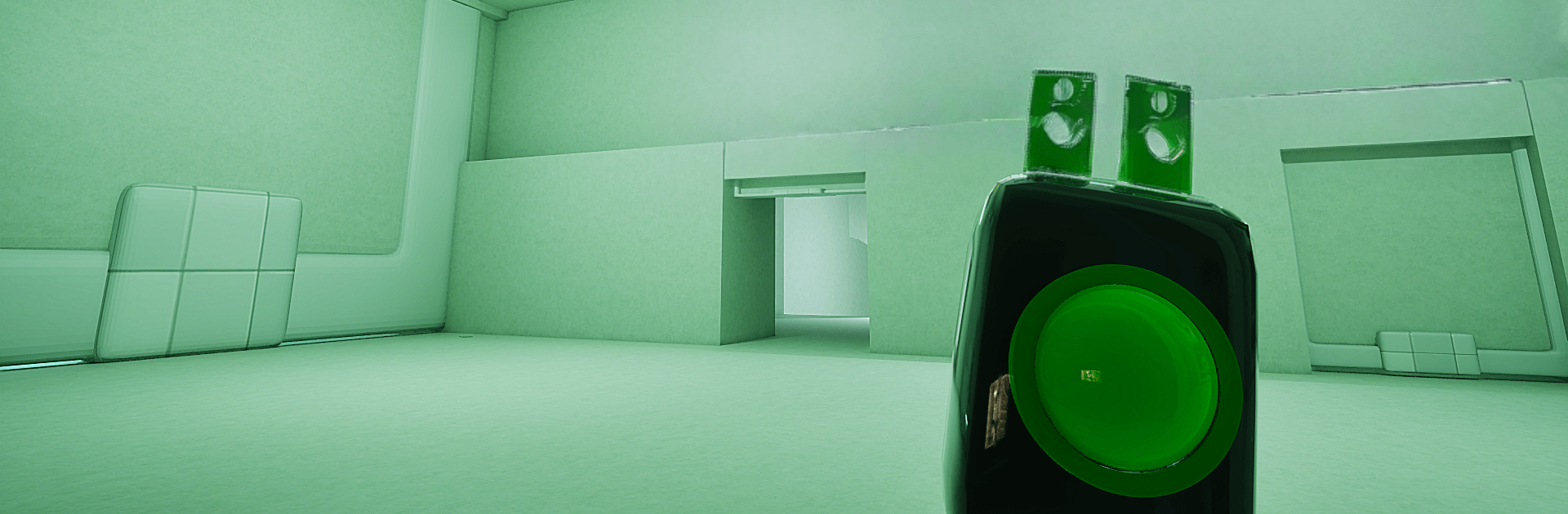
Shelter of Sursur 3 drops you into an Action survival horror where home isn’t exactly safe anymore. An abandoned shelter across the street is crawling with Sursur and Friends, and your child’s trail leads straight inside. Every hallway hums with danger, every door could be a trap, and you’re constantly choosing between moving fast or breathing quiet.

Game Features

  • Tense Exploration: Pick through a sprawling, maze-like shelter with locked wings, hidden routes, and rooms that don’t feel empty even when they are. Keep your light steady and your ears open.
  • Smart Enemies: The Sursur gang doesn’t just patrol—they adapt. Try the same trick twice and they’ll catch on, changing paths and flushing you out.
  • Stealth and Improvisation: Crouch low, slip into cover, create distractions, and use whatever the environment gives you to survive another minute.
  • Puzzles with Purpose: Hunt for keys, tools, codes, and scraps of info. Solving each problem nudges you deeper into the shelter and closer to the truth about your missing child.
  • Heavy Atmosphere: Thick darkness, unsettling audio cues, and long stretches of quiet that make every sudden sound hit harder.
  • Real Choices, Real Risk: Sneak or sprint? Search one more cabinet or bail now? Supplies are scarce, so every decision matters.
  • Story That Surprises: Notes, clues, and odd details piece together a mystery with sharp turns and uneasy answers.
  • Smooth on Different Setups: Built for tense, responsive play—and it feels right on BlueStacks if you’d rather tackle the shelter from your desktop.

Ready to top the leaderboard? We bet you do. Let precise controls and sharp visuals optimized on BlueStacks lead you to victory.


Game Features

Enhancements

  • Macros
  • Multi Instance
  • Multi Instance Sync
  • Eco Mode
  • Enhancements
Macros

Macros

Skip the boring parts of a game. Play Shelter of Sursur 3 with Macros and get the edge. Simply record a sequence of commands and execute them at any moment.
Multi Instance

Multi Instance

Why limit to one game on your phone when you can play many on your PC? Open multiple instances of Shelter of Sursur 3 at once with Multi-Instance. Leverage the power of different accounts by doing more.
Multi Instance Sync

Multi Instance Sync

Get the best out of Shelter of Sursur 3 with Multi-Instance Sync. Play the game from different accounts and build your own empire. Use Multi-instance sync to repeat the action in the main BlueStacks instance on all other instances.
Eco Mode

Eco Mode

Find the rarest heroes by making multiple summons in Shelter of Sursur 3. And while you are at it, reduce your PC’s resource consumption with the Eco Mode. Farm efficiently. Get the best results.
Read More

How to Download and Play Shelter of Sursur 3 on PC or Mac

  • Download and install BlueStacks on your PC or Mac

  • Complete Google sign-in to access the Play Store, or do it later

  • Look for Shelter of Sursur 3 in the search bar at the top right corner

  • Click to install Shelter of Sursur 3 from the search results

  • Complete Google sign-in (if you skipped step 2) to install Shelter of Sursur 3

  • Click the Shelter of Sursur 3 icon on the home screen to start playing

video
Watch Video

Minimum System Requirements

With BlueStacks 5, you can get started on a PC that fulfills the following requirements.

  • Operating System

    Microsoft Windows 7 or above, macOS 11 (Big Sur) or above

  • Processor

    Intel, AMD or Apple Silicon Processor

  • RAM

    at least 4GB

  • HDD

    10GB Free Disk Space

Note:

* You must be an Administrator on your PC. Up to date graphics drivers from Microsoft or the chipset vendor.

Shelter of Sursur 3 - FAQs

  • How to play Shelter of Sursur 3 on Windows PC & Mac?

    Play Shelter of Sursur 3 on your PC or Mac by following these simple steps.

    • Click on 'Play Shelter of Sursur 3 on PC’ to download BlueStacks
    • Install it and log-in to Google Play Store
    • Launch and play the game.
  • Why is BlueStacks the fastest and safest platform to play games on PC?

    BlueStacks respects your privacy and is always safe and secure to use. It does not carry any malware, spyware, or any sort of additional software that could harm your PC.

    It is engineered to optimize speed and performance for a seamless gaming experience.

  • What are Shelter of Sursur 3 PC requirements?

    Minimum requirement to run Shelter of Sursur 3 on your PC

    • OS: Microsoft Windows 7 or above MacOS 11 (Big Sur) or above
    • Processor: Intel, AMD or Apple Silicon Processor
    • RAM: Your PC must have at least 4GB of RAM. (Note that having 4GB or more disk space is not a substitute for RAM)
    • HDD: 10GB Free Disk Space.
    • You must be an Administrator on your PC.