Ragdoll Dismounting Playground

Ragdoll Dismounting Playground

Action

| Alphabets Games

Play on PC with BlueStacks or from our cloud

  • Overview
  • Game Features
  • How to Play

Page Modified On: December 05, 2025

Play Ragdoll Dismounting Playground on PC or Mac

Step into the World of Ragdoll Dismounting Playground, a thrilling Action game from the house of Alphabets Games. Play this Android game on BlueStacks App Player and experience immersive gaming on PC or Mac.

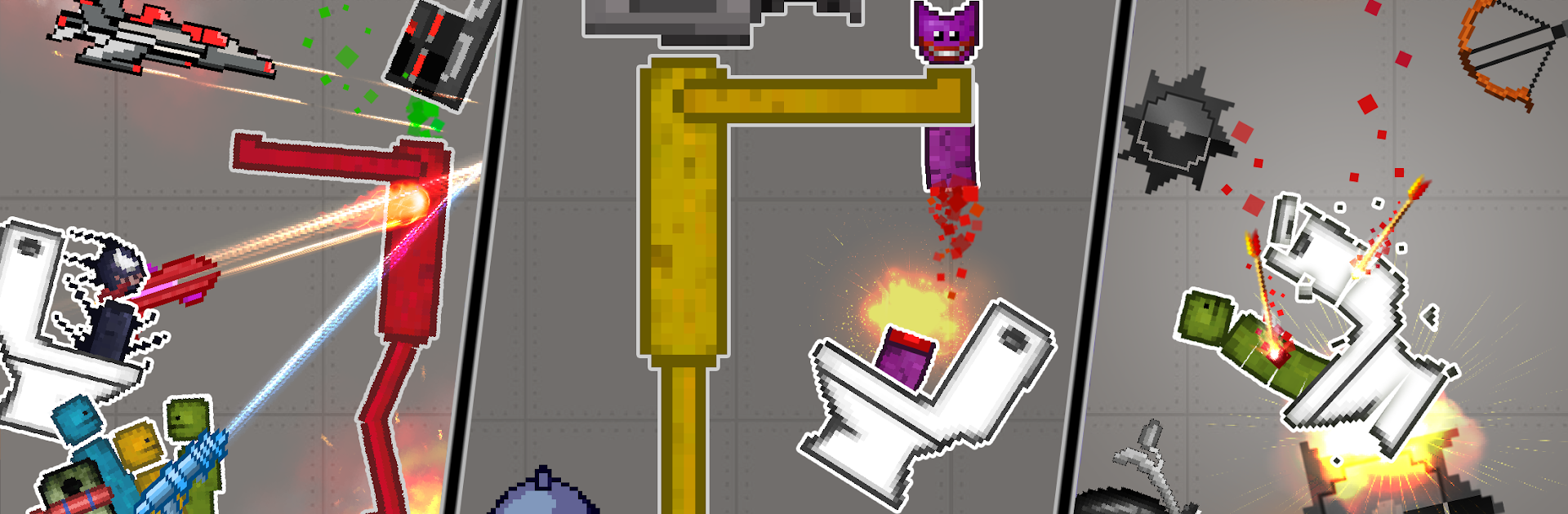
Ragdoll Dismounting Playground is one of those slapstick physics sandboxes where the fun is in setting up chaos and watching it unfold. It drops a floppy dummy into all sorts of setups, then lets the player stack traps, strap on bombs, and send vehicles flying to see what kind of spectacular wipeout happens. The tone stays goofy rather than grim, helped by silly ragdoll skins and the way the character flops around every time a spring or saw catches them. It feels like a toy box more than a mission based game. Build, press go, watch the chain reaction, tweak a piece, try again, repeat.

There are over 20 maps to mess with, from stair stacks to ramps and tight corridors, plus 50 plus tools that range from explosives and spikes to launchers and carts. Items can be placed freely, so the player can tile the floor with mines, line a wall with fans, or rig a car to push the dummy into a tunnel of blades. Different characters and kits mix things up, and the game encourages little experiments, like testing which combo throws the body farthest or how many explosions it takes to clear a gap. On PC with BlueStacks, dragging parts with a mouse feels simple, and quick keys make resets and retries fast, which is nice when the whole loop is build, crash, adjust, crash again. It is light, messy physics fun with no plot pressure, great for those who enjoy tinkering until the perfect ridiculous accident happens.

Start your journey now. Download the game on BlueStacks, invite your friends, and march on a new adventure.


Game Features

Enhancements

  • Macros
  • Multi Instance
  • Multi Instance Sync
  • Eco Mode
  • Enhancements
Macros

Macros

Skip the boring parts of a game. Play Ragdoll Dismounting Playground with Macros and get the edge. Simply record a sequence of commands and execute them at any moment.
Multi Instance

Multi Instance

Why limit to one game on your phone when you can play many on your PC? Open multiple instances of Ragdoll Dismounting Playground at once with Multi-Instance. Leverage the power of different accounts by doing more.
Multi Instance Sync

Multi Instance Sync

Get the best out of Ragdoll Dismounting Playground with Multi-Instance Sync. Play the game from different accounts and build your own empire. Use Multi-instance sync to repeat the action in the main BlueStacks instance on all other instances.
Eco Mode

Eco Mode

Find the rarest heroes by making multiple summons in Ragdoll Dismounting Playground. And while you are at it, reduce your PC’s resource consumption with the Eco Mode. Farm efficiently. Get the best results.
Read More

How to Download and Play Ragdoll Dismounting Playground on PC or Mac

  • Download and install BlueStacks on your PC or Mac

  • Complete Google sign-in to access the Play Store, or do it later

  • Look for Ragdoll Dismounting Playground in the search bar at the top right corner

  • Click to install Ragdoll Dismounting Playground from the search results

  • Complete Google sign-in (if you skipped step 2) to install Ragdoll Dismounting Playground

  • Click the Ragdoll Dismounting Playground icon on the home screen to start playing

video
Watch Video

Minimum System Requirements

With BlueStacks 5, you can get started on a PC that fulfills the following requirements.

  • Operating System

    Microsoft Windows 7 or above, macOS 11 (Big Sur) or above

  • Processor

    Intel, AMD or Apple Silicon Processor

  • RAM

    at least 4GB

  • HDD

    10GB Free Disk Space

Note:

* You must be an Administrator on your PC. Up to date graphics drivers from Microsoft or the chipset vendor.

Ragdoll Dismounting Playground - FAQs

  • How to play Ragdoll Dismounting Playground on Windows PC & Mac?

    Play Ragdoll Dismounting Playground on your PC or Mac by following these simple steps.

    • Click on 'Play Ragdoll Dismounting Playground on PC’ to download BlueStacks
    • Install it and log-in to Google Play Store
    • Launch and play the game.
  • Why is BlueStacks the fastest and safest platform to play games on PC?

    BlueStacks respects your privacy and is always safe and secure to use. It does not carry any malware, spyware, or any sort of additional software that could harm your PC.

    It is engineered to optimize speed and performance for a seamless gaming experience.

  • What are Ragdoll Dismounting Playground PC requirements?

    Minimum requirement to run Ragdoll Dismounting Playground on your PC

    • OS: Microsoft Windows 7 or above MacOS 11 (Big Sur) or above
    • Processor: Intel, AMD or Apple Silicon Processor
    • RAM: Your PC must have at least 4GB of RAM. (Note that having 4GB or more disk space is not a substitute for RAM)
    • HDD: 10GB Free Disk Space.
    • You must be an Administrator on your PC.