Robot Fighting Game
Robot Fighting Game

Robot Fighting Game

Action

| IntelliVerse Tech LLC

Play on PC with BlueStacks or from our cloud

  • Overview
  • Game Features
  • How to Play

Page Modified On: August 10, 2026

Play Robot Fighting Game on PC or Mac

Step into the World of Robot Fighting Game, a thrilling Action game from the house of IntelliVerse Tech LLC. Play this Android game on BlueStacks App Player and experience immersive gaming on PC or Mac.

About the Game

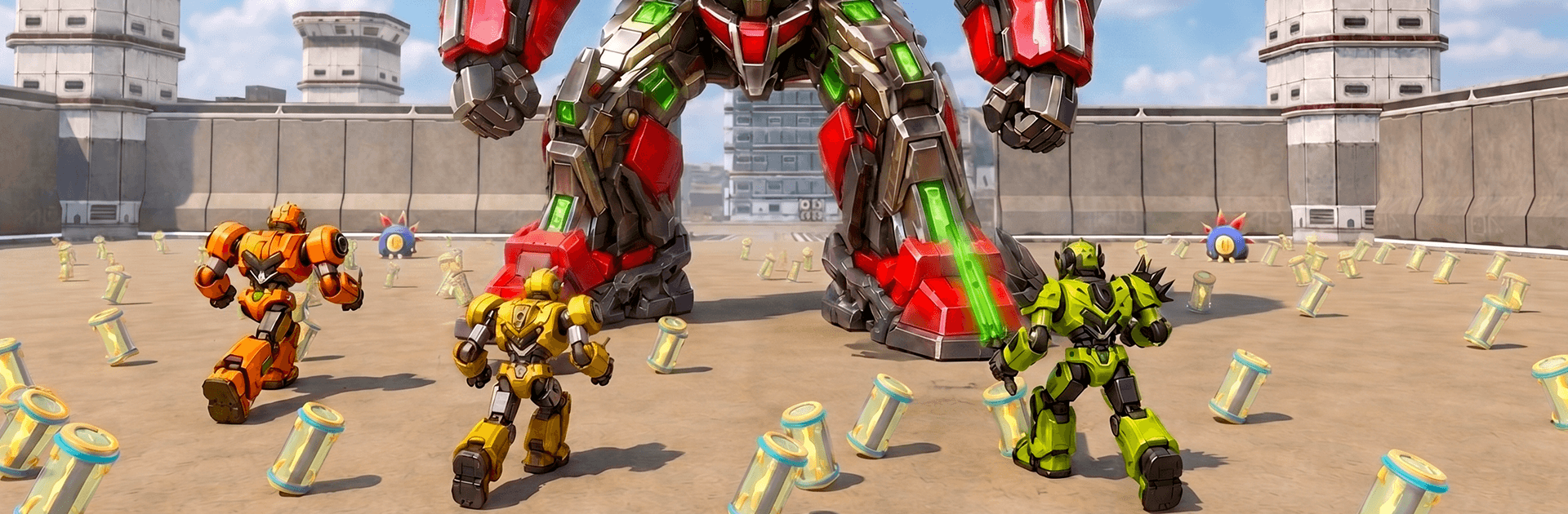
Robot Fighting Game is a fast, punchy Action brawler where you begin as a scrappy little bot and grow into a towering war machine. Every match is a scramble to gather resources, power up, and use clever upgrades to outlast the metal mayhem around you. It’s quick to pick up, surprisingly tactical once you dig in, and ridiculously satisfying when your tiny tin can turns into a wrecking beast.

Game Features

  • Grow from Mini to Monster: Start small and evolve mid-fight as you collect energy and parts. Getting bigger isn’t just visual—it changes how you move, hit, and survive.
  • Tight, Crunchy Combat: Dash in, throw heavy strikes, and time your blocks to shatter enemy armor. Straightforward controls with plenty of room for skill.
  • Smart Upgrade Paths: Boost speed, power, armor, or special abilities to match your style. Want a glass cannon or a relentless tank? Build it.
  • Boosters That Change Fights: Grab temporary power-ups like turbo speed, damage amps, and a magnet effect that pulls in resources while you brawl.
  • Arena Showdowns: Battle across compact, hazard-filled arenas designed for constant action. Watch the environment—it can help you or wreck you.
  • Survival Meets Strategy: Manage risk, pick your targets, and know when to go all-in. Winning isn’t just brute force; it’s good decisions under pressure.
  • Climb the Ranks: Beat tougher machines and prove you’re the top bot. Each victory brings new challenges and better loot to chase.
  • Plays Great Anywhere: Built for quick sessions on mobile, and it feels right at home with keyboard or gamepad on BlueStacks if you’re on PC.

BlueStacks gives you more room to focus on the game and less time adjusting around mobile limitations.


Game Features

Enhancements

  • Macros
  • Multi Instance
  • Multi Instance Sync
  • Eco Mode
  • Enhancements
Macros

Macros

Skip the boring parts of a game. Play Robot Fighting Game with Macros and get the edge. Simply record a sequence of commands and execute them at any moment.
Multi Instance

Multi Instance

Why limit to one game on your phone when you can play many on your PC? Open multiple instances of Robot Fighting Game at once with Multi-Instance. Leverage the power of different accounts by doing more.
Multi Instance Sync

Multi Instance Sync

Get the best out of Robot Fighting Game with Multi-Instance Sync. Play the game from different accounts and build your own empire. Use Multi-instance sync to repeat the action in the main BlueStacks instance on all other instances.
Eco Mode

Eco Mode

Find the rarest heroes by making multiple summons in Robot Fighting Game. And while you are at it, reduce your PC’s resource consumption with the Eco Mode. Farm efficiently. Get the best results.
Read More

How to Download and Play Robot Fighting Game on PC or Mac

  • Download and install BlueStacks on your PC or Mac

  • Complete Google sign-in to access the Play Store, or do it later

  • Look for Robot Fighting Game in the search bar at the top right corner

  • Click to install Robot Fighting Game from the search results

  • Complete Google sign-in (if you skipped step 2) to install Robot Fighting Game

  • Click the Robot Fighting Game icon on the home screen to start playing

video
Watch Video

Minimum System Requirements

With BlueStacks 5, you can get started on a PC that fulfills the following requirements.

  • Operating System

    Microsoft Windows 7 or above, macOS 11 (Big Sur) or above

  • Processor

    Intel, AMD or Apple Silicon Processor

  • RAM

    at least 4GB

  • HDD

    10GB Free Disk Space

Note:

* You must be an Administrator on your PC. Up to date graphics drivers from Microsoft or the chipset vendor.

Robot Fighting Game - FAQs

  • How to play Robot Fighting Game on Windows PC & Mac?

    Play Robot Fighting Game on your PC or Mac by following these simple steps.

    • Click on 'Play Robot Fighting Game on PC’ to download BlueStacks
    • Install it and log-in to Google Play Store
    • Launch and play the game.
  • Why is BlueStacks the fastest and safest platform to play games on PC?

    BlueStacks respects your privacy and is always safe and secure to use. It does not carry any malware, spyware, or any sort of additional software that could harm your PC.

    It is engineered to optimize speed and performance for a seamless gaming experience.

  • What are Robot Fighting Game PC requirements?

    Minimum requirement to run Robot Fighting Game on your PC

    • OS: Microsoft Windows 7 or above MacOS 11 (Big Sur) or above
    • Processor: Intel, AMD or Apple Silicon Processor
    • RAM: Your PC must have at least 4GB of RAM. (Note that having 4GB or more disk space is not a substitute for RAM)
    • HDD: 10GB Free Disk Space.
    • You must be an Administrator on your PC.