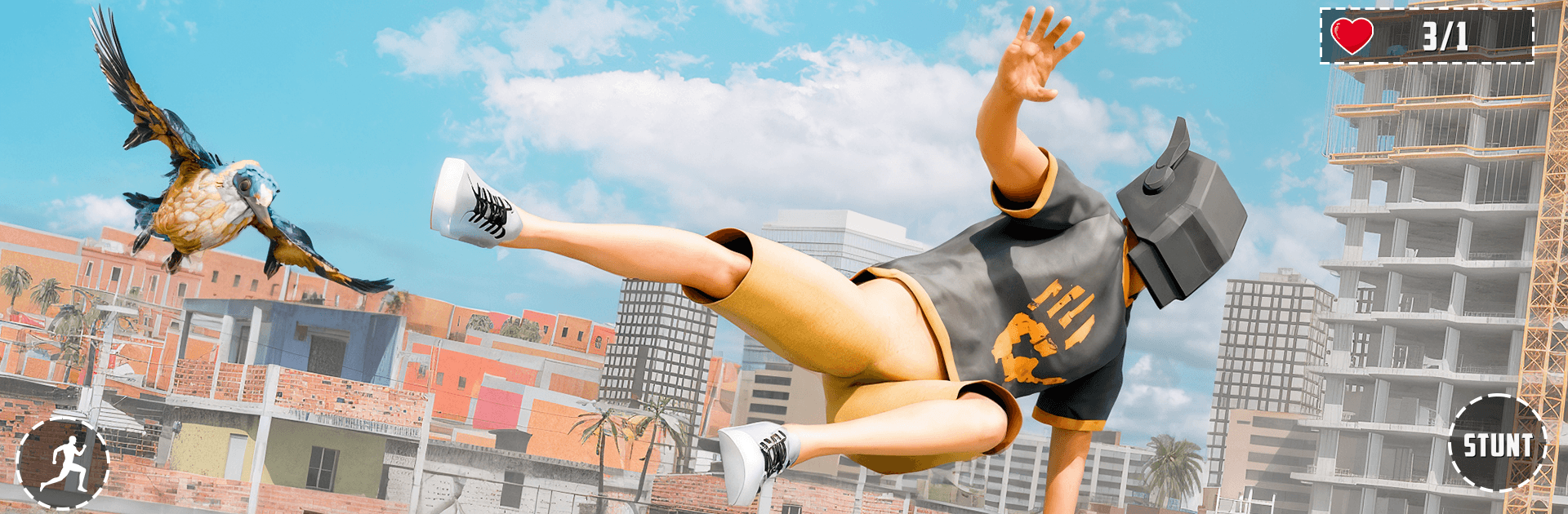
Rooftop Run: Parkour Games

Rooftop Run: Parkour Games

Action

| Forbidden Games

Play on PC with BlueStacks or from our cloud

  • Overview
  • Game Features
  • How to Play

Page Modified On: April 13, 2026

Play Rooftop Run: Parkour Games on PC or Mac

Bring your A-game to Rooftop Run: Parkour Games, the Action game sensation from Forbidden Games. Give your gameplay the much-needed boost with precise game controls, high FPS graphics, and top-tier features on your PC or Mac with BlueStacks.

About the Game

Rooftop Run: Parkour Games drops you onto the skyline with nothing but momentum and nerve. This Action rush from Forbidden Games nails that edge-of-the-rooftop feeling—miss by a hair, and you’ll know it. Keep your flow, read the terrain, and turn sketchy landings into smooth, stylish runs that feel great in your hands.

Game Features

  • Freerun Across the City: Sprint, slide, and bound from roof to roof while keeping your rhythm alive and your speed up.
  • Wall-Runs and Vaults: Scale walls, vault over obstacles, and snap through tight spaces in one clean motion.
  • Tricks With Purpose: Flips and fancy moves aren’t just for show—use them to keep momentum and correct your line midair.
  • Tight, Responsive Controls: Snappy input makes quick reactions second nature, so improvising on the fly actually works.
  • Growing Difficulty: Levels steadily raise the stakes with wider gaps, sharper timing, and clever layouts that push your reflexes.
  • Unlock and Customize: Earn new characters and personalize your look to match how you like to run.
  • Crisp 3D Cityscapes: Smooth performance and clear visuals turn the skyline into a slick playground built for speed.
  • Optional PC Play: Want a bigger view or keyboard control? Fire it up on BlueStacks and keep the flow going.

Slay your opponents with your epic moves. Play it your way on BlueStacks and dominate the battlefield.


Game Features

Enhancements

  • Macros
  • Multi Instance
  • Multi Instance Sync
  • Eco Mode
  • Enhancements
Macros

Macros

Skip the boring parts of a game. Play Rooftop Run: Parkour Games with Macros and get the edge. Simply record a sequence of commands and execute them at any moment.
Multi Instance

Multi Instance

Why limit to one game on your phone when you can play many on your PC? Open multiple instances of Rooftop Run: Parkour Games at once with Multi-Instance. Leverage the power of different accounts by doing more.
Multi Instance Sync

Multi Instance Sync

Get the best out of Rooftop Run: Parkour Games with Multi-Instance Sync. Play the game from different accounts and build your own empire. Use Multi-instance sync to repeat the action in the main BlueStacks instance on all other instances.
Eco Mode

Eco Mode

Find the rarest heroes by making multiple summons in Rooftop Run: Parkour Games. And while you are at it, reduce your PC’s resource consumption with the Eco Mode. Farm efficiently. Get the best results.
Read More

How to Download and Play Rooftop Run: Parkour Games on PC or Mac

  • Download and install BlueStacks on your PC or Mac

  • Complete Google sign-in to access the Play Store, or do it later

  • Look for Rooftop Run: Parkour Games in the search bar at the top right corner

  • Click to install Rooftop Run: Parkour Games from the search results

  • Complete Google sign-in (if you skipped step 2) to install Rooftop Run: Parkour Games

  • Click the Rooftop Run: Parkour Games icon on the home screen to start playing

video
Watch Video

Minimum System Requirements

With BlueStacks 5, you can get started on a PC that fulfills the following requirements.

  • Operating System

    Microsoft Windows 7 or above, macOS 11 (Big Sur) or above

  • Processor

    Intel, AMD or Apple Silicon Processor

  • RAM

    at least 4GB

  • HDD

    10GB Free Disk Space

Note:

* You must be an Administrator on your PC. Up to date graphics drivers from Microsoft or the chipset vendor.

Rooftop Run: Parkour Games - FAQs

  • How to play Rooftop Run: Parkour Games on Windows PC & Mac?

    Play Rooftop Run: Parkour Games on your PC or Mac by following these simple steps.

    • Click on 'Play Rooftop Run: Parkour Games on PC’ to download BlueStacks
    • Install it and log-in to Google Play Store
    • Launch and play the game.
  • Why is BlueStacks the fastest and safest platform to play games on PC?

    BlueStacks respects your privacy and is always safe and secure to use. It does not carry any malware, spyware, or any sort of additional software that could harm your PC.

    It is engineered to optimize speed and performance for a seamless gaming experience.

  • What are Rooftop Run: Parkour Games PC requirements?

    Minimum requirement to run Rooftop Run: Parkour Games on your PC

    • OS: Microsoft Windows 7 or above MacOS 11 (Big Sur) or above
    • Processor: Intel, AMD or Apple Silicon Processor
    • RAM: Your PC must have at least 4GB of RAM. (Note that having 4GB or more disk space is not a substitute for RAM)
    • HDD: 10GB Free Disk Space.
    • You must be an Administrator on your PC.