Rumble Paws: Backpack Fight

Rumble Paws: Backpack Fight

Action

| Arcloom

Play on PC with BlueStacks or from our cloud

  • Overview
  • Game Features
  • How to Play

Page Modified On: November 20, 2025

Play Rumble Paws: Backpack Fight on PC or Mac

From the innovators and creators at Sims Puzzle Games, Rumble Paws: Backpack Fight is another fun addition to the World of Action games. Go beyond your mobile screen and play it bigger and better on your PC or Mac. An immersive experience awaits you.

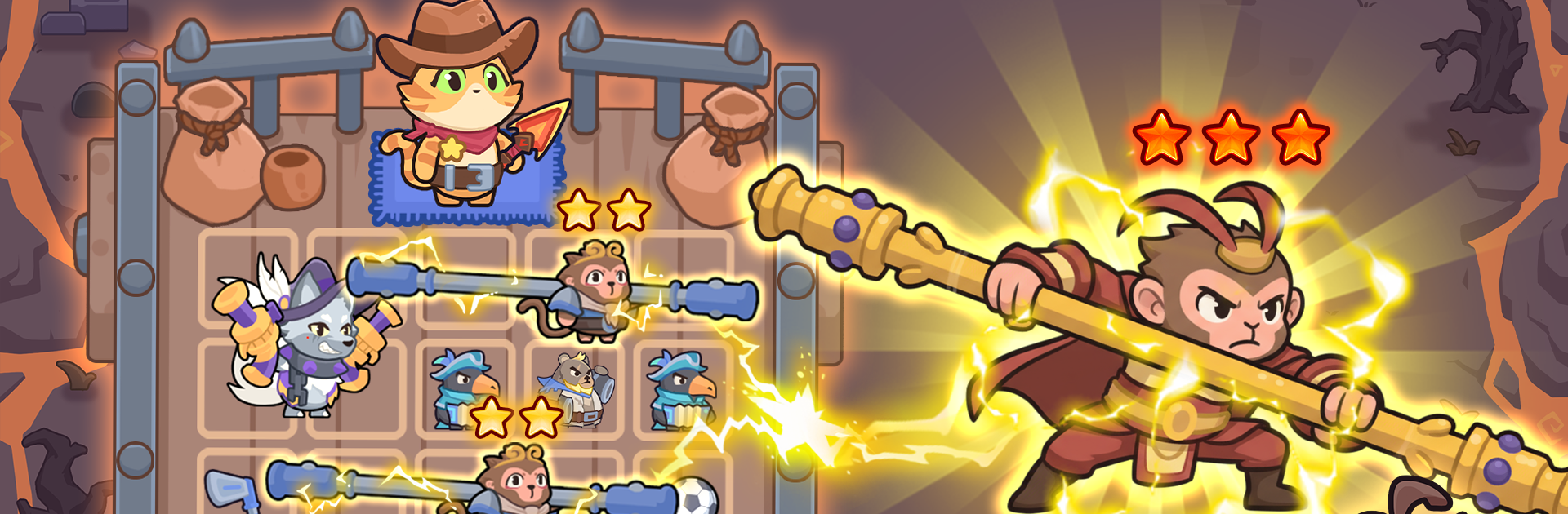
Rumble Paws: Backpack Fight is a tactical battler that swaps button mashing for brainy planning. The whole hook is a backpack grid full of critter pieces and tools. The player shuffles, merges, and arranges them so their team hits harder and survives longer. Two of the same critter combine into a stronger version, then the layout in the pack affects what is available mid fight. Battles are quick and snappy, but the pressure is low, so it feels calm while still asking for smart choices. Positioning on the field, timing skills, and saving resources for the right moment matter more than fast fingers.

What stands out is how every run pushes different builds. Random events hand out odd risks and lucky finds, so one session leans into chunky tanks, the next is all about quirky synergies that pop off if the player builds around them. Bosses are real checks on planning, since they punish sloppy layouts and reward clean coordination. Progression is steady, with upgrades that open new strategies instead of just bigger numbers, and the roster of animal heroes is cute without being throwaway. Playing on PC with BlueStacks makes the drag and drop backpack stuff feel clean with a mouse, and hotkeys help when reorganizing during the action. It scratches that puzzle brain and tactics itch at the same time, with plenty of small wins that add up.

Start your journey now. Download the game on BlueStacks, invite your friends, and march on a new adventure.


Game Features

Enhancements

  • Macros
  • Multi Instance
  • Multi Instance Sync
  • Eco Mode
  • Enhancements
Macros

Macros

Skip the boring parts of a game. Play Rumble Paws: Backpack Fight with Macros and get the edge. Simply record a sequence of commands and execute them at any moment.
Multi Instance

Multi Instance

Why limit to one game on your phone when you can play many on your PC? Open multiple instances of Rumble Paws: Backpack Fight at once with Multi-Instance. Leverage the power of different accounts by doing more.
Multi Instance Sync

Multi Instance Sync

Get the best out of Rumble Paws: Backpack Fight with Multi-Instance Sync. Play the game from different accounts and build your own empire. Use Multi-instance sync to repeat the action in the main BlueStacks instance on all other instances.
Eco Mode

Eco Mode

Find the rarest heroes by making multiple summons in Rumble Paws: Backpack Fight. And while you are at it, reduce your PC’s resource consumption with the Eco Mode. Farm efficiently. Get the best results.
Read More

How to Download and Play Rumble Paws: Backpack Fight on PC or Mac

  • Download and install BlueStacks on your PC or Mac

  • Complete Google sign-in to access the Play Store, or do it later

  • Look for Rumble Paws: Backpack Fight in the search bar at the top right corner

  • Click to install Rumble Paws: Backpack Fight from the search results

  • Complete Google sign-in (if you skipped step 2) to install Rumble Paws: Backpack Fight

  • Click the Rumble Paws: Backpack Fight icon on the home screen to start playing

video
Watch Video

Minimum System Requirements

With BlueStacks 5, you can get started on a PC that fulfills the following requirements.

  • Operating System

    Microsoft Windows 7 or above, macOS 11 (Big Sur) or above

  • Processor

    Intel, AMD or Apple Silicon Processor

  • RAM

    at least 4GB

  • HDD

    10GB Free Disk Space

Note:

* You must be an Administrator on your PC. Up to date graphics drivers from Microsoft or the chipset vendor.

Rumble Paws: Backpack Fight - FAQs

  • How to play Rumble Paws: Backpack Fight on Windows PC & Mac?

    Play Rumble Paws: Backpack Fight on your PC or Mac by following these simple steps.

    • Click on 'Play Rumble Paws: Backpack Fight on PC’ to download BlueStacks
    • Install it and log-in to Google Play Store
    • Launch and play the game.
  • Why is BlueStacks the fastest and safest platform to play games on PC?

    BlueStacks respects your privacy and is always safe and secure to use. It does not carry any malware, spyware, or any sort of additional software that could harm your PC.

    It is engineered to optimize speed and performance for a seamless gaming experience.

  • What are Rumble Paws: Backpack Fight PC requirements?

    Minimum requirement to run Rumble Paws: Backpack Fight on your PC

    • OS: Microsoft Windows 7 or above MacOS 11 (Big Sur) or above
    • Processor: Intel, AMD or Apple Silicon Processor
    • RAM: Your PC must have at least 4GB of RAM. (Note that having 4GB or more disk space is not a substitute for RAM)
    • HDD: 10GB Free Disk Space.
    • You must be an Administrator on your PC.