Sniper Battle: 3D War Shooter

Sniper Battle: 3D War Shooter

Action

| HypGames.

Play on PC with BlueStacks or from our cloud

  • Overview
  • Game Features
  • How to Play

Page Modified On: November 03, 2025

Play Sniper Battle: 3D War Shooter on PC or Mac

Explore a whole new adventure with Sniper Battle: 3D War Shooter, a Action game created by HypGames.. Experience great gameplay with BlueStacks, the most popular gaming platform to play Android games on your PC or Mac.

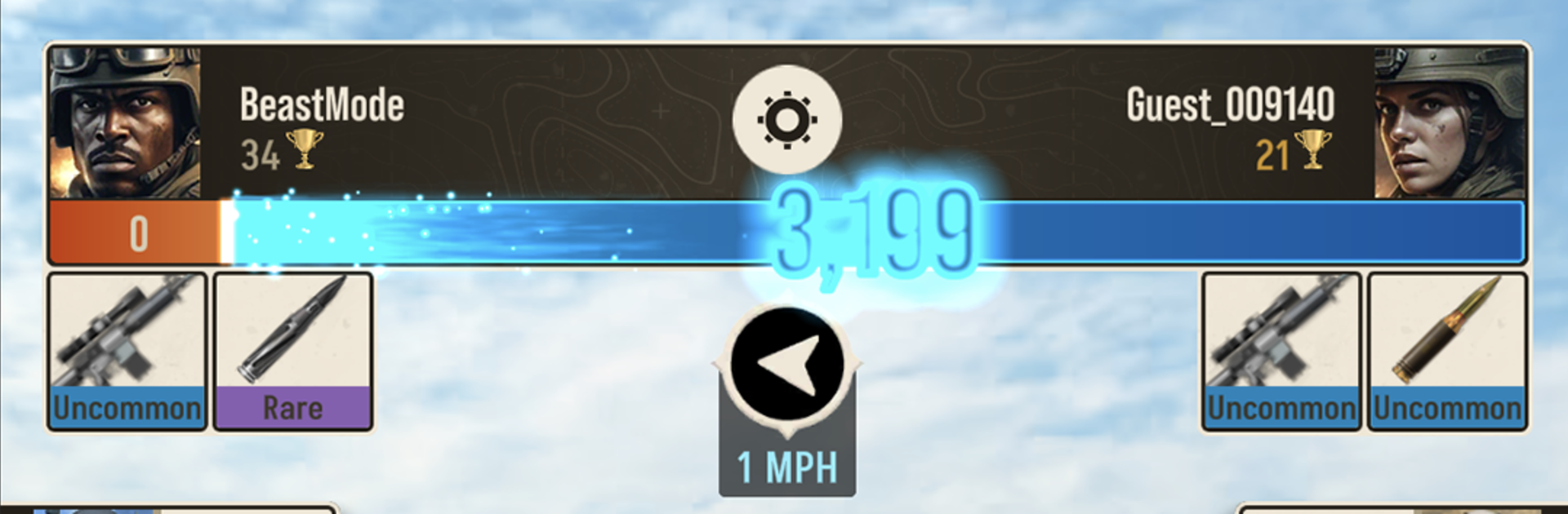
Sniper Battle: 3D War Shooter is all about quick, tense 1v1 showdowns where two players try to spot each other first and land the clean shot before getting tagged. Matches are short and vertical, so it fits that pick up and play mood, but there is plenty to juggle. Wind, fog, time of day, even glare can mess with visibility and throw aim off. Shots feel purposeful, not spray and pray. You line up the scope, time the breath, account for sway, then hope the other player did not catch a glint off your lens. It is more like a duel than a battlefield grind.

There is a steady gear chase too. New rifles, scopes, and special ammo change the feel a lot, from thermal optics that pop targets out of the haze to explosive rounds for cheeky finishes. The maps keep things fresh, with rooftops, desert stations, and mountain perches that push different angles and cover. Score matters, headshots and streaks climb the ranks, and the tournaments and seasonal ladders give it that competitive loop without forcing long sessions. On BlueStacks it handles nicely; mouse aim makes precision cleaner and the portrait window sits fine on a monitor, with fast swaps on keys for gadgets. If someone likes pure aim duels and reading sightlines under pressure, this scratches that itch without a lot of fluff.

Get ready for a buttery smooth, high-performance gaming action only on BlueStacks.

Game Features

Enhancements

  • Macros
  • Multi Instance
  • Multi Instance Sync
  • Eco Mode
  • Enhancements
Macros

Macros

Skip the boring parts of a game. Play Sniper Battle: 3D War Shooter with Macros and get the edge. Simply record a sequence of commands and execute them at any moment.
Multi Instance

Multi Instance

Why limit to one game on your phone when you can play many on your PC? Open multiple instances of Sniper Battle: 3D War Shooter at once with Multi-Instance. Leverage the power of different accounts by doing more.
Multi Instance Sync

Multi Instance Sync

Get the best out of Sniper Battle: 3D War Shooter with Multi-Instance Sync. Play the game from different accounts and build your own empire. Use Multi-instance sync to repeat the action in the main BlueStacks instance on all other instances.
Eco Mode

Eco Mode

Find the rarest heroes by making multiple summons in Sniper Battle: 3D War Shooter. And while you are at it, reduce your PC’s resource consumption with the Eco Mode. Farm efficiently. Get the best results.
Read More

How to Download and Play Sniper Battle: 3D War Shooter on PC or Mac

  • Download and install BlueStacks on your PC or Mac

  • Complete Google sign-in to access the Play Store, or do it later

  • Look for Sniper Battle: 3D War Shooter in the search bar at the top right corner

  • Click to install Sniper Battle: 3D War Shooter from the search results

  • Complete Google sign-in (if you skipped step 2) to install Sniper Battle: 3D War Shooter

  • Click the Sniper Battle: 3D War Shooter icon on the home screen to start playing

video
Watch Video

Minimum System Requirements

With BlueStacks 5, you can get started on a PC that fulfills the following requirements.

  • Operating System

    Microsoft Windows 7 or above, macOS 11 (Big Sur) or above

  • Processor

    Intel, AMD or Apple Silicon Processor

  • RAM

    at least 4GB

  • HDD

    10GB Free Disk Space

Note:

* You must be an Administrator on your PC. Up to date graphics drivers from Microsoft or the chipset vendor.

Sniper Battle: 3D War Shooter - FAQs

  • How to play Sniper Battle: 3D War Shooter on Windows PC & Mac?

    Play Sniper Battle: 3D War Shooter on your PC or Mac by following these simple steps.

    • Click on 'Play Sniper Battle: 3D War Shooter on PC’ to download BlueStacks
    • Install it and log-in to Google Play Store
    • Launch and play the game.
  • Why is BlueStacks the fastest and safest platform to play games on PC?

    BlueStacks respects your privacy and is always safe and secure to use. It does not carry any malware, spyware, or any sort of additional software that could harm your PC.

    It is engineered to optimize speed and performance for a seamless gaming experience.

  • What are Sniper Battle: 3D War Shooter PC requirements?

    Minimum requirement to run Sniper Battle: 3D War Shooter on your PC

    • OS: Microsoft Windows 7 or above MacOS 11 (Big Sur) or above
    • Processor: Intel, AMD or Apple Silicon Processor
    • RAM: Your PC must have at least 4GB of RAM. (Note that having 4GB or more disk space is not a substitute for RAM)
    • HDD: 10GB Free Disk Space.
    • You must be an Administrator on your PC.