Star Siege
Star Siege

Star Siege

Action

| Miniamoka

Play on PC with BlueStacks or from our cloud

  • Overview
  • Game Features
  • How to Play

Page Modified On: October 30, 2026

Play Star Siege on PC or Mac

Step into the World of Star Siege, a thrilling Action game from the house of Miniamoka. Play this Android game on BlueStacks App Player and experience immersive gaming on PC or Mac.

About the Game

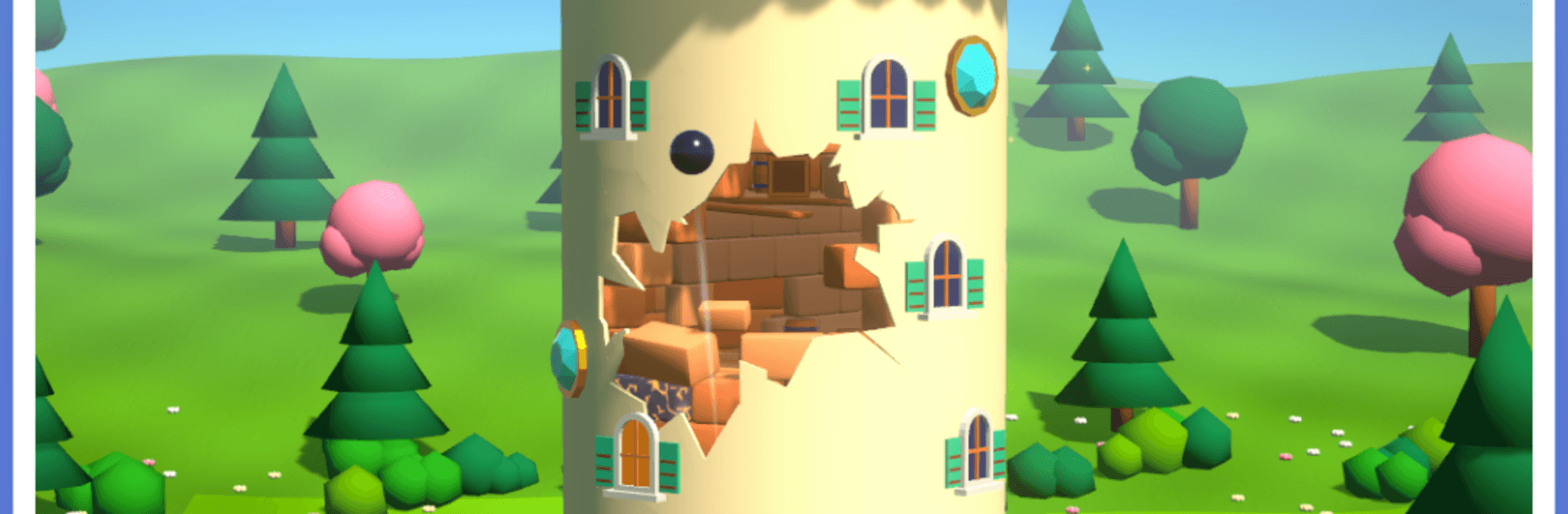
Star Siege is an Action physics-smash experience where your goal is simple: topple castles in the most spectacular way possible. Pick the right tool, spot the weak point, and watch towers crumble in satisfying chain reactions. Want a smooth, comfy way to play? It also runs nicely on BlueStacks.

Game Features

  • Physics you can feel: Every brick, beam, and roof reacts to your shots, with collapses that ripple and cascade in all the right ways.
  • Four siege tools: Swap between a rapid-fire cannon, a long-arc catapult, a flaming sling that loves wooden targets, and chunky bombs that rip big holes in stone.
  • Aim smarter, crumble faster: Target cracked blocks, doors, and windows to bring sections down efficiently instead of chipping away at solid walls.
  • Hidden hazards and bonuses: Hit glowing panes to set off TNT, and snag gems to earn extra shots when you need them most.
  • Boss encounters: Square up against a hulking Troll and a pesky Gnome horde that actually fights back—quick aim matters.
  • Seven distinct realms: Roll through bright meadows, icy ridges, rocky highlands, scorching dunes, ember-lit wastelands, autumn forests, and a moody twilight grove.
  • Endless structures to topple: From lonely towers and royal keeps to aqueducts, lighthouses, windmills, and walled towns, there’s always another build to break.
  • Quick pick-up sessions: Short stages and clear targets make it easy to hop in, learn fast, and pull off wildly satisfying collapses.
  • Chain-reaction payoffs: Trigger massive falls to earn shots back and turn one clever hit into a total structural meltdown.

Ready to top the leaderboard? We bet you do. Let precise controls and sharp visuals optimized on BlueStacks lead you to victory.


Game Features

Enhancements

  • Macros
  • Multi Instance
  • Multi Instance Sync
  • Eco Mode
  • Enhancements
Macros

Macros

Skip the boring parts of a game. Play Star Siege with Macros and get the edge. Simply record a sequence of commands and execute them at any moment.
Multi Instance

Multi Instance

Why limit to one game on your phone when you can play many on your PC? Open multiple instances of Star Siege at once with Multi-Instance. Leverage the power of different accounts by doing more.
Multi Instance Sync

Multi Instance Sync

Get the best out of Star Siege with Multi-Instance Sync. Play the game from different accounts and build your own empire. Use Multi-instance sync to repeat the action in the main BlueStacks instance on all other instances.
Eco Mode

Eco Mode

Find the rarest heroes by making multiple summons in Star Siege. And while you are at it, reduce your PC’s resource consumption with the Eco Mode. Farm efficiently. Get the best results.
Read More

How to Download and Play Star Siege on PC or Mac

  • Download and install BlueStacks on your PC or Mac

  • Complete Google sign-in to access the Play Store, or do it later

  • Look for Star Siege in the search bar at the top right corner

  • Click to install Star Siege from the search results

  • Complete Google sign-in (if you skipped step 2) to install Star Siege

  • Click the Star Siege icon on the home screen to start playing

video
Watch Video

Minimum System Requirements

With BlueStacks 5, you can get started on a PC that fulfills the following requirements.

  • Operating System

    Microsoft Windows 7 or above, macOS 11 (Big Sur) or above

  • Processor

    Intel, AMD or Apple Silicon Processor

  • RAM

    at least 4GB

  • HDD

    10GB Free Disk Space

Note:

* You must be an Administrator on your PC. Up to date graphics drivers from Microsoft or the chipset vendor.

Star Siege - FAQs

  • How to play Star Siege on Windows PC & Mac?

    Play Star Siege on your PC or Mac by following these simple steps.

    • Click on 'Play Star Siege on PC’ to download BlueStacks
    • Install it and log-in to Google Play Store
    • Launch and play the game.
  • Why is BlueStacks the fastest and safest platform to play games on PC?

    BlueStacks respects your privacy and is always safe and secure to use. It does not carry any malware, spyware, or any sort of additional software that could harm your PC.

    It is engineered to optimize speed and performance for a seamless gaming experience.

  • What are Star Siege PC requirements?

    Minimum requirement to run Star Siege on your PC

    • OS: Microsoft Windows 7 or above MacOS 11 (Big Sur) or above
    • Processor: Intel, AMD or Apple Silicon Processor
    • RAM: Your PC must have at least 4GB of RAM. (Note that having 4GB or more disk space is not a substitute for RAM)
    • HDD: 10GB Free Disk Space.
    • You must be an Administrator on your PC.