Train Survival City Train Game

Train Survival City Train Game

Action

| CODIEA.IO

Play on PC with BlueStacks or from our cloud

  • Overview
  • Game Features
  • How to Play

Page Modified On: January 08, 2026

Play Train Survival City Train Game on PC or Mac

Bring your A-game to Train Survival City Train Game, the Action game sensation from CODIEA.IO. Give your gameplay the much-needed boost with precise game controls, high FPS graphics, and top-tier features on your PC or Mac with BlueStacks.

About the Game

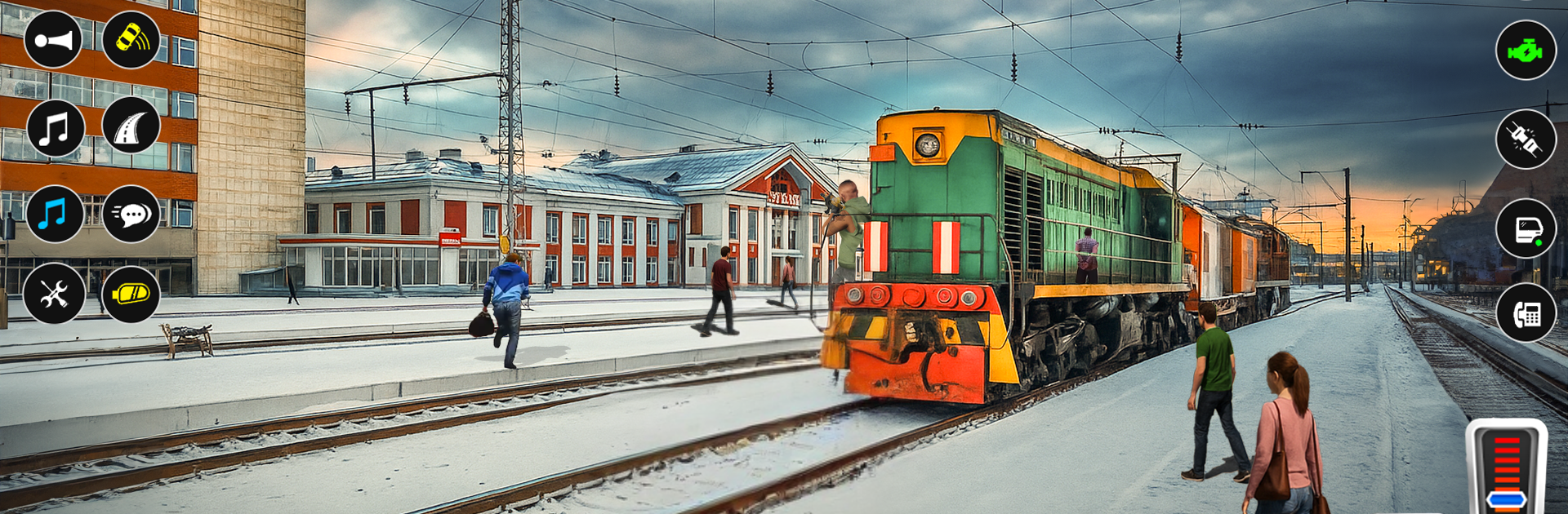
Train Survival City Train Game puts you in the hot seat as both engineer and sharpshooter. It’s a fast, scrappy Action ride from CODIEA.IO where you barrel down city tracks and fend off swarms of zombies and other threats. Keep the locomotive moving, keep the guns talking, and chase that next high score.

Game Features

  • Dual Roles, One Ride: Drive the train and blast enemies at the same time—throttle with one hand, sights on targets with the other.
  • Smooth Controls, Real Pressure: Adjust speed, hit the brakes, and line up shots while the track keeps pushing forward. Simple to learn, tense to master.
  • Survival Scoring: Every second alive and every enemy downed adds to your total. The longer you last, the bigger the bragging rights.
  • City Track Mayhem: Tight turns, narrow passages, and surprise angles keep you shifting focus between rails and threats.
  • Mounted Firepower: Use the train’s onboard guns to clear zombies and criminals before they crowd the cars.
  • Quick Runs, Big Replays: Short, punchy sessions make it easy to jump back in and try for a cleaner run or a higher score.
  • Built for Action Fans: A clean blend of arcade shooting and train operation that stays snappy and intense.
  • Plays Great on PC: Prefer a bigger screen and comfy controls? Train Survival City Train Game runs smoothly on BlueStacks.

Slay your opponents with your epic moves. Play it your way on BlueStacks and dominate the battlefield.


Game Features

Enhancements

  • Macros
  • Multi Instance
  • Multi Instance Sync
  • Eco Mode
  • Enhancements
Macros

Macros

Skip the boring parts of a game. Play Train Survival City Train Game with Macros and get the edge. Simply record a sequence of commands and execute them at any moment.
Multi Instance

Multi Instance

Why limit to one game on your phone when you can play many on your PC? Open multiple instances of Train Survival City Train Game at once with Multi-Instance. Leverage the power of different accounts by doing more.
Multi Instance Sync

Multi Instance Sync

Get the best out of Train Survival City Train Game with Multi-Instance Sync. Play the game from different accounts and build your own empire. Use Multi-instance sync to repeat the action in the main BlueStacks instance on all other instances.
Eco Mode

Eco Mode

Find the rarest heroes by making multiple summons in Train Survival City Train Game. And while you are at it, reduce your PC’s resource consumption with the Eco Mode. Farm efficiently. Get the best results.
Read More

How to Download and Play Train Survival City Train Game on PC or Mac

  • Download and install BlueStacks on your PC or Mac

  • Complete Google sign-in to access the Play Store, or do it later

  • Look for Train Survival City Train Game in the search bar at the top right corner

  • Click to install Train Survival City Train Game from the search results

  • Complete Google sign-in (if you skipped step 2) to install Train Survival City Train Game

  • Click the Train Survival City Train Game icon on the home screen to start playing

video
Watch Video

Minimum System Requirements

With BlueStacks 5, you can get started on a PC that fulfills the following requirements.

  • Operating System

    Microsoft Windows 7 or above, macOS 11 (Big Sur) or above

  • Processor

    Intel, AMD or Apple Silicon Processor

  • RAM

    at least 4GB

  • HDD

    10GB Free Disk Space

Note:

* You must be an Administrator on your PC. Up to date graphics drivers from Microsoft or the chipset vendor.

Train Survival City Train Game - FAQs

  • How to play Train Survival City Train Game on Windows PC & Mac?

    Play Train Survival City Train Game on your PC or Mac by following these simple steps.

    • Click on 'Play Train Survival City Train Game on PC’ to download BlueStacks
    • Install it and log-in to Google Play Store
    • Launch and play the game.
  • Why is BlueStacks the fastest and safest platform to play games on PC?

    BlueStacks respects your privacy and is always safe and secure to use. It does not carry any malware, spyware, or any sort of additional software that could harm your PC.

    It is engineered to optimize speed and performance for a seamless gaming experience.

  • What are Train Survival City Train Game PC requirements?

    Minimum requirement to run Train Survival City Train Game on your PC

    • OS: Microsoft Windows 7 or above MacOS 11 (Big Sur) or above
    • Processor: Intel, AMD or Apple Silicon Processor
    • RAM: Your PC must have at least 4GB of RAM. (Note that having 4GB or more disk space is not a substitute for RAM)
    • HDD: 10GB Free Disk Space.
    • You must be an Administrator on your PC.