Valoris
Valoris

Valoris

Action

| SUPER ESPORTS PTE.LTD.

Play on PC with BlueStacks or from our cloud

  • Overview
  • Game Features
  • How to Play

Page Modified On: December 22, 2025

Play Valoris on PC or Mac

Valoris brings the Action genre to life, and throws up exciting challenges for gamers. Developed by SUPER ESPORTS PTE.LTD., this Android game is best experienced on BlueStacks, the World’s #1 app player for PC and Mac users.

Valoris plays like a Souls-like brawler blended with a roguelike run. Combat has weight and patience to it, with tight windows for dodging, blocking, and striking. Enemies punish sloppy timing, so every move matters. The fun twist is the random kit each fight hands out. Weapons roll in with different speeds and quirks, so a clash with a hammer feels totally different from a duel with twin blades, and the next match can flip the script again. Heroes come with distinct abilities and odd little tricks, so learning what each one can do is part of the rhythm.

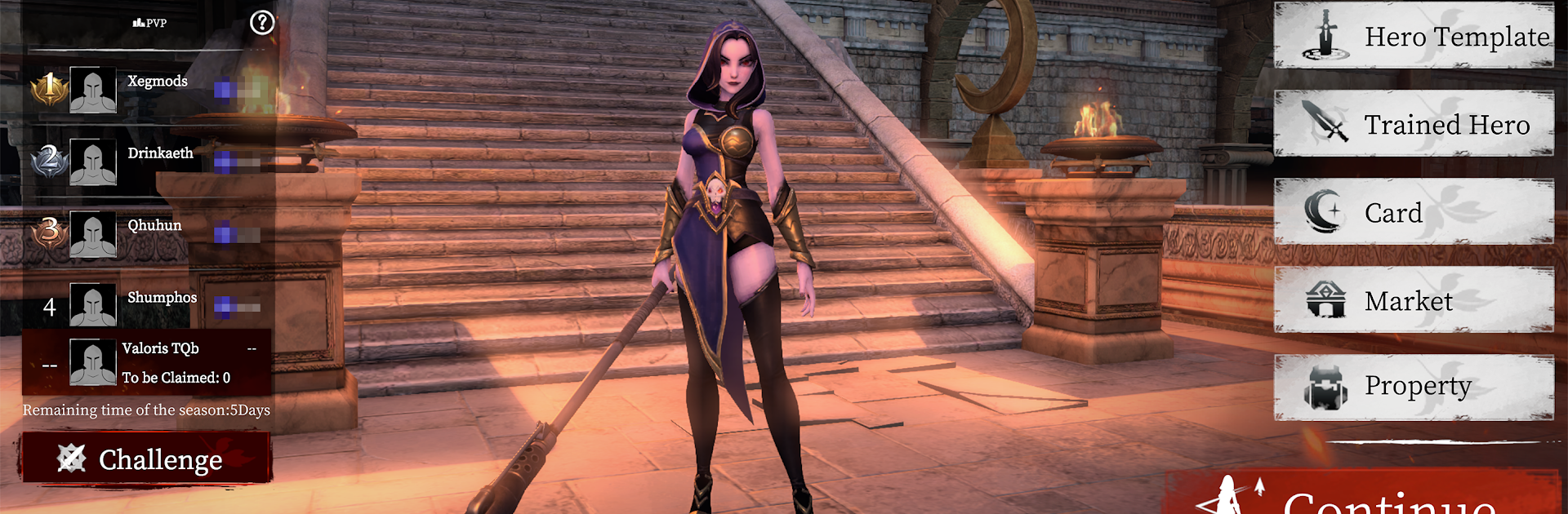
The PvP angle is unusual in a good way. Players train an AI version of their fighter, tune how it behaves, then send it to face other players’ AIs. It turns matches into a chess match of habits and counters, not just raw reflex. Progress stacks through growth systems that nudge new tactics, and the challenge climbs in a way that keeps attention without feeling cheap. There is a Web3 layer for owning stuff outright, but it mostly sits in the background unless someone cares about trading things. On PC through BlueStacks, the timing feels cleaner and the inputs map nicely to keyboard, mouse, or a pad, which helps with those precise windows. Overall it suits players who enjoy tough fights, experimenting with builds between attempts, and the surprise of never quite knowing what the next encounter will throw out.

Start your journey now. Download the game on BlueStacks, invite your friends, and march on a new adventure.


Game Features

Enhancements

  • Macros
  • Multi Instance
  • Multi Instance Sync
  • Eco Mode
  • Enhancements
Macros

Macros

Skip the boring parts of a game. Play Valoris with Macros and get the edge. Simply record a sequence of commands and execute them at any moment.
Multi Instance

Multi Instance

Why limit to one game on your phone when you can play many on your PC? Open multiple instances of Valoris at once with Multi-Instance. Leverage the power of different accounts by doing more.
Multi Instance Sync

Multi Instance Sync

Get the best out of Valoris with Multi-Instance Sync. Play the game from different accounts and build your own empire. Use Multi-instance sync to repeat the action in the main BlueStacks instance on all other instances.
Eco Mode

Eco Mode

Find the rarest heroes by making multiple summons in Valoris. And while you are at it, reduce your PC’s resource consumption with the Eco Mode. Farm efficiently. Get the best results.
Read More

How to Download and Play Valoris on PC or Mac

  • Download and install BlueStacks on your PC or Mac

  • Complete Google sign-in to access the Play Store, or do it later

  • Look for Valoris in the search bar at the top right corner

  • Click to install Valoris from the search results

  • Complete Google sign-in (if you skipped step 2) to install Valoris

  • Click the Valoris icon on the home screen to start playing

video
Watch Video

Minimum System Requirements

With BlueStacks 5, you can get started on a PC that fulfills the following requirements.

  • Operating System

    Microsoft Windows 7 or above, macOS 11 (Big Sur) or above

  • Processor

    Intel, AMD or Apple Silicon Processor

  • RAM

    at least 4GB

  • HDD

    10GB Free Disk Space

Note:

* You must be an Administrator on your PC. Up to date graphics drivers from Microsoft or the chipset vendor.

Valoris - FAQs

  • How to play Valoris on Windows PC & Mac?

    Play Valoris on your PC or Mac by following these simple steps.

    • Click on 'Play Valoris on PC’ to download BlueStacks
    • Install it and log-in to Google Play Store
    • Launch and play the game.
  • Why is BlueStacks the fastest and safest platform to play games on PC?

    BlueStacks respects your privacy and is always safe and secure to use. It does not carry any malware, spyware, or any sort of additional software that could harm your PC.

    It is engineered to optimize speed and performance for a seamless gaming experience.

  • What are Valoris PC requirements?

    Minimum requirement to run Valoris on your PC

    • OS: Microsoft Windows 7 or above MacOS 11 (Big Sur) or above
    • Processor: Intel, AMD or Apple Silicon Processor
    • RAM: Your PC must have at least 4GB of RAM. (Note that having 4GB or more disk space is not a substitute for RAM)
    • HDD: 10GB Free Disk Space.
    • You must be an Administrator on your PC.