WW2 Frontline Strategy Warfare

WW2 Frontline Strategy Warfare

Action

| VIRTUAL MARKET LTD

Play on PC with BlueStacks or from our cloud

  • Overview
  • Game Features
  • How to Play

Page Modified On: October 21, 2026

Play WW2 Frontline Strategy Warfare on PC or Mac

Play WW2 Frontline Strategy Warfare by VIRTUAL MARKET LTD on PC or Mac with BlueStacks. Use a bigger screen, mouse and keyboard controls, and smoother performance while you play.

About the Game

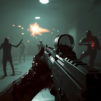
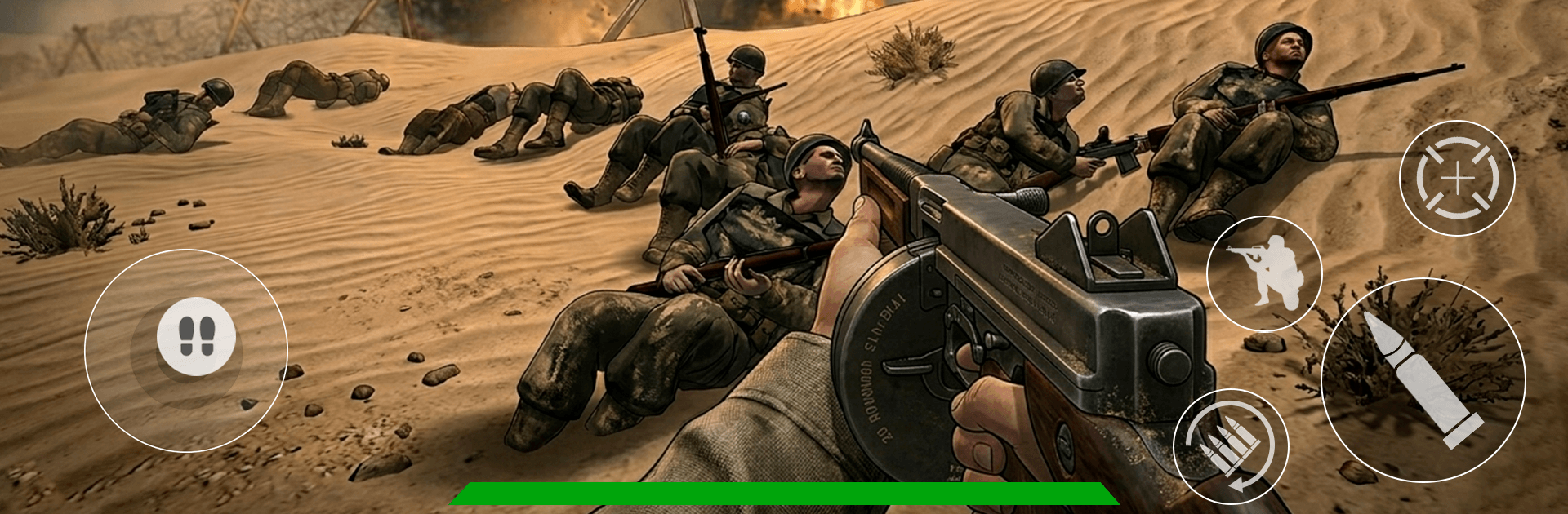
WW2 Frontline Strategy Warfare is an Action experience that blends gritty firefights with smart battlefield planning. You’re the frontline commander, calling shots under pressure—positioning squads, timing assaults, and reacting when everything goes sideways. Prefer a bigger screen for clearer views and tighter control? It plays smoothly on BlueStacks, too.

Game Features

  • Command at the Front: Lead squads through contested zones and make calls that actually change how a skirmish plays out—hold a line, push a flank, or pivot on the fly.
  • Smart, Flexible Tactics: Scout terrain, use cover, and swap strategies mid-mission when enemies counter. If a plan stalls, adjust and keep momentum.
  • Boots-on-the-Ground Combat: Engage with rifles, throw grenades, or go in close with melee when the situation demands it. It’s hands-on and punchy.
  • Field Bikes for Quick Moves: Hop on dispatch bikes to cut across the map fast, reach objectives, or reinforce allies before the window closes.
  • Interactive Story Moments: Short, cinematic cutscenes pull you into each operation and give context to your next push without slowing the pace.
  • Multiple Modes, Clear Progression: Tackle distinct categories with five handcrafted levels each, building from straightforward skirmishes to tougher, layered objectives.
  • A Blend of Strategy and Firefights: Balance big-picture planning with moment-to-moment decisions, keeping every mission tense, varied, and satisfying.

Start your journey now. Download the game on BlueStacks, invite your friends, and march on a new adventure.


Game Features

Enhancements

  • Macros
  • Multi Instance
  • Multi Instance Sync
  • Eco Mode
  • Enhancements
Macros

Macros

Skip the boring parts of a game. Play WW2 Frontline Strategy Warfare with Macros and get the edge. Simply record a sequence of commands and execute them at any moment.
Multi Instance

Multi Instance

Why limit to one game on your phone when you can play many on your PC? Open multiple instances of WW2 Frontline Strategy Warfare at once with Multi-Instance. Leverage the power of different accounts by doing more.
Multi Instance Sync

Multi Instance Sync

Get the best out of WW2 Frontline Strategy Warfare with Multi-Instance Sync. Play the game from different accounts and build your own empire. Use Multi-instance sync to repeat the action in the main BlueStacks instance on all other instances.
Eco Mode

Eco Mode

Find the rarest heroes by making multiple summons in WW2 Frontline Strategy Warfare. And while you are at it, reduce your PC’s resource consumption with the Eco Mode. Farm efficiently. Get the best results.
Read More

How to Download and Play WW2 Frontline Strategy Warfare on PC or Mac

  • Download and install BlueStacks on your PC or Mac

  • Complete Google sign-in to access the Play Store, or do it later

  • Look for WW2 Frontline Strategy Warfare in the search bar at the top right corner

  • Click to install WW2 Frontline Strategy Warfare from the search results

  • Complete Google sign-in (if you skipped step 2) to install WW2 Frontline Strategy Warfare

  • Click the WW2 Frontline Strategy Warfare icon on the home screen to start playing

video
Watch Video

Minimum System Requirements

With BlueStacks 5, you can get started on a PC that fulfills the following requirements.

  • Operating System

    Microsoft Windows 7 or above, macOS 11 (Big Sur) or above

  • Processor

    Intel, AMD or Apple Silicon Processor

  • RAM

    at least 4GB

  • HDD

    10GB Free Disk Space

Note:

* You must be an Administrator on your PC. Up to date graphics drivers from Microsoft or the chipset vendor.

WW2 Frontline Strategy Warfare - FAQs

  • How to play WW2 Frontline Strategy Warfare on Windows PC & Mac?

    Play WW2 Frontline Strategy Warfare on your PC or Mac by following these simple steps.

    • Click on 'Play WW2 Frontline Strategy Warfare on PC’ to download BlueStacks
    • Install it and log-in to Google Play Store
    • Launch and play the game.
  • Why is BlueStacks the fastest and safest platform to play games on PC?

    BlueStacks respects your privacy and is always safe and secure to use. It does not carry any malware, spyware, or any sort of additional software that could harm your PC.

    It is engineered to optimize speed and performance for a seamless gaming experience.

  • What are WW2 Frontline Strategy Warfare PC requirements?

    Minimum requirement to run WW2 Frontline Strategy Warfare on your PC

    • OS: Microsoft Windows 7 or above MacOS 11 (Big Sur) or above
    • Processor: Intel, AMD or Apple Silicon Processor
    • RAM: Your PC must have at least 4GB of RAM. (Note that having 4GB or more disk space is not a substitute for RAM)
    • HDD: 10GB Free Disk Space.
    • You must be an Administrator on your PC.