Zombie Shooting King

Zombie Shooting King

Action

| Fevergames inc

Play on PC with BlueStacks or from our cloud

  • Overview
  • Game Features
  • How to Play

Page Modified On: April 21, 2026

Play Zombie Shooting King on PC or Mac

Zombie Shooting King brings the Action genre to life, and throws up exciting challenges for gamers. Developed by Fevergames inc, this Android game is best experienced on BlueStacks, the World’s #1 app player for PC and Mac users.

About the Game

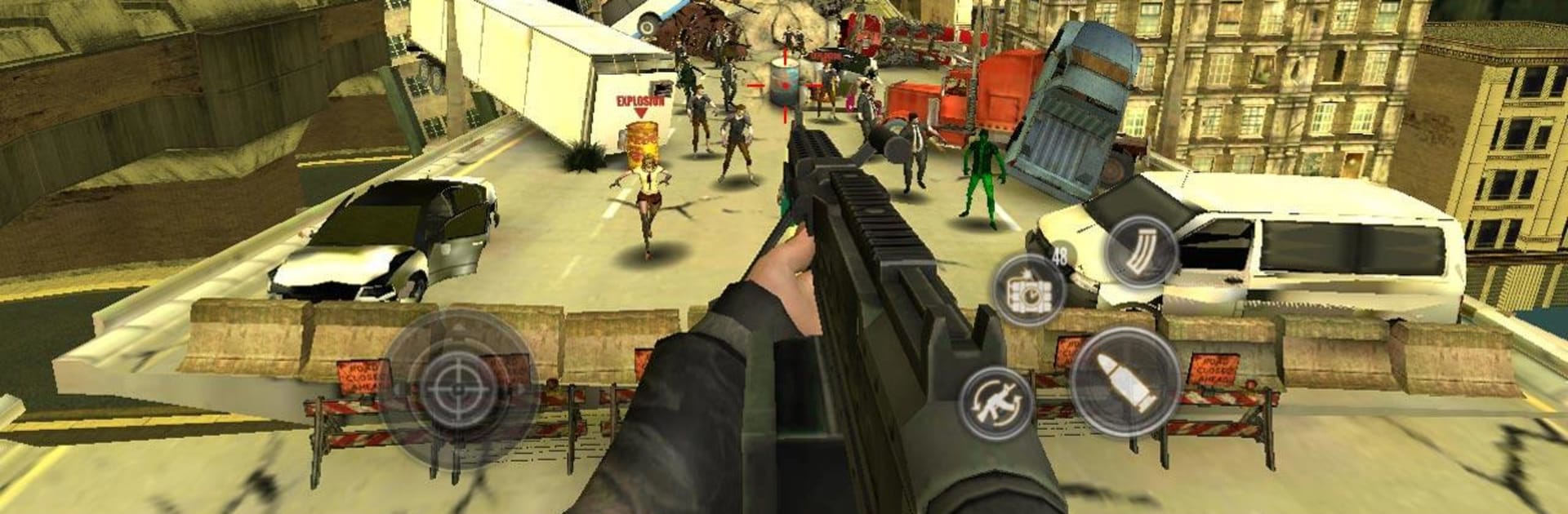
Zombie Shooting King is an Action FPS from Fevergames inc that throws you right into frantic, hold-your-breath survival. Waves of undead close in fast, and your job’s simple: stay standing, keep shooting, and make smart swaps between gear and perks. It’s quick to pick up, tough to put down—great for short sessions or long marathons. Prefer a bigger screen and precise aiming? It runs smoothly on BlueStacks, too.

Game Features

  • Smooth, pick-up-and-play controls: No clutter or fuss—aim, fire, reload, and switch weapons in a snap so you can focus on surviving.
  • A full arsenal at your fingertips: From trusty sidearms to heavier firepower, experiment with different loadouts to match your style and the situation.
  • Survivor Cards system: Collect and combine cards to unlock unique abilities and wild synergies that change how each run plays out.
  • Solo or multiplayer modes: Go it alone for pure tension or team up to outlast tougher waves with friends.
  • Offline-ready gameplay: No connection? No problem. Keep battling the horde anytime, anywhere.
  • Achievements and leaderboards: Chase personal milestones and see how your best runs stack up against other players.
  • Broad language support: Jump in with localized options across 16 languages so the action feels familiar wherever you’re playing.

Slay your opponents with your epic moves. Play it your way on BlueStacks and dominate the battlefield.


Game Features

Enhancements

  • Macros
  • Multi Instance
  • Multi Instance Sync
  • Eco Mode
  • Enhancements
Macros

Macros

Skip the boring parts of a game. Play Zombie Shooting King with Macros and get the edge. Simply record a sequence of commands and execute them at any moment.
Multi Instance

Multi Instance

Why limit to one game on your phone when you can play many on your PC? Open multiple instances of Zombie Shooting King at once with Multi-Instance. Leverage the power of different accounts by doing more.
Multi Instance Sync

Multi Instance Sync

Get the best out of Zombie Shooting King with Multi-Instance Sync. Play the game from different accounts and build your own empire. Use Multi-instance sync to repeat the action in the main BlueStacks instance on all other instances.
Eco Mode

Eco Mode

Find the rarest heroes by making multiple summons in Zombie Shooting King. And while you are at it, reduce your PC’s resource consumption with the Eco Mode. Farm efficiently. Get the best results.
Read More

How to Download and Play Zombie Shooting King on PC or Mac

  • Download and install BlueStacks on your PC or Mac

  • Complete Google sign-in to access the Play Store, or do it later

  • Look for Zombie Shooting King in the search bar at the top right corner

  • Click to install Zombie Shooting King from the search results

  • Complete Google sign-in (if you skipped step 2) to install Zombie Shooting King

  • Click the Zombie Shooting King icon on the home screen to start playing

video
Watch Video

Minimum System Requirements

With BlueStacks 5, you can get started on a PC that fulfills the following requirements.

  • Operating System

    Microsoft Windows 7 or above, macOS 11 (Big Sur) or above

  • Processor

    Intel, AMD or Apple Silicon Processor

  • RAM

    at least 4GB

  • HDD

    10GB Free Disk Space

Note:

* You must be an Administrator on your PC. Up to date graphics drivers from Microsoft or the chipset vendor.

Zombie Shooting King - FAQs

  • How to play Zombie Shooting King on Windows PC & Mac?

    Play Zombie Shooting King on your PC or Mac by following these simple steps.

    • Click on 'Play Zombie Shooting King on PC’ to download BlueStacks
    • Install it and log-in to Google Play Store
    • Launch and play the game.
  • Why is BlueStacks the fastest and safest platform to play games on PC?

    BlueStacks respects your privacy and is always safe and secure to use. It does not carry any malware, spyware, or any sort of additional software that could harm your PC.

    It is engineered to optimize speed and performance for a seamless gaming experience.

  • What are Zombie Shooting King PC requirements?

    Minimum requirement to run Zombie Shooting King on your PC

    • OS: Microsoft Windows 7 or above MacOS 11 (Big Sur) or above
    • Processor: Intel, AMD or Apple Silicon Processor
    • RAM: Your PC must have at least 4GB of RAM. (Note that having 4GB or more disk space is not a substitute for RAM)
    • HDD: 10GB Free Disk Space.
    • You must be an Administrator on your PC.