3D Maze 2: Diamonds & Ghosts

3D Maze 2: Diamonds & Ghosts

Adventure

| mobadu

Play on PC with BlueStacks or from our cloud

  • Overview
  • Game Features
  • How to Play

Page Modified On: October 12, 2026

Play 3D Maze 2: Diamonds & Ghosts on PC or Mac

Explore a whole new adventure with 3D Maze 2: Diamonds & Ghosts, a Adventure game created by mobadu. Experience great gameplay with BlueStacks, the most popular gaming platform to play Android games on your PC or Mac.

About the Game

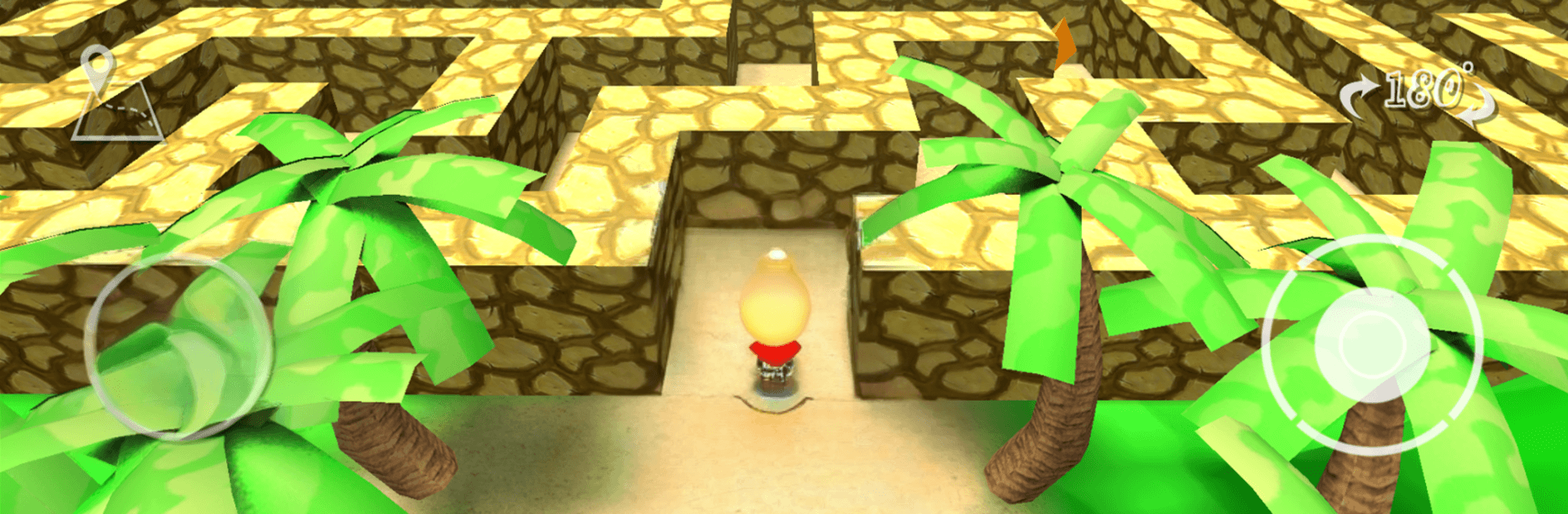
3D Maze 2: Diamonds & Ghosts turns classic labyrinth running into a fast, tense Adventure with a dash of spooky fun. You’ll sprint through twisting corridors, snag diamonds and power-ups, and outsmart pesky ghosts while racing for the exit. Prefer a keyboard and a bigger screen? It also plays great on PC with BlueStacks.

Game Features

  • Varied labyrinths: Tackle 8 sizable mazes, each laid out differently—from winding stone corridors to a playful blocky realm backed by crunchy 8-bit tunes.
  • Jump and scout: Hop to peek over walls or clear hazards, then land running without breaking your flow.
  • Handy overhead map: Pop open a clean 2D map, pan and zoom to reorient, and plot smarter routes on the fly.
  • Color-coded loot: Yellow Gems boost your score and unlocks, Violet Gems grant a short ghost-proof shield, and Red Diamonds trigger a blazing speed burst.
  • Ghost trouble, smart answers: Slip past, leap over, or shrug them off with a shield; low on luck but rich in points? Use a quick “save me” to keep your run alive.
  • Play your way with characters: Unlock six offbeat runners with distinct speeds and feels, then chase best times with the one that clicks.
  • Long-haul boosts: Bank gems to permanently enable Shield or Super Speed for those record-hunting sessions.
  • Stars and bragging rights: Finish fast and clean to earn up to three gold stars, rack up milestones, and grab achievements.
  • Global scoreboard: Compare times with players worldwide and see how your best route stacks up.
  • Earn, don’t buy: There are no in-app purchases—everything, even removing banner ads, can be unlocked with diamonds you collect (or by watching a quick ad if you want a bump).

Start playing 3D Maze 2: Diamonds & Ghosts on BlueStacks and get a smoother, more comfortable PC or Mac setup.


Game Features

Enhancements

  • Macros
  • Multi Instance
  • Multi Instance Sync
  • Script
  • Enhancements
Macros

Macros

Automate the predictable in 3D Maze 2: Diamonds & Ghosts and transform your gameplay with Macros. Get access to inventive Macros in the BlueStacks Macro Community
Multi Instance

Multi Instance

Play 3D Maze 2: Diamonds & Ghosts on one window. And chat with your friend on the other. Press CTRL + Shift + 8 to open the Multi-Instance Manager. And start creating fresh instances or clone an existing one.
Multi Instance Sync

Multi Instance Sync

Play 3D Maze 2: Diamonds & Ghosts with the power of Multi-Instance Sync. Replicate what you are doing on the main instance on all other instances. Level up faster, play more.
Script

Script

Script your way to gaming glory in 3D Maze 2: Diamonds & Ghosts with BlueStacks Script. Write and run a set of commands to automate repeated tasks. Trigger the command by assigning it to any key.
Read More

How to Download and Play 3D Maze 2: Diamonds & Ghosts on PC or Mac

  • Download and install BlueStacks on your PC or Mac

  • Complete Google sign-in to access the Play Store, or do it later

  • Look for 3D Maze 2: Diamonds & Ghosts in the search bar at the top right corner

  • Click to install 3D Maze 2: Diamonds & Ghosts from the search results

  • Complete Google sign-in (if you skipped step 2) to install 3D Maze 2: Diamonds & Ghosts

  • Click the 3D Maze 2: Diamonds & Ghosts icon on the home screen to start playing

video
Watch Video

Minimum System Requirements

With BlueStacks 5, you can get started on a PC that fulfills the following requirements.

  • Operating System

    Microsoft Windows 7 or above, macOS 11 (Big Sur) or above

  • Processor

    Intel, AMD or Apple Silicon Processor

  • RAM

    at least 4GB

  • HDD

    10GB Free Disk Space

Note:

* You must be an Administrator on your PC. Up to date graphics drivers from Microsoft or the chipset vendor.

3D Maze 2: Diamonds & Ghosts - FAQs

  • How to play 3D Maze 2: Diamonds & Ghosts on Windows PC & Mac?

    Play 3D Maze 2: Diamonds & Ghosts on your PC or Mac by following these simple steps.

    • Click on 'Play 3D Maze 2: Diamonds & Ghosts on PC’ to download BlueStacks
    • Install it and log-in to Google Play Store
    • Launch and play the game.
  • Why is BlueStacks the fastest and safest platform to play games on PC?

    BlueStacks respects your privacy and is always safe and secure to use. It does not carry any malware, spyware, or any sort of additional software that could harm your PC.

    It is engineered to optimize speed and performance for a seamless gaming experience.

  • What are 3D Maze 2: Diamonds & Ghosts PC requirements?

    Minimum requirement to run 3D Maze 2: Diamonds & Ghosts on your PC

    • OS: Microsoft Windows 7 or above MacOS 11 (Big Sur) or above
    • Processor: Intel, AMD or Apple Silicon Processor
    • RAM: Your PC must have at least 4GB of RAM. (Note that having 4GB or more disk space is not a substitute for RAM)
    • HDD: 10GB Free Disk Space.
    • You must be an Administrator on your PC.