BACKROOMS: The End
BACKROOMS: The End

BACKROOMS: The End

Adventure

| Grizzi Studio

Play on PC with BlueStacks or from our cloud

  • Overview
  • Game Features
  • How to Play

Page Modified On: October 30, 2026

Play BACKROOMS: The End on PC or Mac

BACKROOMS: The End by Grizzi Studio has plenty to keep you busy. BlueStacks lets you play it on PC or Mac with more screen space, better control, and fewer mobile limits.

About the Game

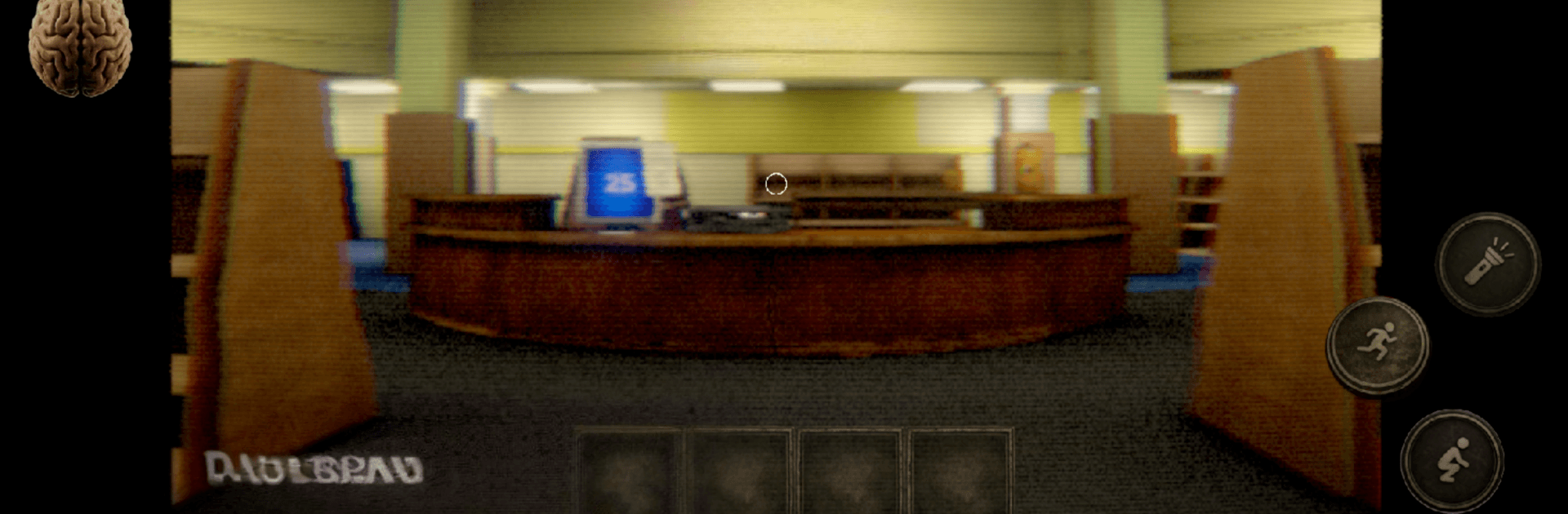
BACKROOMS: The End is a psychological horror Adventure that strands you in a dead-silent library that really isn’t what it seems. You’ll creep through endless stacks, piece together cryptic clues, and try to outsmart whatever’s prowling between the shelves. Prefer a bigger display? It also plays smoothly on BlueStacks.

Game Features

  • The End, not the end: Explore a vast, abandoned library that looks like safety at first, then slowly reveals itself as a meticulously crafted trap.
  • Tension-drenched atmosphere: Moody lighting, dense shadows, and unsettling detail build that constant “something’s behind me” feeling.
  • 3D audio that plays with your head: Footsteps, distant shuffles, and sudden creaks use spatial sound to mess with your sense of direction.
  • Exploration with purpose: Comb through aisles, check notes and odd markings, and connect small clues that add up to big reveals.
  • Puzzles that fit the world: Environmental riddles and pattern-based locks push you to pay attention to the surroundings, not just a HUD.
  • Stealth over bravado: Every clack, scrape, or quick sprint can give you away—manage your noise, pick your routes, and stay out of sight.
  • Run, hide, outsmart: When things close in, sprint for cover, break line of sight, or use distractions to slip past what hunts in the dark.
  • Clean, responsive controls: Smooth, precise movement and intuitive interactions keep you focused on survival, not on wrestling with inputs.

BlueStacks gives you more room to focus on the game and less time adjusting around mobile limitations.


Game Features

Enhancements

  • Macros
  • Multi Instance
  • Multi Instance Sync
  • Script
  • Enhancements
Macros

Macros

Automate the predictable in BACKROOMS: The End and transform your gameplay with Macros. Get access to inventive Macros in the BlueStacks Macro Community
Multi Instance

Multi Instance

Play BACKROOMS: The End on one window. And chat with your friend on the other. Press CTRL + Shift + 8 to open the Multi-Instance Manager. And start creating fresh instances or clone an existing one.
Multi Instance Sync

Multi Instance Sync

Play BACKROOMS: The End with the power of Multi-Instance Sync. Replicate what you are doing on the main instance on all other instances. Level up faster, play more.
Script

Script

Script your way to gaming glory in BACKROOMS: The End with BlueStacks Script. Write and run a set of commands to automate repeated tasks. Trigger the command by assigning it to any key.
Read More

How to Download and Play BACKROOMS: The End on PC or Mac

  • Download and install BlueStacks on your PC or Mac

  • Complete Google sign-in to access the Play Store, or do it later

  • Look for BACKROOMS: The End in the search bar at the top right corner

  • Click to install BACKROOMS: The End from the search results

  • Complete Google sign-in (if you skipped step 2) to install BACKROOMS: The End

  • Click the BACKROOMS: The End icon on the home screen to start playing

video
Watch Video

Minimum System Requirements

With BlueStacks 5, you can get started on a PC that fulfills the following requirements.

  • Operating System

    Microsoft Windows 7 or above, macOS 11 (Big Sur) or above

  • Processor

    Intel, AMD or Apple Silicon Processor

  • RAM

    at least 4GB

  • HDD

    10GB Free Disk Space

Note:

* You must be an Administrator on your PC. Up to date graphics drivers from Microsoft or the chipset vendor.

BACKROOMS: The End - FAQs

  • How to play BACKROOMS: The End on Windows PC & Mac?

    Play BACKROOMS: The End on your PC or Mac by following these simple steps.

    • Click on 'Play BACKROOMS: The End on PC’ to download BlueStacks
    • Install it and log-in to Google Play Store
    • Launch and play the game.
  • Why is BlueStacks the fastest and safest platform to play games on PC?

    BlueStacks respects your privacy and is always safe and secure to use. It does not carry any malware, spyware, or any sort of additional software that could harm your PC.

    It is engineered to optimize speed and performance for a seamless gaming experience.

  • What are BACKROOMS: The End PC requirements?

    Minimum requirement to run BACKROOMS: The End on your PC

    • OS: Microsoft Windows 7 or above MacOS 11 (Big Sur) or above
    • Processor: Intel, AMD or Apple Silicon Processor
    • RAM: Your PC must have at least 4GB of RAM. (Note that having 4GB or more disk space is not a substitute for RAM)
    • HDD: 10GB Free Disk Space.
    • You must be an Administrator on your PC.