Beyond: Star Descendant

Beyond: Star Descendant

Adventure

| Friendly Fox Games

Play on PC with BlueStacks or from our cloud

  • Overview
  • Game Features
  • How to Play

Page Modified On: August 10, 2026

Play Beyond: Star Descendant on PC or Mac

Explore a whole new adventure with Beyond: Star Descendant, a Adventure game created by Friendly Fox Games. Experience great gameplay with BlueStacks, the most popular gaming platform to play Android games on your PC or Mac.

About the Game

Beyond: Star Descendant is a story-driven Adventure where you play a determined mom chasing a frightening mystery across the cosmos. After her son Thomas vanishes to meet a stranger who “knows the truth” about his past, you’ll scour alien worlds, piece together cryptic clues, and face the unsettling power awakening inside him. Expect a mix of hidden-object scenes, clever logic puzzles, and escape room–style challenges—great on mobile and just as comfy on BlueStacks if you like a bigger screen.

Game Features

  • A mother’s race across the stars: Track Thomas through eerie planets and space outposts as a personal, high-stakes case turns cosmic.
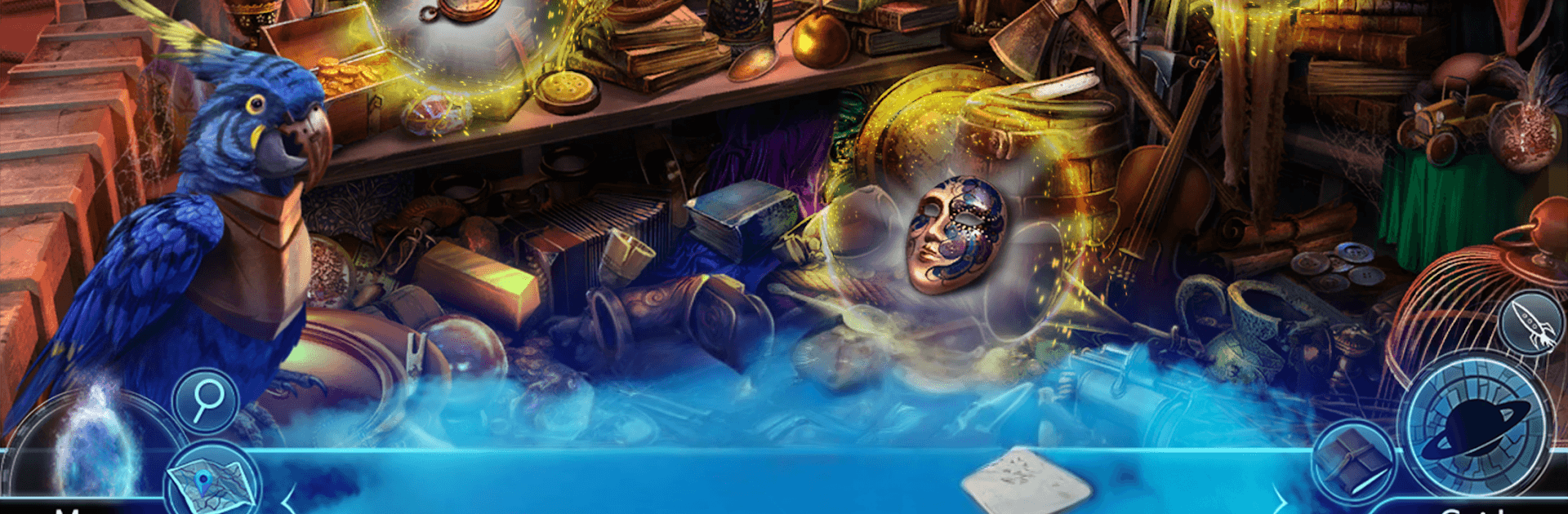
  • Hidden-object sleuthing: Search richly detailed scenes for vital clues, tools, and fragments of the truth behind Thomas’s origin.
  • Brainy mini‑games: Tackle logic puzzles and escape-style challenges that reward observation, patience, and a little stubbornness.
  • Strange new worlds: Wander through more than forty handcrafted locations packed with atmosphere, visual storytelling, and secrets to uncover.
  • Choices that matter: Make decisions that steer conversations and outcomes, opening paths that can change how the story resolves.
  • Twists and dark themes: Follow a layered mystery filled with uneasy discoveries, shifting loyalties, and a power that refuses to stay hidden.
  • Pacing that feels right: Quick hits of search-and-find blended with longer puzzles keep the momentum going without steamrolling the story.
  • Built for explorers: Unlock new areas, revisit scenes with fresh tools, and stitch together clues that only make sense once you’ve seen the bigger picture.
  • Replay-friendly: Missed something? Go back, try a different approach, and see how your choices ripple through the investigation.

Start your journey now. Download the game on BlueStacks, invite your friends, and march on a new adventure.


Game Features

Enhancements

  • Macros
  • Multi Instance
  • Multi Instance Sync
  • Script
  • Enhancements
Macros

Macros

Automate the predictable in Beyond: Star Descendant and transform your gameplay with Macros. Get access to inventive Macros in the BlueStacks Macro Community
Multi Instance

Multi Instance

Play Beyond: Star Descendant on one window. And chat with your friend on the other. Press CTRL + Shift + 8 to open the Multi-Instance Manager. And start creating fresh instances or clone an existing one.
Multi Instance Sync

Multi Instance Sync

Play Beyond: Star Descendant with the power of Multi-Instance Sync. Replicate what you are doing on the main instance on all other instances. Level up faster, play more.
Script

Script

Script your way to gaming glory in Beyond: Star Descendant with BlueStacks Script. Write and run a set of commands to automate repeated tasks. Trigger the command by assigning it to any key.
Read More

How to Download and Play Beyond: Star Descendant on PC or Mac

  • Download and install BlueStacks on your PC or Mac

  • Complete Google sign-in to access the Play Store, or do it later

  • Look for Beyond: Star Descendant in the search bar at the top right corner

  • Click to install Beyond: Star Descendant from the search results

  • Complete Google sign-in (if you skipped step 2) to install Beyond: Star Descendant

  • Click the Beyond: Star Descendant icon on the home screen to start playing

video
Watch Video

Minimum System Requirements

With BlueStacks 5, you can get started on a PC that fulfills the following requirements.

  • Operating System

    Microsoft Windows 7 or above, macOS 11 (Big Sur) or above

  • Processor

    Intel, AMD or Apple Silicon Processor

  • RAM

    at least 4GB

  • HDD

    10GB Free Disk Space

Note:

* You must be an Administrator on your PC. Up to date graphics drivers from Microsoft or the chipset vendor.

Beyond: Star Descendant - FAQs

  • How to play Beyond: Star Descendant on Windows PC & Mac?

    Play Beyond: Star Descendant on your PC or Mac by following these simple steps.

    • Click on 'Play Beyond: Star Descendant on PC’ to download BlueStacks
    • Install it and log-in to Google Play Store
    • Launch and play the game.
  • Why is BlueStacks the fastest and safest platform to play games on PC?

    BlueStacks respects your privacy and is always safe and secure to use. It does not carry any malware, spyware, or any sort of additional software that could harm your PC.

    It is engineered to optimize speed and performance for a seamless gaming experience.

  • What are Beyond: Star Descendant PC requirements?

    Minimum requirement to run Beyond: Star Descendant on your PC

    • OS: Microsoft Windows 7 or above MacOS 11 (Big Sur) or above
    • Processor: Intel, AMD or Apple Silicon Processor
    • RAM: Your PC must have at least 4GB of RAM. (Note that having 4GB or more disk space is not a substitute for RAM)
    • HDD: 10GB Free Disk Space.
    • You must be an Administrator on your PC.