Maze: Sinister Play (Mystery)

Maze: Sinister Play (Mystery)

Adventure

| Friendly Fox Games

Play on PC with BlueStacks or from our cloud

  • Overview
  • Game Features
  • How to Play

Page Modified On: August 15, 2026

Play Maze: Sinister Play (Mystery) on PC or Mac

Maze: Sinister Play (Mystery) brings the Adventure genre to life, and throws up exciting challenges for gamers. Developed by Friendly Fox Games, this Android game is best experienced on BlueStacks, the World’s #1 app player for PC and Mac users.

About the Game

Maze: Sinister Play (Mystery) is an Adventure where a carefree road trip with friends flips into a nightmare after two unnervingly calm kids whisk you away. Your only way out is through—sorting clues, picking through hidden-object scenes, and cracking clever puzzles while an old, ugly secret claws its way back to light. If you’re into story-first seek-and-find with a creepy vibe, this one’s right up your alley, and it plays nicely on PC with BlueStacks too.

Game Features

  • Twisted storyline: A fun getaway spirals into a chilling cat-and-mouse chase as you unravel what those kids are hiding—and why.
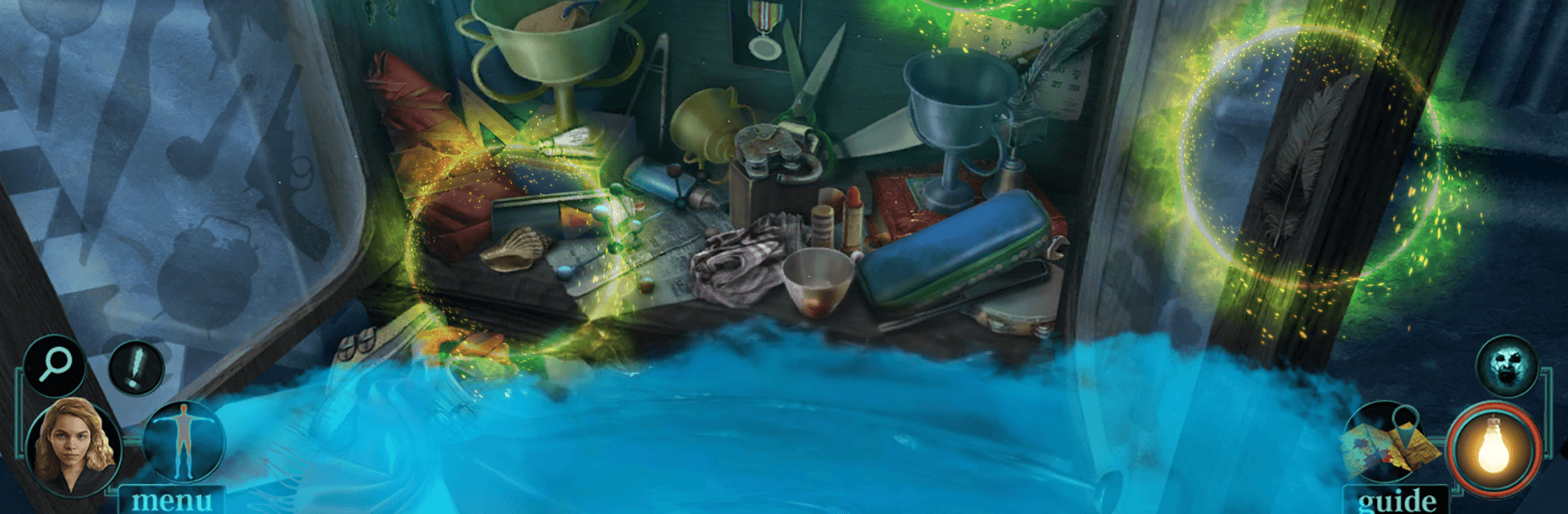
  • Hidden-object hunts: Scour richly detailed scenes using lists, silhouettes, and multi-step interactions that reward a sharp eye.
  • Mini-games and brainteasers: Decode locks, align mechanisms, and solve logic puzzles that swing from quick hits to real head-scratchers.
  • Bonus chapter: Tackle an extra chapter focused on rescuing your friends and tying up the final threads of the case.
  • Built-in guide: Nudge-friendly strategy tips are there when you need them, so you won’t stall on a single puzzle.
  • Collectibles and morphing items: Keep watch for secret tokens and sneaky objects that subtly change shape to unlock extras.
  • Achievements: Rack up milestones for thorough searching, puzzle mastery, and clean escapes.
  • 40+ places to explore: Wander through dusty motels, shadowy theaters, and hidden passages—each location painted with moody, memorable art.

Start playing Maze: Sinister Play (Mystery) on BlueStacks and get a smoother, more comfortable PC or Mac setup.


Game Features

Enhancements

  • Macros
  • Multi Instance
  • Multi Instance Sync
  • Script
  • Enhancements
Macros

Macros

Automate the predictable in Maze: Sinister Play (Mystery) and transform your gameplay with Macros. Get access to inventive Macros in the BlueStacks Macro Community
Multi Instance

Multi Instance

Play Maze: Sinister Play (Mystery) on one window. And chat with your friend on the other. Press CTRL + Shift + 8 to open the Multi-Instance Manager. And start creating fresh instances or clone an existing one.
Multi Instance Sync

Multi Instance Sync

Play Maze: Sinister Play (Mystery) with the power of Multi-Instance Sync. Replicate what you are doing on the main instance on all other instances. Level up faster, play more.
Script

Script

Script your way to gaming glory in Maze: Sinister Play (Mystery) with BlueStacks Script. Write and run a set of commands to automate repeated tasks. Trigger the command by assigning it to any key.
Read More

How to Download and Play Maze: Sinister Play (Mystery) on PC or Mac

  • Download and install BlueStacks on your PC or Mac

  • Complete Google sign-in to access the Play Store, or do it later

  • Look for Maze: Sinister Play (Mystery) in the search bar at the top right corner

  • Click to install Maze: Sinister Play (Mystery) from the search results

  • Complete Google sign-in (if you skipped step 2) to install Maze: Sinister Play (Mystery)

  • Click the Maze: Sinister Play (Mystery) icon on the home screen to start playing

video
Watch Video

Minimum System Requirements

With BlueStacks 5, you can get started on a PC that fulfills the following requirements.

  • Operating System

    Microsoft Windows 7 or above, macOS 11 (Big Sur) or above

  • Processor

    Intel, AMD or Apple Silicon Processor

  • RAM

    at least 4GB

  • HDD

    10GB Free Disk Space

Note:

* You must be an Administrator on your PC. Up to date graphics drivers from Microsoft or the chipset vendor.

Maze: Sinister Play (Mystery) - FAQs

  • How to play Maze: Sinister Play (Mystery) on Windows PC & Mac?

    Play Maze: Sinister Play (Mystery) on your PC or Mac by following these simple steps.

    • Click on 'Play Maze: Sinister Play (Mystery) on PC’ to download BlueStacks
    • Install it and log-in to Google Play Store
    • Launch and play the game.
  • Why is BlueStacks the fastest and safest platform to play games on PC?

    BlueStacks respects your privacy and is always safe and secure to use. It does not carry any malware, spyware, or any sort of additional software that could harm your PC.

    It is engineered to optimize speed and performance for a seamless gaming experience.

  • What are Maze: Sinister Play (Mystery) PC requirements?

    Minimum requirement to run Maze: Sinister Play (Mystery) on your PC

    • OS: Microsoft Windows 7 or above MacOS 11 (Big Sur) or above
    • Processor: Intel, AMD or Apple Silicon Processor
    • RAM: Your PC must have at least 4GB of RAM. (Note that having 4GB or more disk space is not a substitute for RAM)
    • HDD: 10GB Free Disk Space.
    • You must be an Administrator on your PC.