BlockEra
BlockEra

BlockEra

Adventure

| MiniCube Studio

Play on PC with BlueStacks or from our cloud

  • Overview
  • Game Features
  • How to Play

Page Modified On: August 19, 2025

Play BlockEra on PC or Mac

Explore a whole new adventure with BlockEra, a Adventure game created by MiniCube Studio. Experience great gameplay with BlueStacks, the most popular gaming platform to play Android games on your PC or Mac.

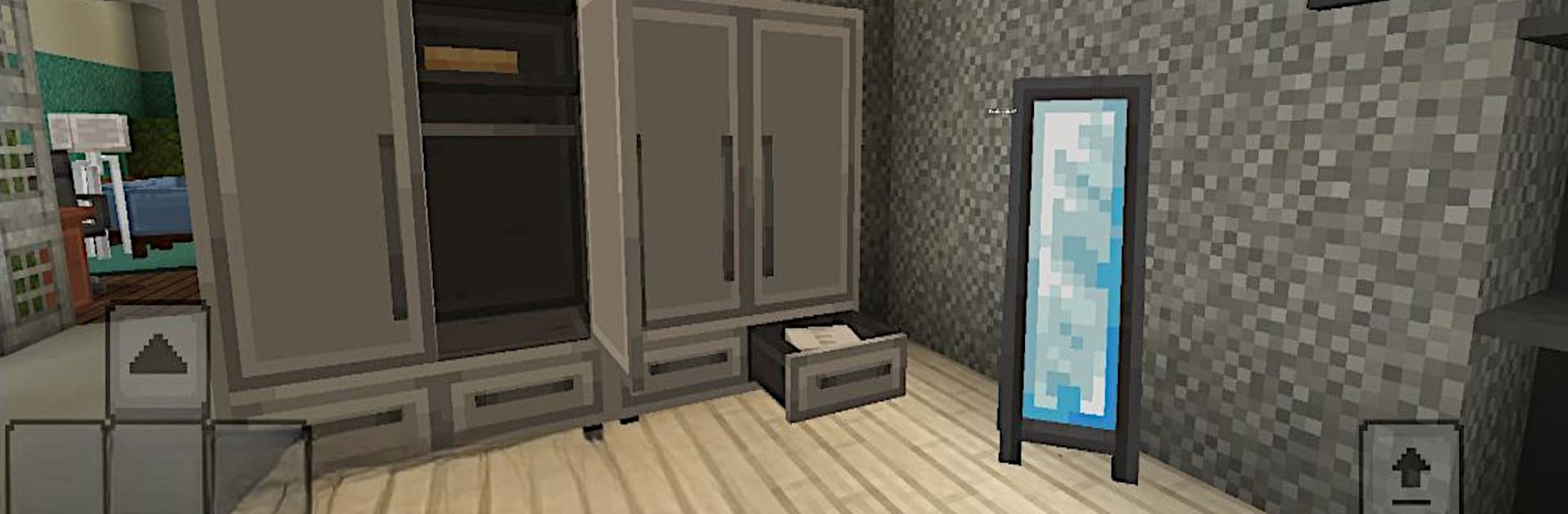
BlockEra throws players into a giant pixel world where there’s a lot going on, but at a chill pace. Everything’s made out of these colorful blocks, and it’s up to the player to figure out what gets built and explored. There’s a good mix between creative building — think tiny huts or oversized castles — and moments where survival matters. Wandering around, you’ll spot all sorts of different areas, forests, caves, deserts, and there’s just enough danger to keep things interesting at night or when monsters show up. Gathering resources is a big part of it. Players mine, chop, and collect stuff to make all their tools, and there’s even animal taming and farming, which gives things a slower, cozier rhythm at times.

BlockEra feels smooth running on a PC with BlueStacks, and it doesn’t hammer down with flashy effects or complicated menus. There’s an offline mode, so people can keep playing whenever they want, and swapping into Creative Mode removes any limits if someone just wants to build ridiculous structures without worrying about health or food. The newest update brought nicer looking textures, faster game loading, and a bunch more decorations and creatures, which helps make the world feel a bit busier and more alive. It’s lightweight, so it won’t bog down your computer or phone, and there are little daily rewards for logging in. All in all, BlockEra is all about making things, exploring, and that low-pressure challenge of surviving out in the wild. Definitely something for those who like sandbox games but don’t want anything overly complicated.

Start your journey now. Download the game on BlueStacks, invite your friends, and march on a new adventure.


Game Features

Enhancements

  • Macros
  • Multi Instance
  • Multi Instance Sync
  • Script
  • Enhancements
Macros

Macros

Automate the predictable in BlockEra and transform your gameplay with Macros. Get access to inventive Macros in the BlueStacks Macro Community
Multi Instance

Multi Instance

Play BlockEra on one window. And chat with your friend on the other. Press CTRL + Shift + 8 to open the Multi-Instance Manager. And start creating fresh instances or clone an existing one.
Multi Instance Sync

Multi Instance Sync

Play BlockEra with the power of Multi-Instance Sync. Replicate what you are doing on the main instance on all other instances. Level up faster, play more.
Script

Script

Script your way to gaming glory in BlockEra with BlueStacks Script. Write and run a set of commands to automate repeated tasks. Trigger the command by assigning it to any key.
Read More

How to Download and Play BlockEra on PC or Mac

  • Download and install BlueStacks on your PC or Mac

  • Complete Google sign-in to access the Play Store, or do it later

  • Look for BlockEra in the search bar at the top right corner

  • Click to install BlockEra from the search results

  • Complete Google sign-in (if you skipped step 2) to install BlockEra

  • Click the BlockEra icon on the home screen to start playing

video
Watch Video

Minimum System Requirements

With BlueStacks 5, you can get started on a PC that fulfills the following requirements.

  • Operating System

    Microsoft Windows 7 or above, macOS 11 (Big Sur) or above

  • Processor

    Intel, AMD or Apple Silicon Processor

  • RAM

    at least 4GB

  • HDD

    10GB Free Disk Space

Note:

* You must be an Administrator on your PC. Up to date graphics drivers from Microsoft or the chipset vendor.

BlockEra - FAQs

  • How to play BlockEra on Windows PC & Mac?

    Play BlockEra on your PC or Mac by following these simple steps.

    • Click on 'Play BlockEra on PC’ to download BlueStacks
    • Install it and log-in to Google Play Store
    • Launch and play the game.
  • Why is BlueStacks the fastest and safest platform to play games on PC?

    BlueStacks respects your privacy and is always safe and secure to use. It does not carry any malware, spyware, or any sort of additional software that could harm your PC.

    It is engineered to optimize speed and performance for a seamless gaming experience.

  • What are BlockEra PC requirements?

    Minimum requirement to run BlockEra on your PC

    • OS: Microsoft Windows 7 or above MacOS 11 (Big Sur) or above
    • Processor: Intel, AMD or Apple Silicon Processor
    • RAM: Your PC must have at least 4GB of RAM. (Note that having 4GB or more disk space is not a substitute for RAM)
    • HDD: 10GB Free Disk Space.
    • You must be an Administrator on your PC.