Bob Bubbles Saw Trap

Bob Bubbles Saw Trap

Adventure

| Mazniac

Play on PC with BlueStacks or from our cloud

  • Overview
  • Game Features
  • How to Play

Page Modified On: April 13, 2026

Play Bob Bubbles Saw Trap on PC or Mac

Step into the World of Bob Bubbles Saw Trap, a thrilling Adventure game from the house of Mazniac. Play this Android game on BlueStacks App Player and experience immersive gaming on PC or Mac.

About the Game

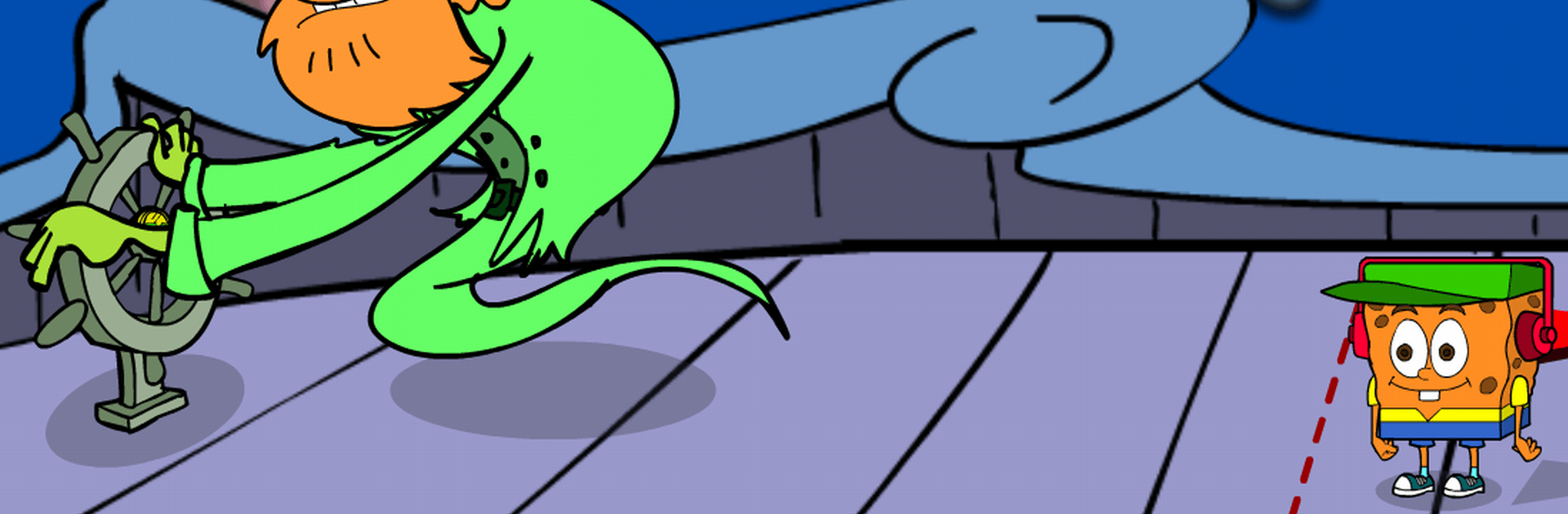
Bob Bubbles Saw Trap throws our bubble-headed hero into a bizarre underwater showdown after the villain Pigsaw kidnaps Larry. It’s a quirky Adventure packed with logic puzzles, sneaky traps, and oddball characters who’ll either lend a hand or set you up. Prefer a bigger screen and keyboard? It also plays nicely on PC with BlueStacks.

Game Features

  • Genre: Adventure
    A story-driven Adventure where every scene hides something to inspect, a trick to dodge, or a clue to piece together.

  • Twisted Underwater Quest
    Explore colorful reefs and strange seafloor spots while Bob hunts for Larry and stays one step ahead of Pigsaw’s schemes.

  • Puzzles That Reward Thinking
    Expect clever, fair challenges—pattern spotting, logic, lateral thinking—where paying attention beats guesswork.

  • Items, Clues, and “Aha!” Moments
    Pick up key objects, examine details, combine the right things, and unlock paths that seemed impossible a moment ago.

  • Traps and Tough Calls
    Pigsaw loves surprises. Watch for hidden mechanisms, make smart decisions under pressure, and learn from the occasional misstep.

  • Rising Difficulty
    Each stage adds fresh mechanics, weirder problems, and higher stakes as you close in on the final confrontation.

  • Humor With a Sharp Edge
    Lighthearted bits, cheeky gags, and absurd situations keep the tension fun instead of frustrating.

  • Play Offline
    No connection needed—great for flights, commutes, or quick brain-teaser breaks anywhere.

  • 30 Language Options
    Play comfortably with robust localization, including English, Spanish, French, German, Japanese, Korean, and many more.

  • Free to Play
    Jump in without paying upfront, then stick around for the brain-twisting set pieces.

  • Made by Mazniac
    A signature mix of playful design and tricky puzzles from Mazniac.

Ready to top the leaderboard? We bet you do. Let precise controls and sharp visuals optimized on BlueStacks lead you to victory.


Game Features

Enhancements

  • Macros
  • Multi Instance
  • Multi Instance Sync
  • Script
  • Enhancements
Macros

Macros

Automate the predictable in Bob Bubbles Saw Trap and transform your gameplay with Macros. Get access to inventive Macros in the BlueStacks Macro Community
Multi Instance

Multi Instance

Play Bob Bubbles Saw Trap on one window. And chat with your friend on the other. Press CTRL + Shift + 8 to open the Multi-Instance Manager. And start creating fresh instances or clone an existing one.
Multi Instance Sync

Multi Instance Sync

Play Bob Bubbles Saw Trap with the power of Multi-Instance Sync. Replicate what you are doing on the main instance on all other instances. Level up faster, play more.
Script

Script

Script your way to gaming glory in Bob Bubbles Saw Trap with BlueStacks Script. Write and run a set of commands to automate repeated tasks. Trigger the command by assigning it to any key.
Read More

How to Download and Play Bob Bubbles Saw Trap on PC or Mac

  • Download and install BlueStacks on your PC or Mac

  • Complete Google sign-in to access the Play Store, or do it later

  • Look for Bob Bubbles Saw Trap in the search bar at the top right corner

  • Click to install Bob Bubbles Saw Trap from the search results

  • Complete Google sign-in (if you skipped step 2) to install Bob Bubbles Saw Trap

  • Click the Bob Bubbles Saw Trap icon on the home screen to start playing

video
Watch Video

Minimum System Requirements

With BlueStacks 5, you can get started on a PC that fulfills the following requirements.

  • Operating System

    Microsoft Windows 7 or above, macOS 11 (Big Sur) or above

  • Processor

    Intel, AMD or Apple Silicon Processor

  • RAM

    at least 4GB

  • HDD

    10GB Free Disk Space

Note:

* You must be an Administrator on your PC. Up to date graphics drivers from Microsoft or the chipset vendor.

Bob Bubbles Saw Trap - FAQs

  • How to play Bob Bubbles Saw Trap on Windows PC & Mac?

    Play Bob Bubbles Saw Trap on your PC or Mac by following these simple steps.

    • Click on 'Play Bob Bubbles Saw Trap on PC’ to download BlueStacks
    • Install it and log-in to Google Play Store
    • Launch and play the game.
  • Why is BlueStacks the fastest and safest platform to play games on PC?

    BlueStacks respects your privacy and is always safe and secure to use. It does not carry any malware, spyware, or any sort of additional software that could harm your PC.

    It is engineered to optimize speed and performance for a seamless gaming experience.

  • What are Bob Bubbles Saw Trap PC requirements?

    Minimum requirement to run Bob Bubbles Saw Trap on your PC

    • OS: Microsoft Windows 7 or above MacOS 11 (Big Sur) or above
    • Processor: Intel, AMD or Apple Silicon Processor
    • RAM: Your PC must have at least 4GB of RAM. (Note that having 4GB or more disk space is not a substitute for RAM)
    • HDD: 10GB Free Disk Space.
    • You must be an Administrator on your PC.