City Moto Bike Racing Game 3D

City Moto Bike Racing Game 3D

Adventure

| Infinity Bricks Studio

Play on PC with BlueStacks or from our cloud

  • Overview
  • Game Features
  • How to Play

Page Modified On: April 07, 2026

Play City Moto Bike Racing Game 3D on PC or Mac

Step into the World of City Moto Bike Racing Game 3D, a thrilling Adventure game from the house of Infinity Bricks Studio. Play this Android game on BlueStacks App Player and experience immersive gaming on PC or Mac.

About the Game

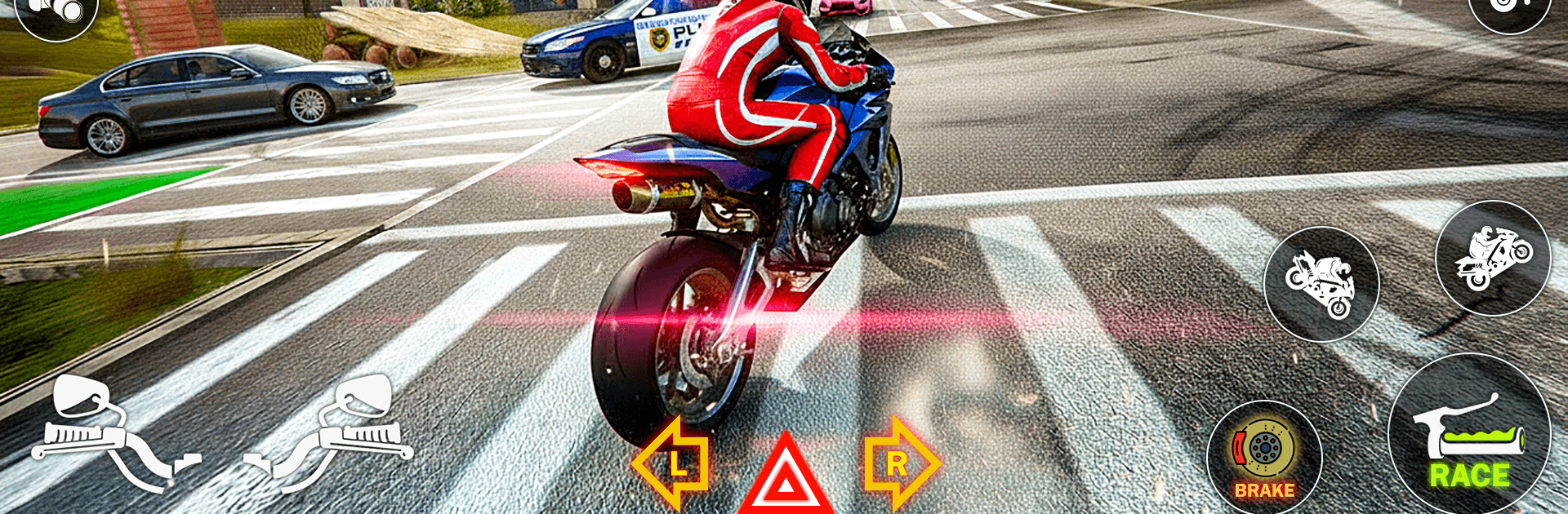
City Moto Bike Racing Game 3D from Infinity Bricks Studio throws you onto fast bikes and into even faster traffic. It’s a street-and-stunts mix where you’re threading through cars, hitting ramps, and tackling timed objectives without losing that real road feel. Prefer a bigger screen for those tight turns? It runs smoothly on PC with BlueStacks. (Genre: Adventure)

Game Features

  • Real-bike feel: Snappy throttle, tight brakes, and smooth leaning make every overtake or corner feel earned.
  • Offline anytime: Jump into races, missions, or quick sessions even when you’re away from Wi-Fi.
  • City traffic and open roads: Cut through busy streets or stretch the throttle on wider highways and open routes.
  • Speed-focused missions: Time trials, head-to-head challenges, and high-speed tests keep the adrenaline up.
  • Traffic racing modes: Weave between cars, read gaps, and manage risk when traffic gets wild.
  • Stunts and jump challenges: Launch off ramps, clear gaps, and land clean—wheelies and airtime absolutely count.
  • Delivery runs with a timer: Grab the package, find the shortcut, and beat the clock without wiping out.
  • Multiple racing tracks: Rotate through varied routes and layouts so each run feels fresh.
  • 3D graphics: Sharp visuals with solid effects that make motion and speed easy to read.
  • Dynamic camera views: Swap angles to suit your style—tight cockpit view or a wider chase shot.
  • Wheelie balance tests: Hold it steady and manage balance for bonus thrills.
  • Fast, pick-up-and-play: Short races, quick retries, and instant restarts keep the momentum going.

Ready to top the leaderboard? We bet you do. Let precise controls and sharp visuals optimized on BlueStacks lead you to victory.


Game Features

Enhancements

  • Macros
  • Multi Instance
  • Multi Instance Sync
  • Script
  • Enhancements
Macros

Macros

Automate the predictable in City Moto Bike Racing Game 3D and transform your gameplay with Macros. Get access to inventive Macros in the BlueStacks Macro Community
Multi Instance

Multi Instance

Play City Moto Bike Racing Game 3D on one window. And chat with your friend on the other. Press CTRL + Shift + 8 to open the Multi-Instance Manager. And start creating fresh instances or clone an existing one.
Multi Instance Sync

Multi Instance Sync

Play City Moto Bike Racing Game 3D with the power of Multi-Instance Sync. Replicate what you are doing on the main instance on all other instances. Level up faster, play more.
Script

Script

Script your way to gaming glory in City Moto Bike Racing Game 3D with BlueStacks Script. Write and run a set of commands to automate repeated tasks. Trigger the command by assigning it to any key.
Read More

How to Download and Play City Moto Bike Racing Game 3D on PC or Mac

  • Download and install BlueStacks on your PC or Mac

  • Complete Google sign-in to access the Play Store, or do it later

  • Look for City Moto Bike Racing Game 3D in the search bar at the top right corner

  • Click to install City Moto Bike Racing Game 3D from the search results

  • Complete Google sign-in (if you skipped step 2) to install City Moto Bike Racing Game 3D

  • Click the City Moto Bike Racing Game 3D icon on the home screen to start playing

video
Watch Video

Minimum System Requirements

With BlueStacks 5, you can get started on a PC that fulfills the following requirements.

  • Operating System

    Microsoft Windows 7 or above, macOS 11 (Big Sur) or above

  • Processor

    Intel, AMD or Apple Silicon Processor

  • RAM

    at least 4GB

  • HDD

    10GB Free Disk Space

Note:

* You must be an Administrator on your PC. Up to date graphics drivers from Microsoft or the chipset vendor.

City Moto Bike Racing Game 3D - FAQs

  • How to play City Moto Bike Racing Game 3D on Windows PC & Mac?

    Play City Moto Bike Racing Game 3D on your PC or Mac by following these simple steps.

    • Click on 'Play City Moto Bike Racing Game 3D on PC’ to download BlueStacks
    • Install it and log-in to Google Play Store
    • Launch and play the game.
  • Why is BlueStacks the fastest and safest platform to play games on PC?

    BlueStacks respects your privacy and is always safe and secure to use. It does not carry any malware, spyware, or any sort of additional software that could harm your PC.

    It is engineered to optimize speed and performance for a seamless gaming experience.

  • What are City Moto Bike Racing Game 3D PC requirements?

    Minimum requirement to run City Moto Bike Racing Game 3D on your PC

    • OS: Microsoft Windows 7 or above MacOS 11 (Big Sur) or above
    • Processor: Intel, AMD or Apple Silicon Processor
    • RAM: Your PC must have at least 4GB of RAM. (Note that having 4GB or more disk space is not a substitute for RAM)
    • HDD: 10GB Free Disk Space.
    • You must be an Administrator on your PC.